


Question

Setting up SAML SSO for an Extended Enterprise

  • June 24, 2022
  • 4 replies
  • 184 views

Forum|alt.badge.img

I have done everything correctly by passing the metadata between Azure AD and Docebo, matching up the Unique Identifier field, uploading SSL certificates for my test domain, and I still get the same error:
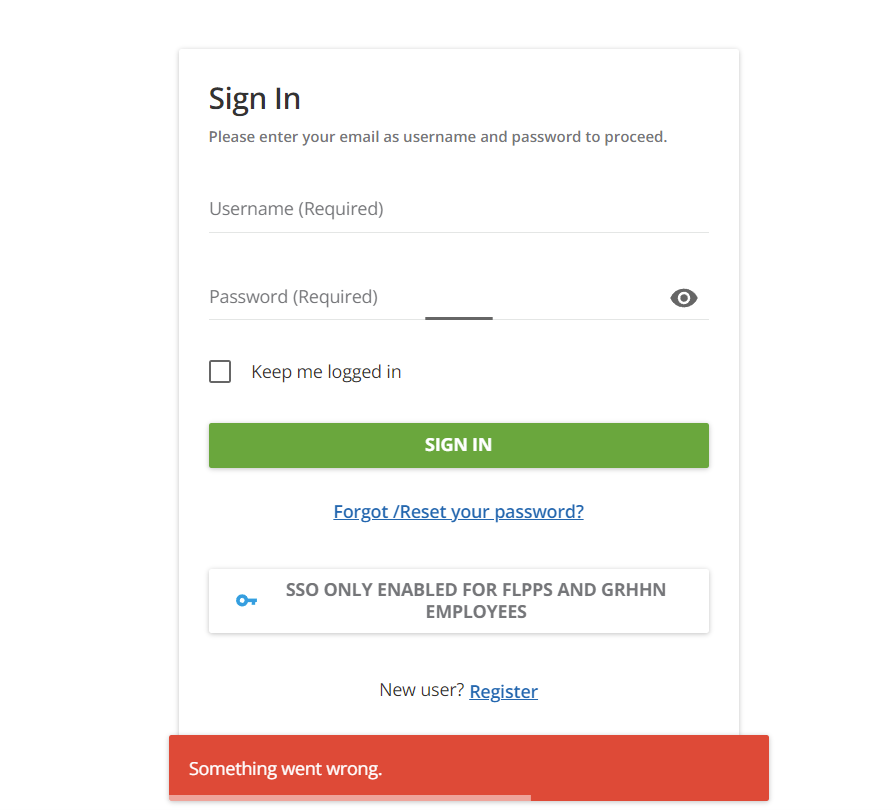
The expert my AM gave me has no idea why its not working. IT has no idea. I’m at a loss! 

4 replies

KMallette
Hero II
Forum|alt.badge.img+9
  • Hero II
  • June 24, 2022

@tommyVan  Hi, Tommy … has your IT manager turned on a “sniffer” to watch the traffic as you try to log in?  We had to do that a couple of times and (in our case) that showed some errors in the IT coding.


Forum|alt.badge.img
  • Author
  • Helper I
  • June 24, 2022

@tommyVan  Hi, Tommy … has your IT manager turned on a “sniffer” to watch the traffic as you try to log in?  We had to do that a couple of times and (in our case) that showed some errors in the IT coding.

No, but I can do it myself. What’s a sniffer? or an example of one I can use? I have access to the test environment right now, so if I can get the error it’s throwing I can troubleshoot. 


KMallette
Hero II
Forum|alt.badge.img+9
  • Hero II
  • June 24, 2022

@tommyVan I’ve had a couple of IT guys use Fiddler4 … might be a newer version available.

When you say “test environment” you mean the AD test, right? You have to use Docebo production, not the sandbox…


Forum|alt.badge.img
  • Author
  • Helper I
  • June 24, 2022

@KMallette Correct. I’ll look into Fiddler4 this afternoon. If I’m able to resolve this issue I will 100% update this thread, as there’s almost no documentation anywhere for this set up.

