Answer

Simple Extended Enterprise Course Link Function Question?

  • November 21, 2025
  • 6 replies
  • 36 views

Forum|alt.badge.img+5

Let’s say we create a course, and we want to assign it to both people in the Root folder and people in the Extended Enterprise instance.

Would we need two URLs to get that to work properly, even if it’s the same exact course?

Like in comms we would have to say:

Here is the link for the course for Root people: [url]

Here is the link for the Extended Enterprise people: [slightly different url]

Thank you!

Best answer by lrnlab

Correct. If your branding is the same, as in your subdomain, it should be no issue for your users. You can see in your screenshot that they can access the root (the first option)

6 replies

Forum|alt.badge.img+4
  • Helper II
  • November 21, 2025

Yes, we’ve run into this too.  The course link is always going to reflect the URL of whoever is creating it.  You could create multiple links to the same course, but that can be a hassle, especially if you have lots of extended enterprise URLs.  Once people are enrolled in the course, using the Notifications and Send Email inside Docebo allows you to dynamically send people to the right place, but getting them enrolled is the tricky part.

We’ve been experimenting with enrollment codes, so we can just have an e-mail telling people to go to their instance (assuming they know what that is) and enter the code.  This does require you to add the enrollment code widget onto a page for them.


lrnlab
Hero III
Forum|alt.badge.img+10
  • Hero III
  • November 21, 2025

If you are asking about using course enrolment links, you need to signed in under the domain for which you are creating the link. I think you should be able to create it as well by adding the subdomain in the URL (or removing for those at the root). Please also make sure to test your notifications thoroughly for both audiences.


Forum|alt.badge.img+5
  • Author
  • Influencer III
  • November 21, 2025

Thank you both!​

@mzirnhelt Thank you for the tip about sending emails, but we also want to send communications outside of Docebo - so it does make sense with what you are saying with the codes!

@lrnlab I suppose I mean course enrollment links or just course access links, honestly. We send out emails outside of Docebo saying “Please click on this link to access the course”. 
I just want to confirm that if we turn on Extended Enterprise, we will always have to provide two URLs: One being

https://ourcompany.docebosaas.com/learn/courses/618/course-name

and one being
https://ourcompany.docebosaas.com/enterprisename/learn/courses/618/course-name


And we’d have to do that every time, yeah? Enrollment links or just direct links to the course?


lrnlab
Hero III
Forum|alt.badge.img+10
  • Hero III
  • November 21, 2025

@sara.cramer You don’t need to but those under the subdomain may not land on the proper page and have the branding you want them to see since everyone has access to the root domain.

If you prefer to keep things separate, you might want to think about NOT using the root for your users and creating 2 distinct subdomains. Otherwise, you could get away with only the “root” based link if you're concerned about any differences in branding and colours, etc.


Forum|alt.badge.img+5
  • Author
  • Influencer III
  • November 21, 2025

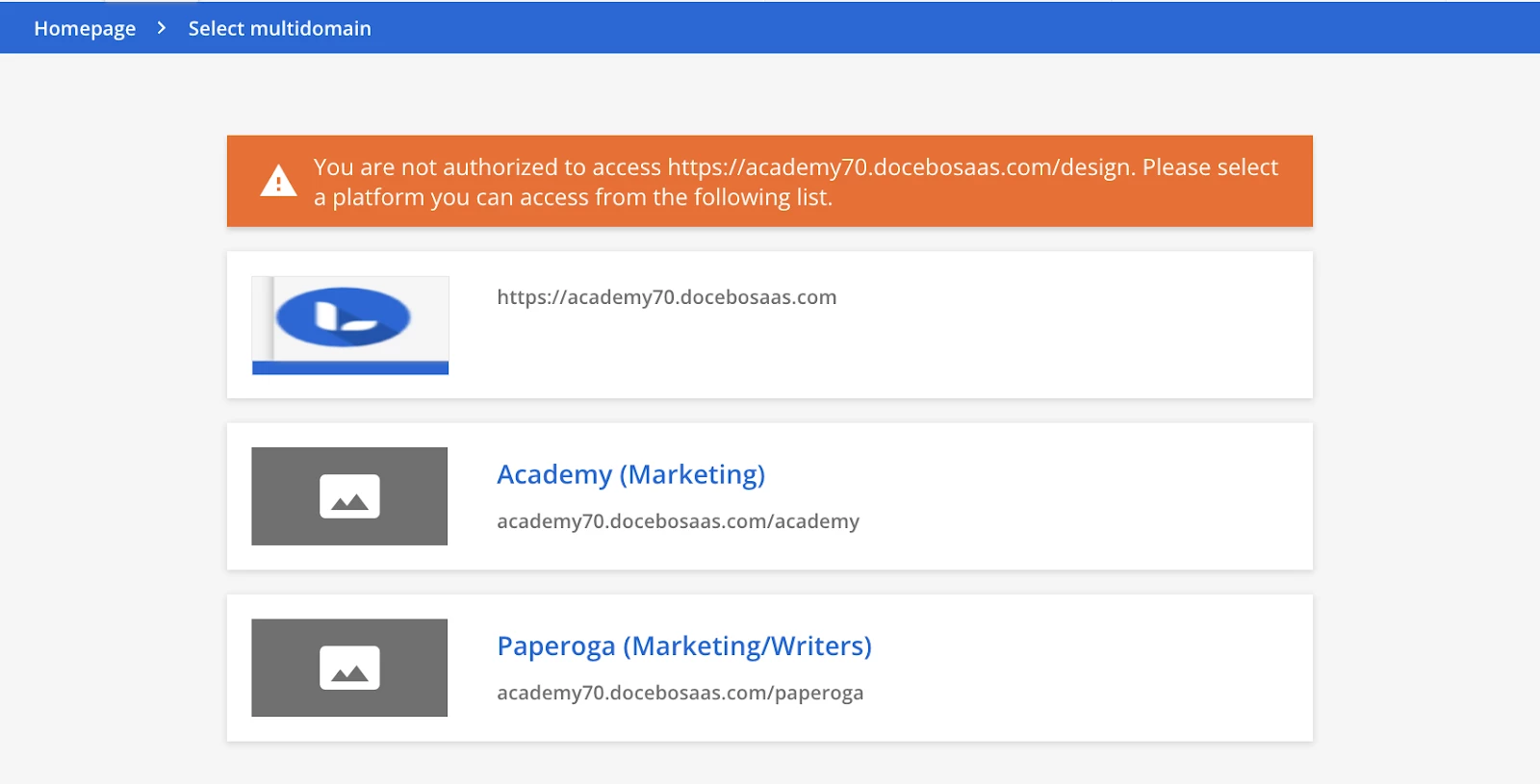
@lrnlab Thank you for this! I wasn’t aware. Sorry for all the extra questions, but what you’re saying is that if we provide the Root URL, the users won’t see this screen if they’re in another Extended Enterprise platform - they will always just be able to access the content normally?


lrnlab
Hero III
Forum|alt.badge.img+10
  • Hero III
  • Answer
  • November 21, 2025

Correct. If your branding is the same, as in your subdomain, it should be no issue for your users. You can see in your screenshot that they can access the root (the first option)