Question

Turning off Docebo Marketing popups

  • July 7, 2026
  • 3 replies
  • 77 views

Forum|alt.badge.img


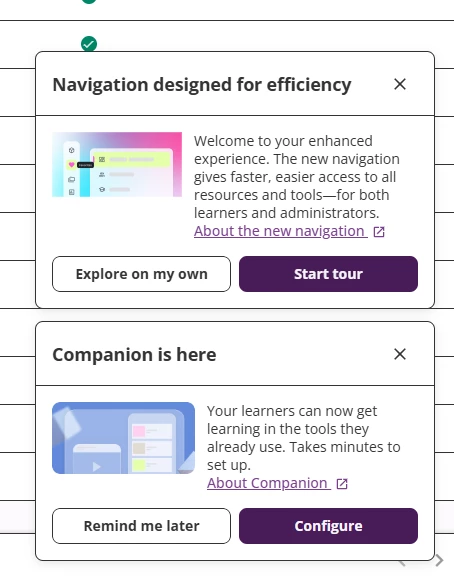
Has anyone had any luck turning off Docebo Marketing popups that have started appearing since the new interface launch. I’ve tried Elmast’s suggestion (CSS) Hiding contextual help via CSS | Community to no avail. and I note that the feature request:

https://community.docebo.com/ideas/persist-keeping-contextual-balloon-help-turned-off-when-the-user-turns-it-off-4229 appears to have been removed.

Our management team is kind of unhappy that platform marketing is showing up on the platform so we need a way to permanently turn it off/disable it.


Craig

 

3 replies

Dominik
Helper I
Forum|alt.badge.img+1
  • Helper I
  • July 7, 2026

Hi ​@craigr12,

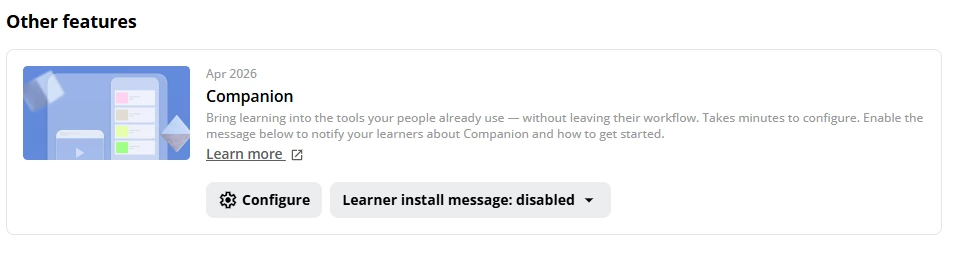
Not sure about the New Navigation pop-up, but you should be able to deactivate the Companion message via the “Launch Pad”. At least for the learners.


  • Newcomer
  • July 22, 2026

Hi ​@craigr12 ,

I’m not sure if you’ve had any luck so far but this worked for me:

Go to your Branding & Design > Custom Styles section.

And add the following CSS:

/* 1. Permanently hide the "Companion is here" pop-up */
app-layout-stacked-popup:has(stacked-popup-companion-content) {
display: none !important;
}

/* 2. Permanently hide the "Navigation designed for efficiency" tour pop-up */
app-layout-stacked-popup:has(stacked-popup-new-navigation-tour) {
display: none !important;
}

Glenn


Forum|alt.badge.img
  • Author
  • Newcomer
  • July 22, 2026

Thanks Glen.

Worked like a charm.


Craig