Question

Best Practice for sending a Survey out after learner completes VILT session?

  • December 11, 2025
  • 2 replies
  • 41 views

Hi all,
I’m looking for workarounds or best practices for sending surveys after a learner completes a VILT session.

Goal:
A learner enrolls in a VILT → completes the session → is then directed within the course to complete a survey. The survey should only become available after the session is marked complete.

I’m hoping to keep this workflow within a single course rather than creating a learning plan, since this is just one VILT.

Has anyone found a good setup for this? Any tips or configurations that have worked well for you? Thanks!


Addendum: 

  • Support has confirmed that ILT courses cannot unlock training materials individually per learner upon their session completion. 

2 replies

lrnlab
Hero III
Forum|alt.badge.img+10
  • Hero III
  • December 11, 2025

If you have Learning Evaluations you can automate this process and have the survey sent independently of he course (not stored as training material)

https://help.docebo.com/hc/en-us/sections/22160912850322-Learning-evaluation

Another option (if you want to use the Survey learning object) is to set up a group to capture those users who completed your ILT course and then set-up an enrolment rule to assign a new course that only contains the survey object. To get more feedback you can also look to enable a notification for that course as the user may not know it was assigned automatically.


elamast
Hero I
Forum|alt.badge.img+7
  • Hero I
  • December 11, 2025

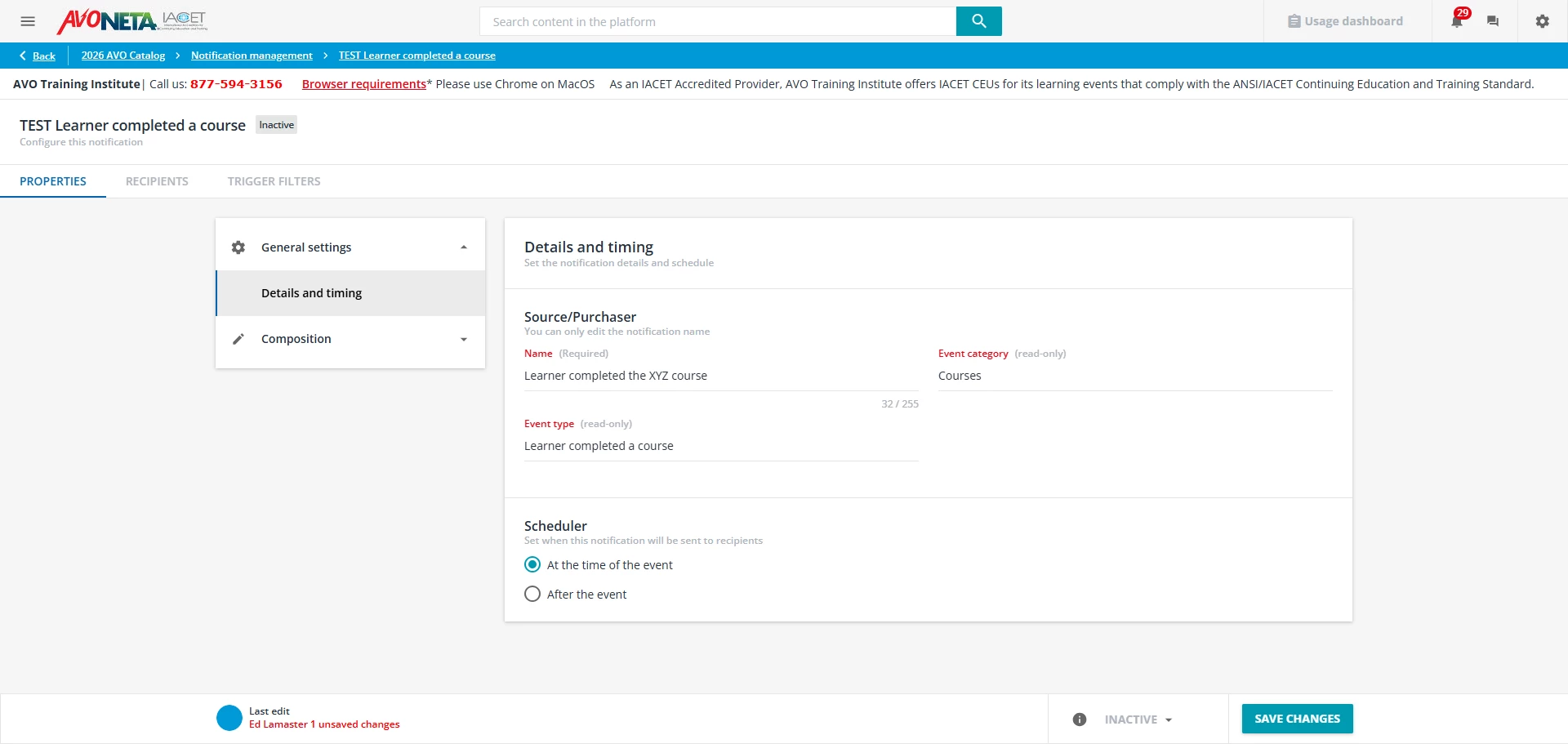
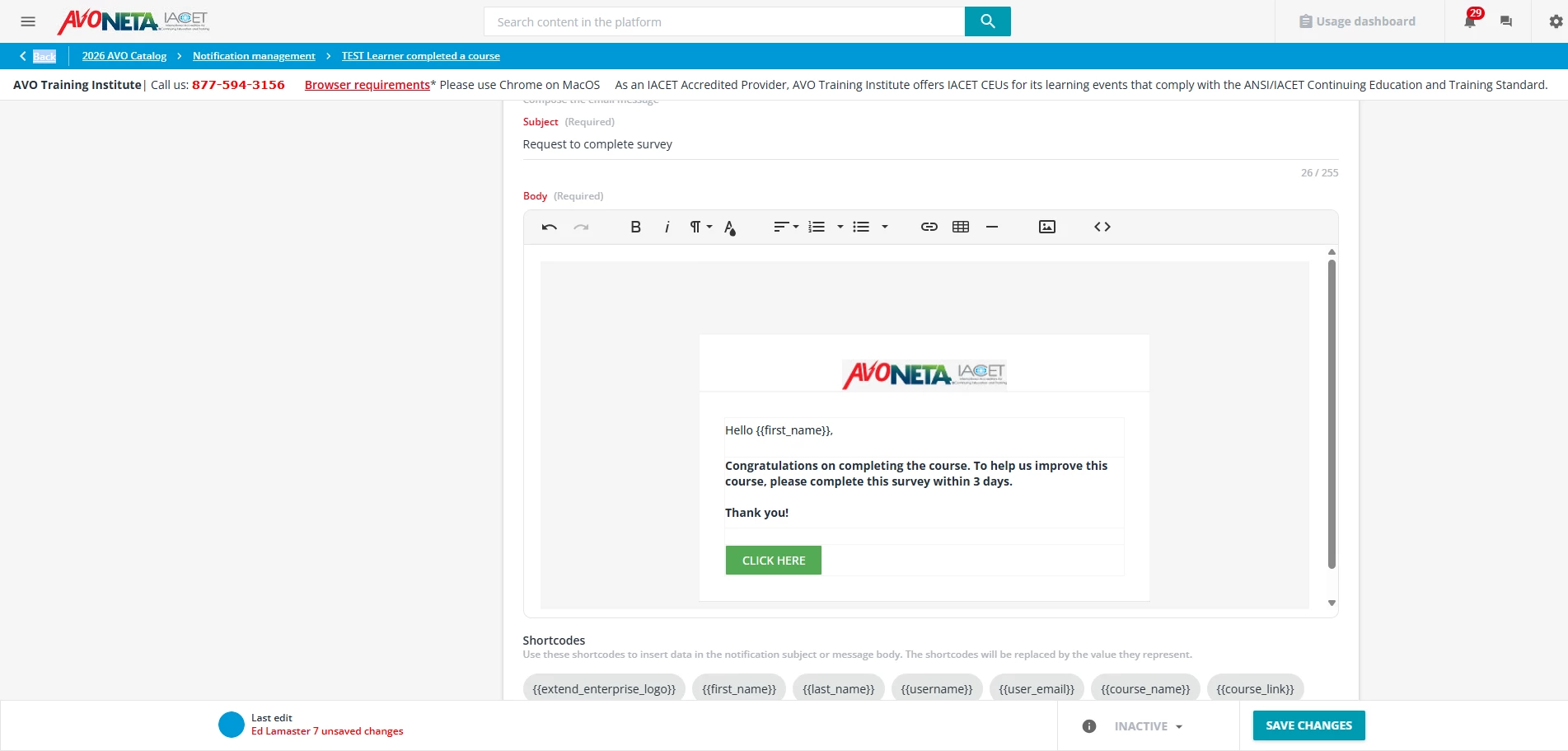
If you have an external survey tool you want to use, then you could use notifications to accomplish this.

Properties
Event type: Learner completed a course
Scheduler: At the time of the vent (or later if you want)
Set up the email with a button or link to go to the external survey tool

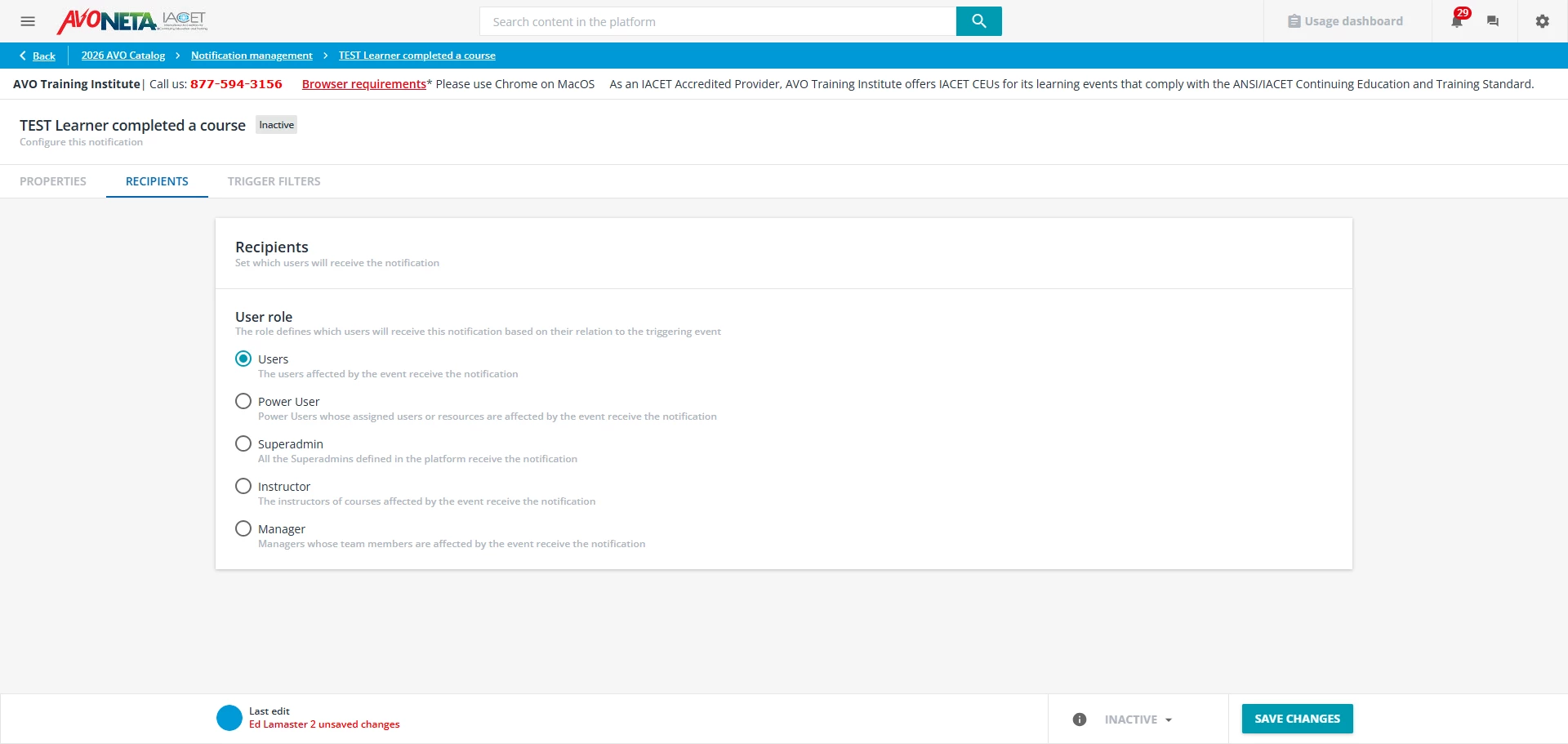
Recipient
User role: Users

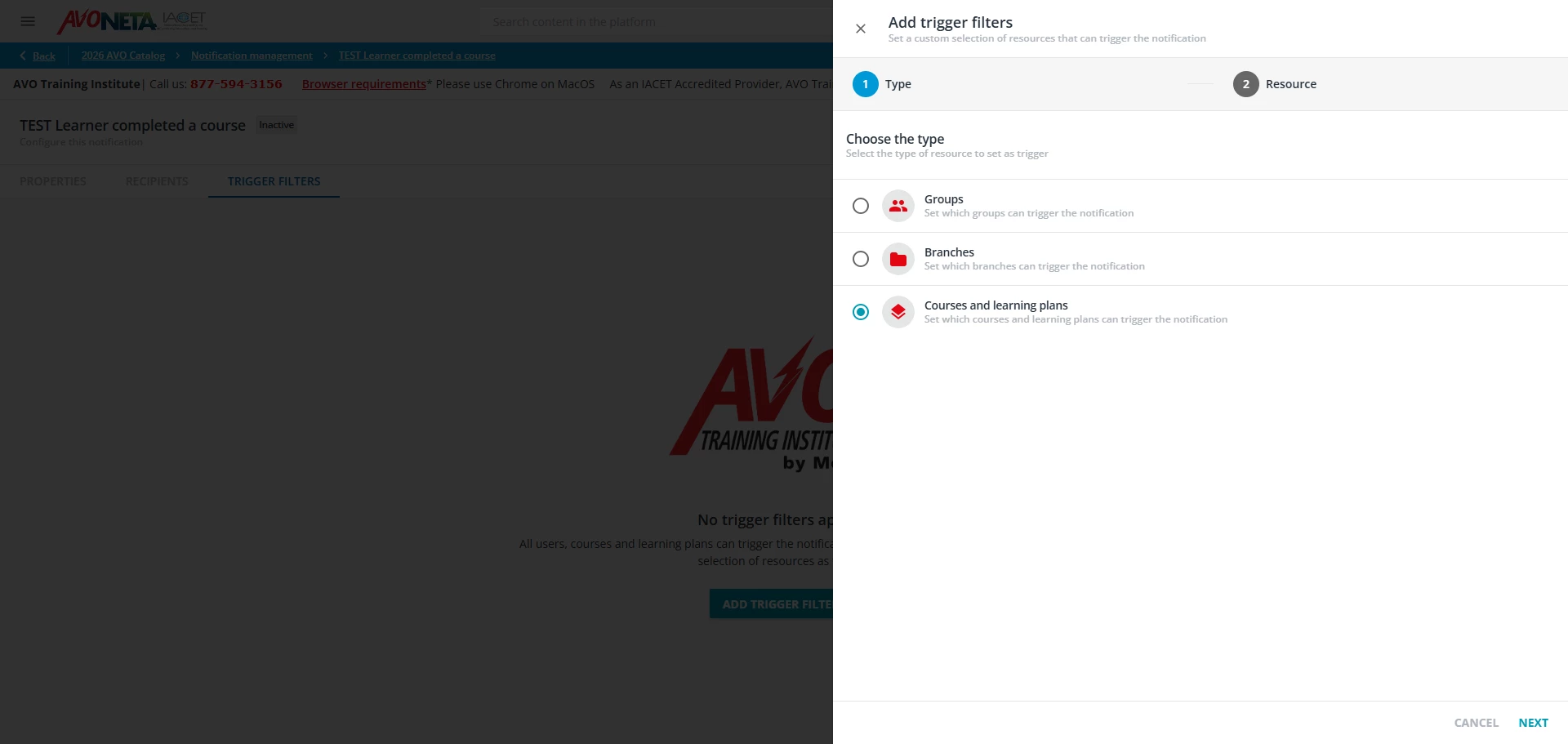
Trigger Filters
Type: Courses and learning plans (then select the course(s) you want to trigger the notification

Here are some screenshots: