Question

Course landing page customisation

  • December 11, 2024
  • 4 replies
  • 72 views

cchadford1
Contributor II
Forum|alt.badge.img

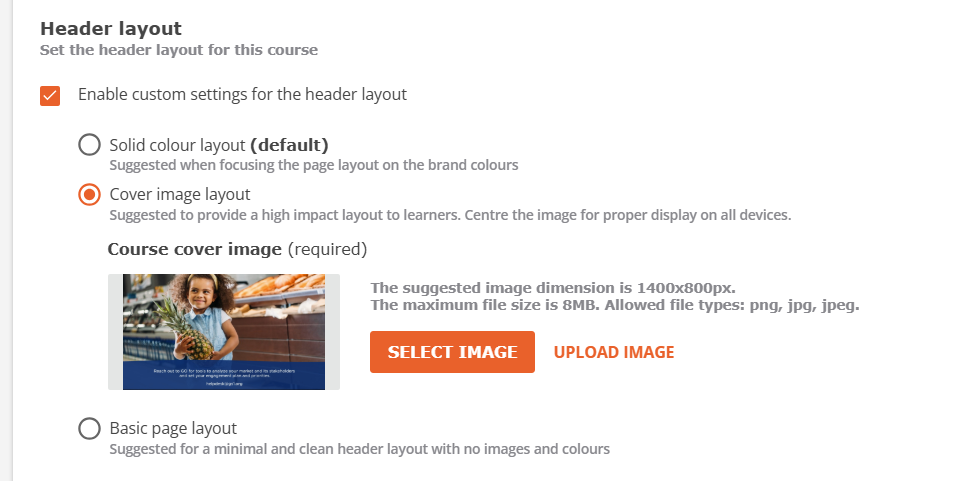
Hi, does anyone know how we can customise the new course landing page from this awful blue from when the platform was updated earlier this month?  

 

4 replies

JeanetteMcVeigh
Hero III
Forum|alt.badge.img+7

One of the options is to add a header image instead of the blue color.  That is what we have done for our courses.  In most cases we simply use the same image as the thumbnail or player background image.

It’s found in the Course Properties


elamast
Hero I
Forum|alt.badge.img+7
  • Hero I
  • December 11, 2024

If you just want to change the color gradient to use a different color, you can use something like this:


.dcb-te-content-overview-header-wrapper {

    background-color: red !important;

}
 

Swap out “red” for any color you wish.  Here are lots of possibilities:

https://www.quackit.com/css/css_color_codes.cfm


  • Novice I
  • October 16, 2025

Hi! Is there a way to get rid of the gradient altogether? It makes our header image look quite dark.


elamast
Hero I
Forum|alt.badge.img+7
  • Hero I
  • October 16, 2025

With the new design, I would go with this for a white header:

doc-layout-internal-header {

  background: none #FFFFFF !important;

}