

Answer

Hide page name and icon

  • May 30, 2022
  • 18 replies
  • 768 views

aswartz
Helper II
Forum|alt.badge.img

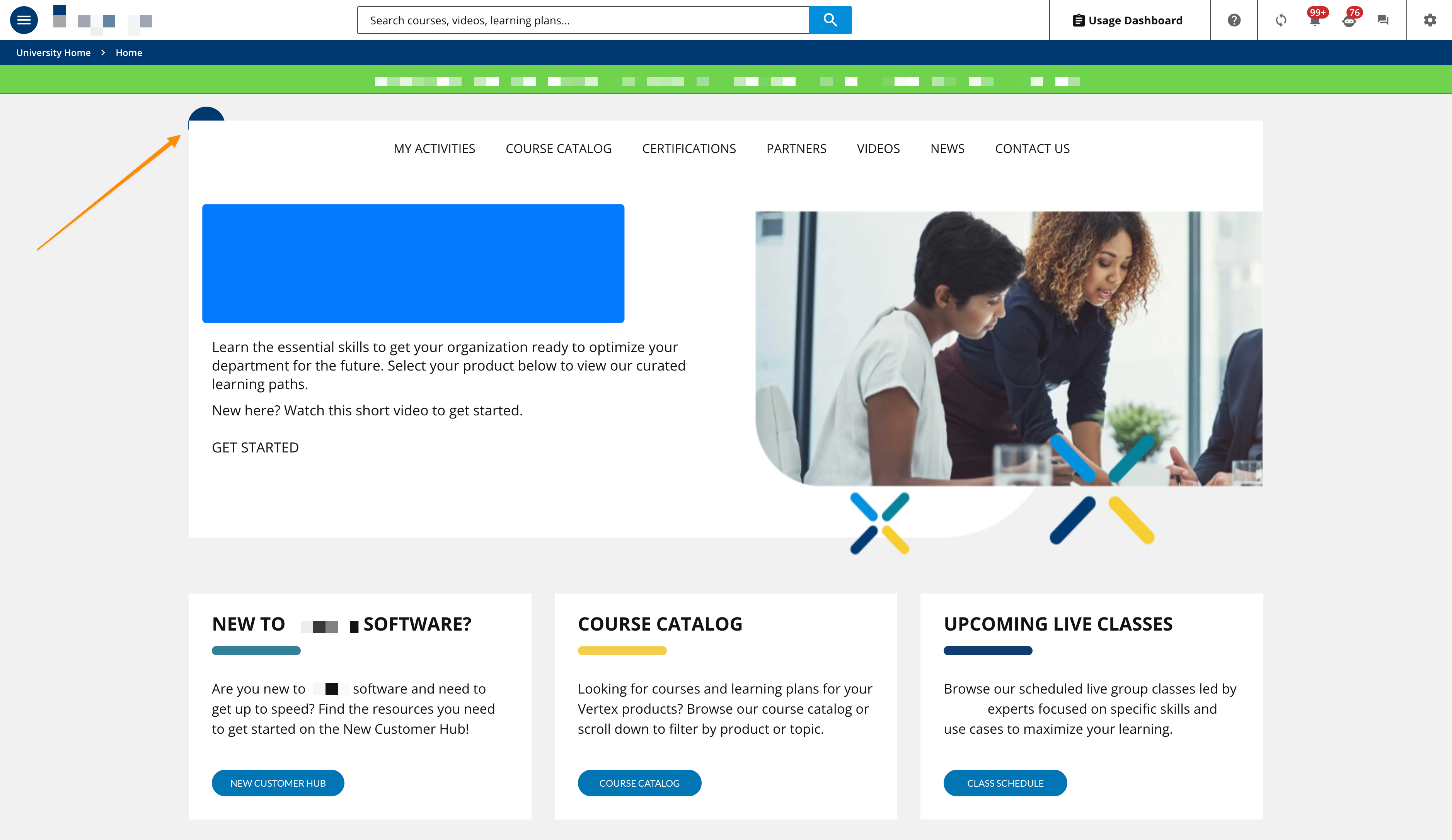
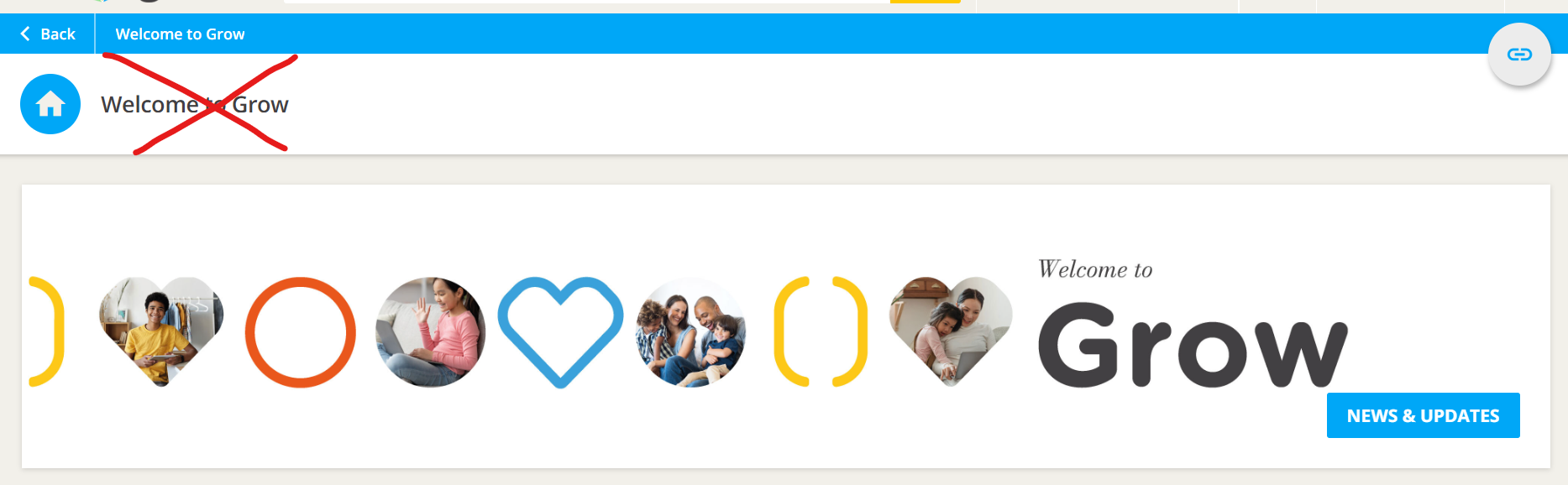
Is it possible to hide the page icon and name and white box? It takes up a lot of prime real estate and since we use a banner that says the same thing and it appears in the bread crumb it ends up that the same thing is repeated three times. 
Many thanks,

Aimee

Best answer by gstager

Here is what we do

/** Hide the Header Bar **/
#doc-layout-title-bar {
display: none;
}

Hope that helps!

18 replies

gstager
Hero III
Forum|alt.badge.img+8
  • Hero III
  • Answer
  • May 31, 2022

Here is what we do

/** Hide the Header Bar **/
#doc-layout-title-bar {
display: none;
}

Hope that helps!


aswartz
Helper II
Forum|alt.badge.img
  • Author
  • Helper II
  • May 31, 2022

You’re a legend. Thank you so much. :-)


choygannaban
Novice III
  • Novice III
  • October 10, 2022

how do we make the title bar hidden for some specific page? I want to hide this for the rest except for Specific Catalog page view?


Bfarkas
Hero III
Forum|alt.badge.img+6
  • Hero III
  • October 10, 2022

Unfortunately, not all of the prebuilt pages have page tags to isolate. If you want to do select custom pages you just add: 

#doc-page-14

Where the number is the page you want to the beginning of the CSS you are using. 

For the built in pages there are a few that have tags, theres a table and more information about this here:

https://help.docebo.com/hc/en-us/articles/360020080720-Introduction-to-Pages-and-Menus#subtitle-5


Forum|alt.badge.img+1
  • Helper II
  • October 9, 2023

@Bfarkas and others - I know this is an old thread but I’m running into the same problem and can’t seem to get this to work for a specific page.

I’m targeting a custom page with an ID of 89 and need to hide the title. The page icon/avatar is still showing no matter what I try, including:

#doc-page-89 #doc-layout-title-bar { display: none; }

Any ideas?


Bfarkas
Hero III
Forum|alt.badge.img+6
  • Hero III
  • October 9, 2023

Ah, bad news. The bar is above the ID tag that specifies pages, so this seems to be an all or nothing modification, the #doc-page-89 won’t work and never exists so you won’t see any changes with it. Sorry.


Forum|alt.badge.img+1
  • Helper II
  • October 9, 2023

Thanks @Bfarkas. I am somehow able to get rid of everything except for the avatar/page icon. 

I’ve tried probably everything I can think of to no avail. We had a vendor design and implement our original home page and no one likes the design but they were able to cover it up by using a background image for the entire page. I don’t want to do that but might go back and look at how they did that and maybe see if there’s something I can do to mimic but with a solid light gray color.


Bfarkas
Hero III
Forum|alt.badge.img+6
  • Hero III
  • October 9, 2023

So two things:

  1. #doc-layout-title-bar { display: none; } will kill just the standard title and icon, but across the board
  2. If you had a vendor do stuff, you might have conflicting CSS or a different custom CSS adding an icon to the top there. Try moving the #doc-layout-title-bar { display: none; } to the top of your customizations to see if it overrides the changes. If it is a seperate custom, we won’t be able to help much without system access.

Forum|alt.badge.img+1
  • Helper II
  • October 9, 2023

I just took a look at the css. What the vendor did is they added a wrapper div to the custom page and made it’s width 100% so that div covers everything. Then they added an image to it, which visibly covers up everything. Then they proceeded, within that wrapper div, to put divs to create the page elements. I am going to try to make my design work without going that route since I like the page titles and icons on the other pages. 

Not related to this but a different CSS hurdle I can’t seem to figure out: the three html widgets in the screenshot I sent - I am trying to apply border-bottom-right-radius to give that corner a curve. Works fine when testing in the browser but once applied to Docebo it doesn’t work. 


SStratton
Novice II
  • Novice II
  • March 17, 2024

I used the recommended CSS and was left with the widget title at the top of the page.

I had to add “.common-widget-title” to the CSS to eliminate it. 

/** Hide the Header Bar **/
#doc-layout-title-bar, .common-widget-title
{ display: none; }

Before:


After:


SStratton
Novice II
  • Novice II
  • March 17, 2024

Thanks @Bfarkas. I am somehow able to get rid of everything except for the avatar/page icon. 

I’ve tried probably everything I can think of to no avail. We had a vendor design and implement our original home page and no one likes the design but they were able to cover it up by using a background image for the entire page. I don’t want to do that but might go back and look at how they did that and maybe see if there’s something I can do to mimic but with a solid light gray color.


I realize this was months ago - but - If you “inspect” the page HTML, can you pull the “class” label for that icon and add it to your CSS to hide it? I’m new to this - so perhaps not. Just a thought.


Forum|alt.badge.img+1
  • Helper II
  • March 18, 2024

@SStratton if you hide the class you hide it on all pages, which I was trying to avoid as I only wanted to hide it on the home page. 


sjennings78
Guide III
Forum|alt.badge.img+7
  • Guide III
  • February 13, 2025

We have been hiding the headers on all pages since this was released.  It simply does not add any value for us on custom pages and takes up too much prime real estate on the pages.  HOWEVER… we would like to have it on the built-in page - especially for Channels.  The problem we’ve run into is that when we link to a channel (or click on one from a channel widget), the channel page does not have the Follow option at all… because it is a part of the header on the page.  

Is there any way to only hide the header on custom page (or alternatively only display it for built-in pages)?   A better option for us would be for it to be a setting on custom pages - where we can toggle it on/off for each page.


Forum|alt.badge.img+1
  • Helper II
  • February 13, 2025

FWIW I never was able to figure out a way. I doubt it’s possible, though it certainly should be. I believe it is still “all or none”. I did see an example once where it was hidden only on the home page. They accomplished that by forcing an overlay div to have a negative vertical position/padding so that it would effectively cover the header. That was a hack and I recall it didn’t render properly on all browsers. Not to mention the mobile side of things.


sjennings78
Guide III
Forum|alt.badge.img+7
  • Guide III
  • February 13, 2025

Yeah, I think we can make it work to hide it or display it on specific pages, but I really don’t want to have to add CSS overrides for every channel page that we want to use it on.  That header appears to also be the only place where we can see how many “followers” there are for a channel, so we’d LOVE to have that display on all channel pages.  But ONLY on channel pages...


  • Novice I
  • April 14, 2025

Silly question, but where do you enter this code to hide the page titles? I agree that its taking up prime real estate and just stating redundant information:


/** Hide the Header Bar **/ #doc-layout-title-bar { display: none; }


Thanks in advance!


JKolodner
Helper III
Forum|alt.badge.img+6
  • Helper III
  • April 14, 2025

@akrulan A silly question is just when you don’t know something you think everyone else already knows, but usually doesn’t!


Admin Page> Settings > Configure Branding and Look > Custom Styles


  • Novice I
  • April 14, 2025

Thank you!! :)