Best Answer

How can leaners tell they are on the waitlist?

  • March 16, 2022
  • 29 replies
  • 1083 views

Show first post

29 replies

  • Novice III
  • February 17, 2026

@elamast 


elamast
Hero I
Forum|alt.badge.img+7
  • Hero I
  • February 23, 2026

I’ll ask here considering the relevance of adding a top bar into the costum CSS:

I also want to add a top bar underneath the title/.mynavbar of e-learning courses (when the user has opened the course and has it in full screen). 
I tried to use almost the same code as in elamast’s answer, but it didn’t appear.
Underneath is the code i used. 

Why does it not appear? Anyone who knows how to solve it?
Under the code, there’s an image of where I’d like the top bar to be.

.mynavbar:after {

content:'Some random text';

visibility: visible;

display: flex;

position: absolute;

background-color: turquoise;

color: white;

font-size: 18px;

height: 2em;

padding: 5px;

text-align: center;

top: 2px;

bottom: 2px;

}


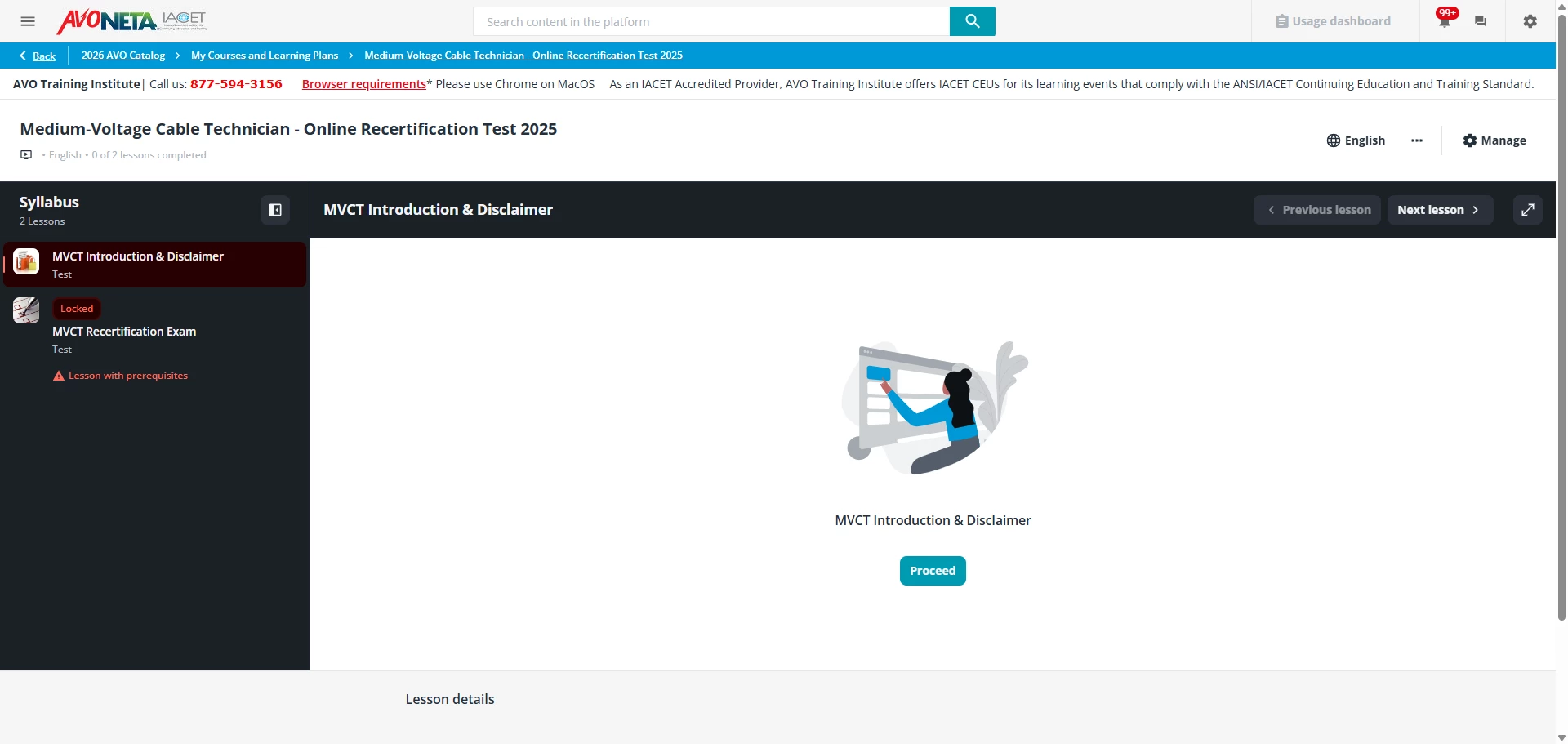
My course player looks like this:


I’d like to reproduce what you have so I can advise you better.  How was the .mynavbar bar added in?  


  • Novice III
  • February 25, 2026

 ​@elamast The .mynavbar bar appears when I continue an e-learning course. So instead of .dcb-course-lesson-header which usually appears when opening the e-learning course where you’re able to see image, title and subtitle, I sometimes only see the .mynavbar. It happens a bit at random so far. Can’t find a specific reason why it happens so far. So I have managed to make a bar connected to the class .dcb-course-lesson-header, which shows, but not for the .mynavbar. Underneath is how topbar/header looks on both the class names.

.mynavbar


.dcb-course-lesson-header


elamast
Hero I
Forum|alt.badge.img+7
  • Hero I
  • February 25, 2026

I’m not sure why, but I can’t get anything with the.mynavbar class to come up on my instance at all.