
Sticky

The Certification and Retraining beta is officially live!

  • July 22, 2026
  • 11 replies
  • 160 views

jasmine.baretto
Docebian

The Certification and Retraining beta is officially live! You now have access to the new experience, and we're excited to have you testing alongside us through September 25.

How to access it
Super Admins can activate the feature by toggling it on in Launchpad. Once activated, all administrators can create and manage certification and retraining workflows, and enrolled learners will immediately see the updated experience.

What we'd like you to do

We encourage you to:

  • Configure and test the new Certification and Retraining workflows using real-world scenarios
  • Explore both the admin and learner experiences
  • Share feedback, questions, and observations directly in this community space
  • Complete the feedback survey when it's shared

Feedback Survey
We'll be sharing a feedback survey later in the beta window to capture your experience. In the meantime, feel free to share thoughts, questions, and observations directly in this space.

How to Share Feedback
When posting feedback, please include as much context as possible, such as:

  • What workflow you were testing
  • What outcome you expected
  • What outcome you observed
  • Any screenshots that may help us understand the scenario

A quick note on bugs: if you run into a technical bug, please open a standard support ticket rather than posting it here. This keeps bug resolution on the fastest path, while this space stays focused on feedback, ideas, and conversation.

Throughout the beta, we'll regularly review all submitted feedback, discuss it with Engineering teams, and share updates on planned improvements. Please note that while every piece of feedback will be evaluated, not all requests can be implemented. Prioritization will be based on customer impact, strategic value, technical feasibility, and development scheduling.

Key Resources
Please see the Beta Guide attachment below for reference, it walks through exactly what to test on both the admin and learner side.

The knowledge base articles for Learning Plans and Certification management can be found here.

We're excited to collaborate with you throughout this journey

11 replies

dklinger
Hero III
Forum|alt.badge.img+13
  • Hero III
  • July 22, 2026

nice!


Forum|alt.badge.img+6
  • Helper III
  • July 22, 2026

I’m loving this so far. Can’t wait to do more testing.


Will there be an ability to migrate existing certifications and renewal dates to the new tools? 


Forum|alt.badge.img
  • Newcomer
  • July 22, 2026

I’ve been testing this for a short while now but would like to know what happens after September 25th?


Will the option to use the new features be closed off until officially launched?


Thanks!


Forum|alt.badge.img+6
  • Helper III
  • July 23, 2026

I’ve been testing this for a short while now but would like to know what happens after September 25th?


Will the option to use the new features be closed off until officially launched?


Thanks!

I’d also like to know this.  I’ve been testing in my sandbox, but probably won’t do anything in production until I get a better understanding of what happens at the end of the beta.


Echoing the above, our certification program has significant cost impacts to our users. How will we be able to manage/control the transition of these features into our production environments and limit interruptions for our end users?


jasmine.baretto
Docebian

Hi everyone,

Here is the link to our Knowledge Base articles covering Learning Plans and Certification Management:
https://help.docebo.com/hc/en-us/sections/36751578356882-Learning-plans-and-certifications-management


jasmine.baretto
Docebian

I’ve been testing this for a short while now but would like to know what happens after September 25th?


Will the option to use the new features be closed off until officially launched?


Thanks!

I’d also like to know this.  I’ve been testing in my sandbox, but probably won’t do anything in production until I get a better understanding of what happens at the end of the beta.


Hi ​@jmb93, ​@mzirnhelt, ​@kari.hagedorn
Thank you for raising these questions, we completely understand the need for clarity to avoid disruptions to your environments and certification programs. Here is what you can expect as we transition out of Public Beta in September:

  • Public Beta Closure (September 25): The beta will officially close on September 25th. Our product team will use this window to review all feedback, address critical bugs, and plan future enhancements.
  • General Availability Target (October 28): GA is currently scheduled for our October release on October 28th, 2026.
  • Data Continuity (No Reset): All of your beta configurations will carry over directly into GA - there will be no feature reset.
  • Coexistence of Workflows: To ensure continuity and prevent user friction, legacy certifications and the new Certification & Retraining workflows will coexist post-GA.
  • Migration Plans: Migration guidance will be published alongside the October GA release to help you manage the transition from the legacy certifications to the new workflow.

Hope this helps, and thank you for testing and sharing your input.


lrnlab
Hero III
Forum|alt.badge.img+10
  • Hero III
  • July 24, 2026

Hi ​@jasmine.baretto since we need to prepare for migration ahead of the GA, can this plan be made available before that time? Also, if the original certifications are created using learning plans, will we be able to migrate these or will we have no choice but to rebuild them? Any recommendations are welcome. Thank you.


jasmine.baretto
Docebian

Hi ​@lrnlab the legacy certifications and the new Certification & Retraining workflows will coexist even post-GA, that is, October 2026. Guidance about transitioning from legacy certifications to the new workflow is planned to be shared with the GA release, and our customers will be given time to plan the migration activities on their end.

 Hope this helps.


lrnlab
Hero III
Forum|alt.badge.img+10
  • Hero III
  • July 24, 2026

Thank you ​@jasmine.baretto however I’d like to point out that using both apps simultaneously will be confusing for users. Here are some issues I found when testing:

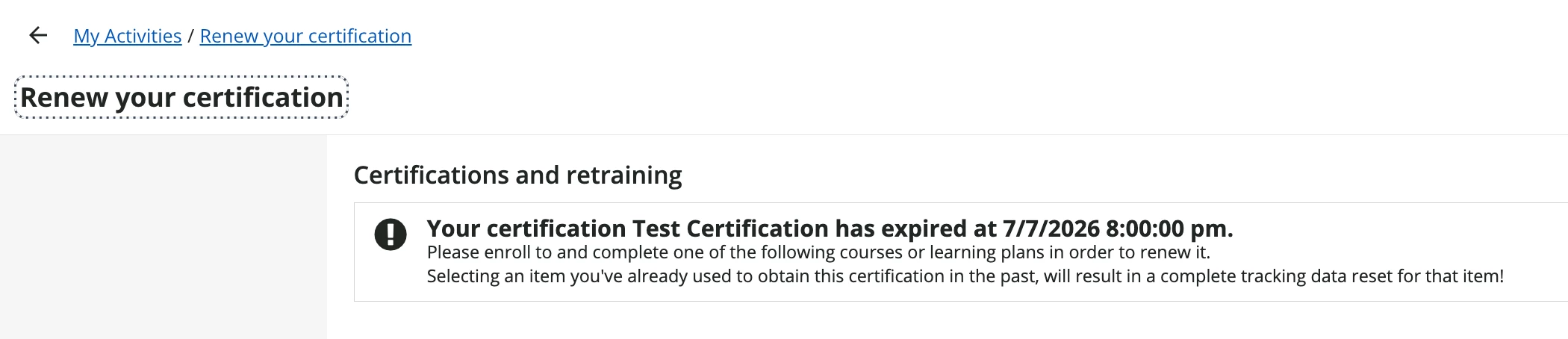
  • RENEW button on My Tasks widget leads to the old certification page where I would have previously click on the course tile to launch it; it does not actually take me to the course
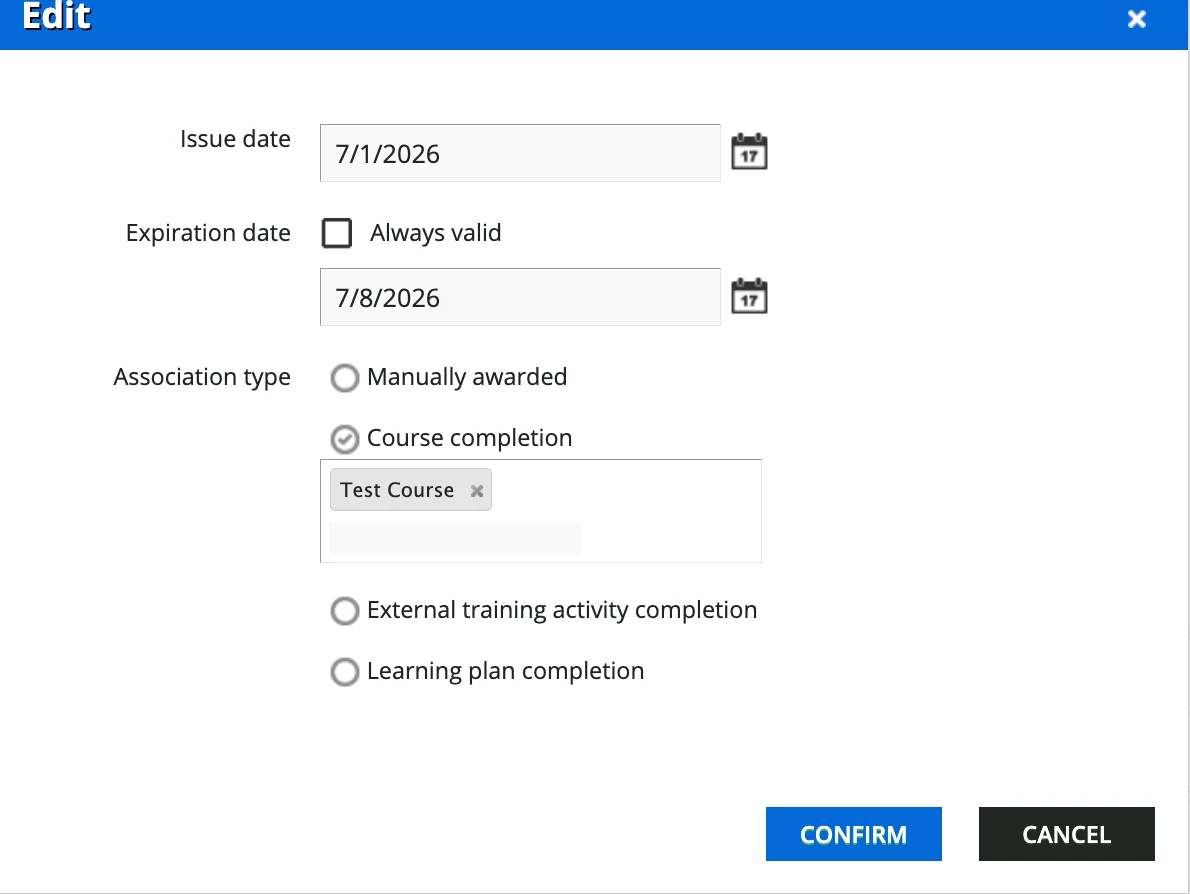
  • Note that when on this page, I am stuck and have no way to get to the course. The “Test Certification” includes a course and is set to expire and require renewal (see below)


  • Next, the notification shortcodes still link to, what is now called, “old certifications” but there is no longer a “renew” option there, only a large warning redirecting the user to the Learning plan and cert tab.
    • once on that tab, I no longer see the issue or expiry dates; it looks like any other LP
    • Since we cannot control which shortcodes lead to which pages, will this be updated soon to the proper tab on the my activities page? Or better yet, the actual course I need to take to renew my cert?

Sharing my results in the hopes that others can add their own experiences and perhaps advice on how best to manage this change. Thank you.


  • Newcomer
  • July 24, 2026

We have identified an issue with the Certification & Retraining beta that significantly impacts our external customer purchasing experience.

When the beta is enabled, unauthenticated external visitors are unable to view a course overview/purchase page without first signing in or creating an account. This occurs whether a prospective customer accesses a course through a direct course link from our public website or through one of our public catalogs.

Our normal and expected customer experience is:

Course link or public catalog → View course overview, course information, available sessions/dates, and purchase options → Sign in or create an account when required to proceed with registration/purchase

With the Certification & Retraining beta enabled, the experience changes to:

Course link or public catalog → Immediately prompted to Sign In/Register → Unable to view the course overview, sessions, dates, or purchase information without first authenticating

We tested this across our Extended Enterprise sites and confirmed the same behavior. We then disabled the Certification & Retraining beta without making any other configuration changes and retested the same course links. The expected functionality was immediately restored, allowing unauthenticated visitors to view the public course overview/purchase pages again.

This is a significant concern for us because we use these public course pages to market and sell training to external customers. Prospective customers need to be able to review course details, available training dates and sessions, and purchasing information before being required to create an account or sign in. Requiring authentication before they can even view this information creates an unnecessary barrier to the customer purchasing experience.

Could you please confirm:

  1. Is this a known issue with the Certification & Retraining beta, or is this behavior intentional?
  2. If it is a known issue, is a fix planned before this functionality moves out of beta or replaces the current Certification & Retraining functionality?
  3. If this behavior is intentional, will there be a configuration available that allows unauthenticated visitors to continue viewing public course overview/purchase pages?
  4. Most importantly, can you confirm that when the new Certification & Retraining functionality becomes the standard experience, enabling or using it will not require prospective external customers to sign in or create an account simply to view publicly available course details and purchase options?

For now, we have disabled the beta because it disrupts our external course purchasing experience. We would like to ensure this issue is addressed before the new Certification & Retraining functionality becomes required or the existing functionality is retired.

A member of our team is putting in a ticket, but since we weren’t sure if this was a bug or intended behavior, I thought I would also post here.