Answer

Custom Reports?

  • February 28, 2022
  • 24 replies
  • 443 views

Forum|alt.badge.img+2

I can see another unanswered question about custom reports so it may be its just not possible.  Basically I'm struggling to get the custom reports give me what I want.  Ideally these are the reports i want.

  • Weekly report showing me courses scheduled for the next 3 weeks and how many enrolments on each course
  • Courses that are scheduled that have less than 5 enrolments (any time)

Possible?  We have monday morning meetings to look at up and coming scheduled courses and it would be good not to have to go through each course one by one to check enrolments etc.

Best answer by lrnlab

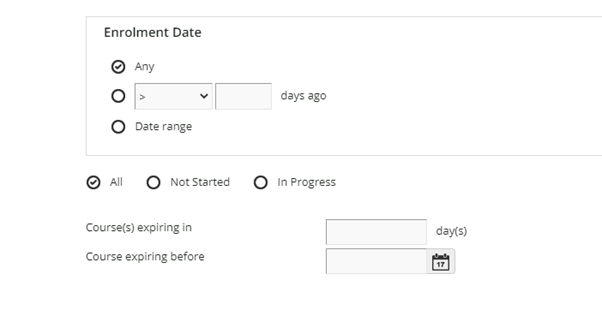
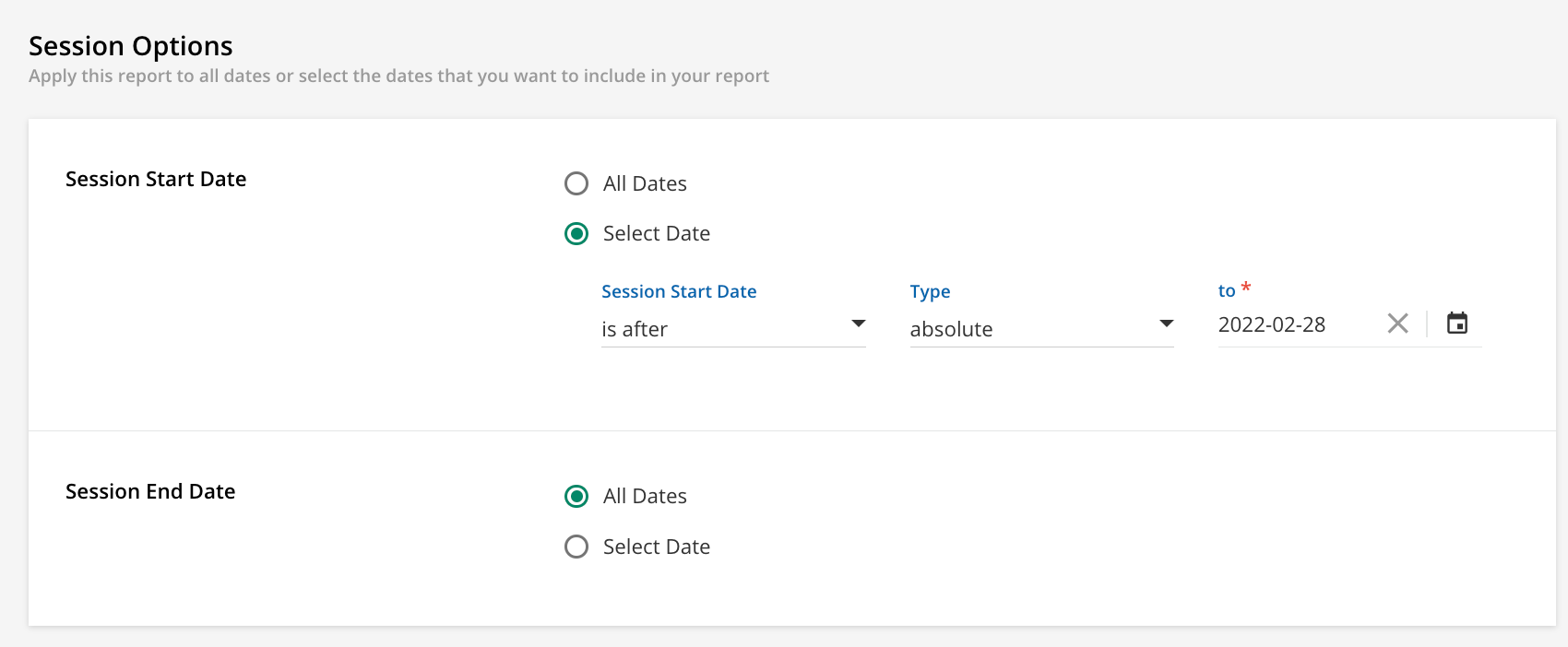
I see you’re using the old reports...try the new reports and you'll see this option...The “relative date” options are a bit tricky to use but with some testing you shod be Abel to get what you need...(I just haven't used it in a while)


24 replies

lrnlab
Hero III
Forum|alt.badge.img+10
  • Hero III
  • February 28, 2022

HI @KTJD only one I know of with this type of info is the Users - ILT Sessions report. It does have a date option you can use to look forward but you’ll need to do your own analytics


Forum|alt.badge.img+2
  • Author
  • Helper II
  • February 28, 2022

The criteria for this report doesn't give me what i need (unless i misunderstand the criteria)


What i want is a report that allows me to select session date >=today .  ideally i would set it to only show 3 weeks work but I'd be happy if it showed be every future date and how many were enrolled on each session.  I don’t know what the ‘expiry’ setting is.  Again - just seems there is no option for session dates in a report. 


*Sorry i just realised i posted this in completely the wrong area of the forums.


lrnlab
Hero III
Forum|alt.badge.img+10
  • Hero III
  • Answer
  • February 28, 2022

I see you’re using the old reports...try the new reports and you'll see this option...The “relative date” options are a bit tricky to use but with some testing you shod be Abel to get what you need...(I just haven't used it in a while)


Forum|alt.badge.img+2
  • Author
  • Helper II
  • February 28, 2022

that's really helpful - didn't even spot there was a New Reports section.  will take a look.


Forum|alt.badge.img+2
  • Author
  • Helper II
  • March 1, 2022

Thanks - i have a report of sorts, and yes did have to do a bit of manipulation in excel but its enough.  The only thing I couldn't find how to do was for it to show any sessions that have zero enrolments. 


Forum|alt.badge.img+2
  • Author
  • Helper II
  • March 4, 2022

i could still do with some advice here.  Is there anyway to edit this report so i only see enrolments within x amount of days.  I can fix a date but it will not be relative and soon be out of range.  How can i show “anything session scheduled in next X days”.  i just can’t see a way to do it. 

The only option is having some either after or before x ‘days ago’ which doesn't help. 


lrnlab
Hero III
Forum|alt.badge.img+10
  • Hero III
  • March 4, 2022

In the field called “type” there is an option called “relative” I found it a bit tricky to use (seems to work in reverse from what I recall) but that should keep your report up to date. Have you tried that option?


Forum|alt.badge.img+2
  • Author
  • Helper II
  • March 4, 2022

yes i found it but because the criteria is ‘days ago’ it doesnt help.

e.g.  session start date is after 1 days ago.  this will only show me everything in the future not for a certain number of weeks


lrnlab
Hero III
Forum|alt.badge.img+10
  • Hero III
  • March 4, 2022

right but if you use the “before” instead of “after” and change the number of days to something like 14 (2 weeks), you should see ‘the last 2 weeks...(that’s what I meant when I said it’s a bit tricky to use)


Forum|alt.badge.img+2
  • Author
  • Helper II
  • March 4, 2022

:)

If I choose session start date is before 14 days ago  then surely it will only give me sessions older than 2 weeks.  I need 2 weeks in future from now


lrnlab
Hero III
Forum|alt.badge.img+10
  • Hero III
  • March 4, 2022

OK I think I get it now...you want a report to only show data for sessions in the next 2 weeks...hmmm,, since there is no “end date” for the relative date option, the report will show you everything in the future as you mentioned above...that said, the report is stil useable if you ignore dates after your specified window…

Now if you use the option, “is in the range” you can set future dates with a 2 week range however you would need to adjust this each time you run the report


lrnlab
Hero III
Forum|alt.badge.img+10
  • Hero III
  • March 4, 2022

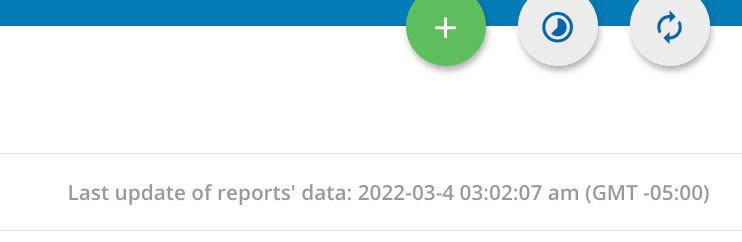
another quick note on the New Reports...they are always in day back and not real time reports. Think this would still work in your case since you want this report for Monday meetings.


Forum|alt.badge.img+2
  • Author
  • Helper II
  • March 4, 2022

thanks -  i think you confirmed that it just can't be done.  

On scheduled reports at what point are they refreshed?


lrnlab
Hero III
Forum|alt.badge.img+10
  • Hero III
  • March 4, 2022

All data is refreshed according t o the date displayed on the top right of the screen...not sure if yours is the same as mine so please check it.


Bfarkas
Hero III
Forum|alt.badge.img+6
  • Hero III
  • March 8, 2022

Just adding here in case anyone feels adventurous. I was doing a daily email report like this to the faculty teaching with their individual schedule/current enrollment via the API that basically filtered the full reports down to just specific dates and information. Attached is a supervisor version from a while back. The linked title brought them to the session directly with the Instructor tools. A newer version also had a cancel button which the instructor could select and the manager would sign off on that would send a notice to those enrolled with deep link to re-enroll after removing them from the session. It then deleted the session in Docebo and updated some internal calendars. This was originally all based on a report and then moved to a couple of API calls to get the right info. The two requested reports would have been easy to generate using the same setup as well.


Forum|alt.badge.img+2
  • Author
  • Helper II
  • March 9, 2022

Thanks for this, but I'm afraid I'm not technical enough to understand what you have done.  I don't really know what an API is.


Bfarkas
Hero III
Forum|alt.badge.img+6
  • Hero III
  • March 9, 2022

Understood, was more just leaving for future for people reading around for ideas who might be interested.


  • Novice III
  • March 16, 2022

Hi, I have a similar issue and jumping on this thread to hopefully get an answer.


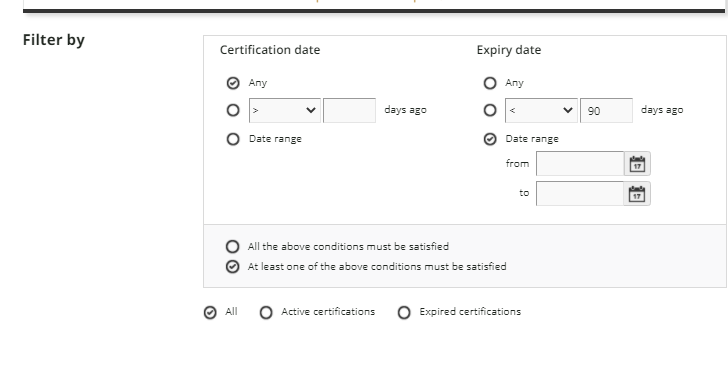
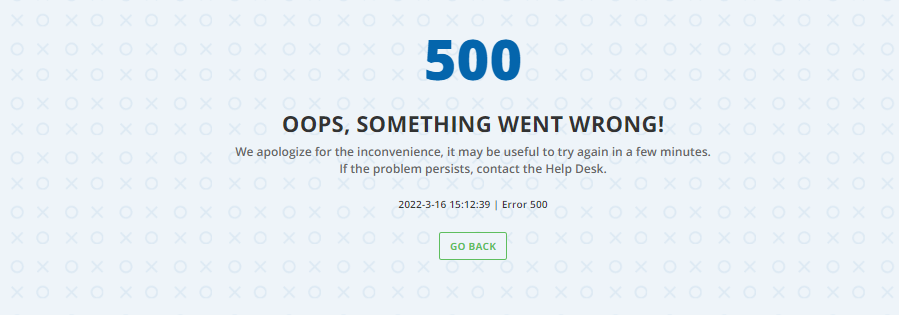
Scenario - I want to know when a course is due to expire within the next 90 days. When using the filters the option I have is days ago, whereas I want the expiry date in the future, I want to know what is due to expire in the next 90 days. With both < 90 days and >90 days I am getting everything. I have tried <  -90 and > - 90 days (because my head now hurts and I cant figure out which one) but this seems to crash the report when I run. The date range is not going to work either as I am creating the custom report for others to use and don’t want them to have to keep amending the date.


Any help would be appreciated.


Bfarkas
Hero III
Forum|alt.badge.img+6
  • Hero III
  • March 16, 2022

So I think your issue is that it is “days ago” and you are looking into the future for days, so you would need to do -90 days which I don’t know Docebo would accept as a valid value.

The only way I see doing it is maybe greater than 0 days ago which would get you all future dates maybe and then you can have them filter for the proper dates? (I’d do that filter part programatically) but I don’t see an easy way to reach your goal with the built in filters.


  • Novice III
  • March 16, 2022

Yeah that is my issue, we have a lot of courses with expiry dates ranging up to 5 years. I want to be able to monitor what is coming up due. Looking at ‘days ago’ means we have already failed. I have tried using the minus but it does not seem to recognise that value.


Bfarkas
Hero III
Forum|alt.badge.img+6
  • Hero III
  • March 16, 2022

Yeah I did not expect it to. This is a limitation of the limiting filters. This is why I rarely can use them and pull the raw data out and then filter using external setups like excel for manual or power automate for automatic.


Forum|alt.badge.img+2
  • Author
  • Helper II
  • March 17, 2022

So I think your issue is that it is “days ago” and you are looking into the future for days, so you would need to do -90 days which I don’t know Docebo would accept as a valid value.

The only way I see doing it is maybe greater than 0 days ago which would get you all future dates maybe and then you can have them filter for the proper dates? (I’d do that filter part programatically) but I don’t see an easy way to reach your goal with the built in filters.

Essentially you have hit the same issue i had when starting this post.  you would have thought could switch between days ago, or days after….but no!


Bfarkas
Hero III
Forum|alt.badge.img+6
  • Hero III
  • March 17, 2022

Yeah, unfortunately not. Its all these issues/limitations on reporting filters that makes me not even touch them and just build my own external system for handling them so I don’t even think about it anymore.


Forum|alt.badge.img+1
  • Influencer III
  • August 27, 2024

Hi,

Just jumping on this thread as I need clarification before I set it up and think it will just work.

Scenario: Weekly scheduled custom report for specific courses completed by users in the previous week (7 days).  I am confused with the relative and absolute option.

This is what I feel I should be choosing?