

As the LMS admin for Solace Academy, I wear a lot of hats. I handle:
- Day-to-day platform administration
- User, partner, and CSM support
- Creation and maintenance of custom integrations/automation
- Platform DevOps
- The platform's UI (HTML, CSS, graphic design)
- Course creation and maintenance
- Video production
- Marketing content
- and much more…
That's a lot for one person to handle, and some jobs are just too big to do by hand. I started writing custom bash scripts using the Docebo APIs to automate some of the really tedious jobs, like when a client submits a support ticket telling me that they're changing their corporate email domain. In this case, I would have had to manually update hundreds of user accounts with the new domain in both our LMS and our identity provider (IDP) which would take days of work, and making a mistake in either system would lock someone out of their account, which would obviously be a big problem. But with my custom scripts, I could run the entire job in a few minutes and be confident that each user account was updated correctly.
As more tasks like this came up, I started writing more and more, and before long I had a small handful of very niche custom scripts that took hours off my workload. It occurred to me that it would be easier to be able to run those scripts from a UI dashboard, and that my teammates would likely get some use out of them too in case they need to run one of these operations while I'm out of the office. And that's how Edgai was born.
What is Edgai?
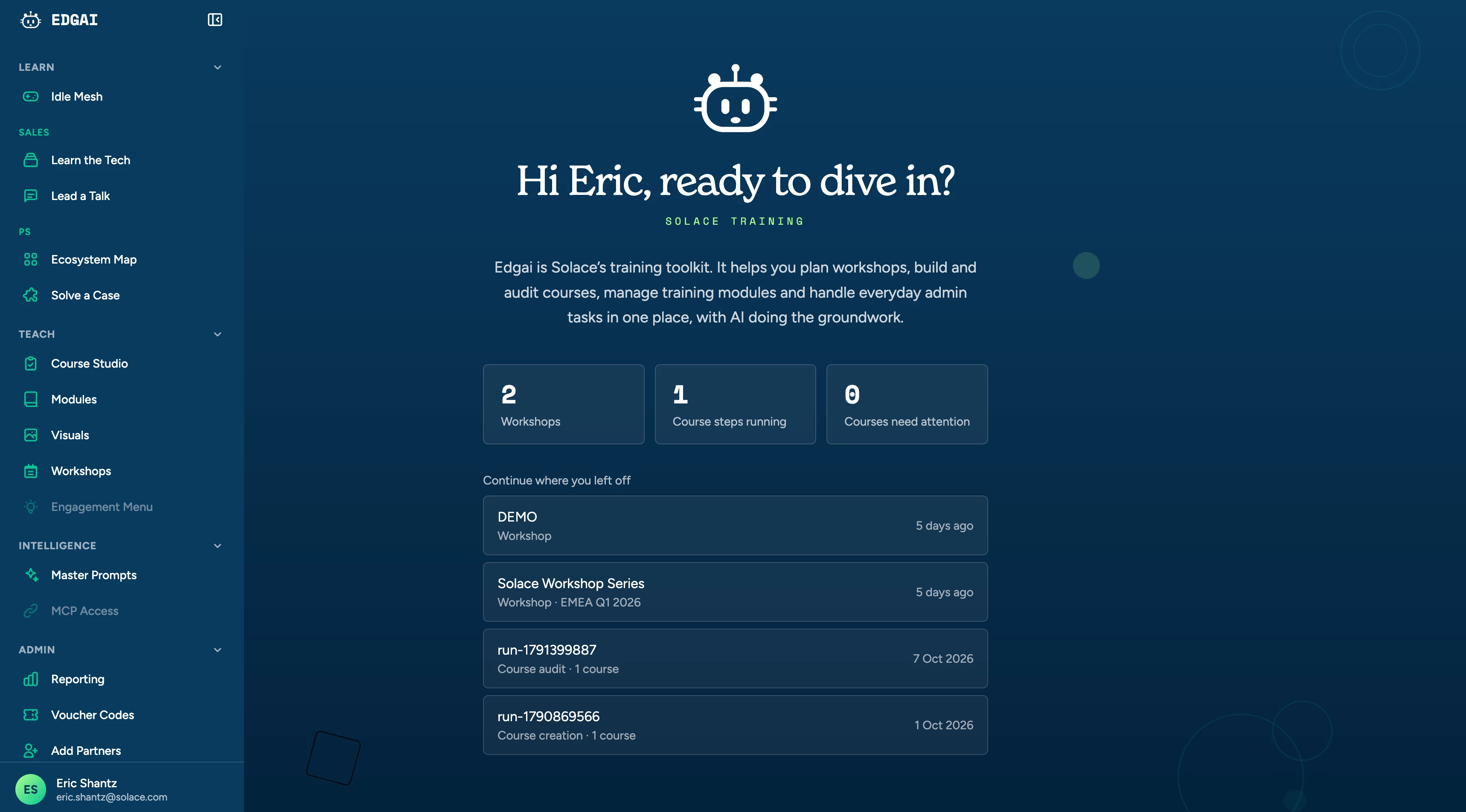
I like to think of Edgai as an Admin toolkit, but that’s not entirely accurate anymore. While it is a collection of custom tools for myself and my colleagues to use to help speed up our day to day tasks, it’s grown to about 20 tools that range from admin automation to content creation to custom internal training tools. So it’s turning into something more broadly useful than I originally intended.
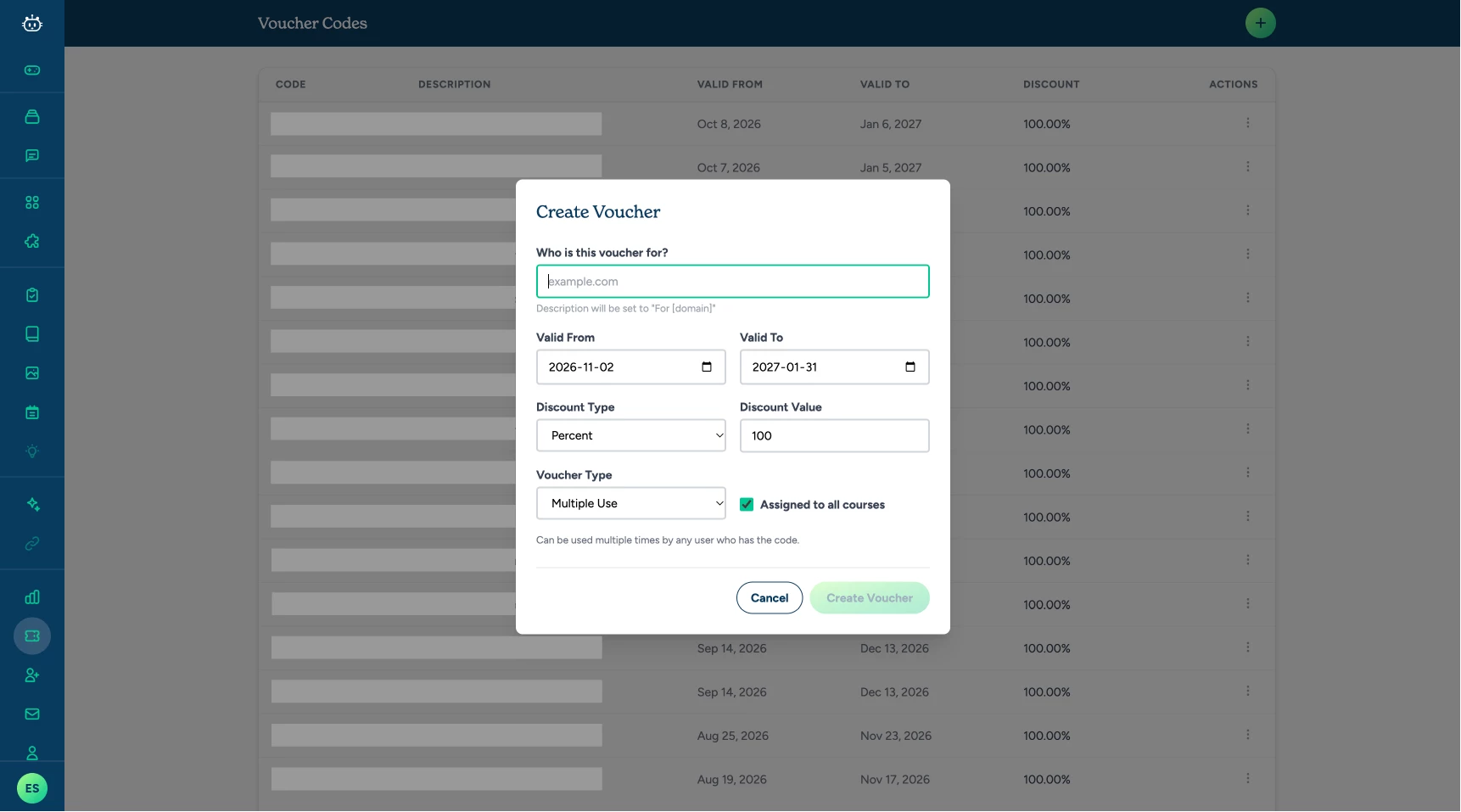
For example, some of my colleagues on other teams will regularly ask me to update a group ruleset to include a new partner domain, or create voucher codes for them. With Edgai, I can give my colleagues access to just those specific tools, and because it calls the Docebo APIs for them on the backend and verifies the operation was done correctly, they can do these sort of tasks safely in two clicks without me having to make them power-users or full blown admins (and I don’t have to walk them through how to navigate the admin interface).
My biggest bottleneck
While Edgai is genuinely useful to me, what I really want to talk about here is course development. Between running the platform and being its sole instructional designer and e-learning developer, building courses is way too slow, and refreshing our outdated courses usually loses out to creating training for new products and features.
Even if I were able to set all of my other responsibilities aside, there still aren’t enough hours in the day to properly maintain the course library. Bryan Chapman's research puts interactive e-learning at an average of 184 development hours per finished hour. More recent estimates, like Raccoon Gang's 2026 guide, put it at 40 to 160 hours depending on complexity. For interactive content, call it roughly 100 to 200 hours per hour. One person can't maintain a catalog at that ratio while also running the platform it lives on.
With all the advances in AI, using it to speed up course development was an obvious idea. And I tried a bunch of different approaches including the off-the-shelf AI course generators, but they all had similar problems.
- They couldn't see the courses I already have. Every tool started from a blank page. I didn’t want to have to manually pull all the content from the existing course, find the relevant resources, and write a massive document or prompt explaining what we currently had and what I wanted the updated course to look like
- They couldn't see videos. Half the substance of our courses are videos, not just text, and every generator I tried had problems pulling the content out of videos.
- They couldn't verify anything. They had no way to verify whether the content they were creating was accurate or even relevant. I wanted to be able to point them at our public documentation to make sure what they were creating was correct.
- The output quality was poor. Even when I took the time and effort to curate the correct, relevant information, upload all the resources, give them outlines, and wrote a large, detailed prompt describing what I wanted out of the course, the courses never looked or sounded good.
- They were expensive. The price just didn’t match up with what they were actually delivering
At the end of the day I was still doing all my own research, planning, and outlining, then spending hours fixing the content the tools spat out. The quality just wasn't good enough, and I didn't want to deliver AI-slop courses.
How Course Studio Works
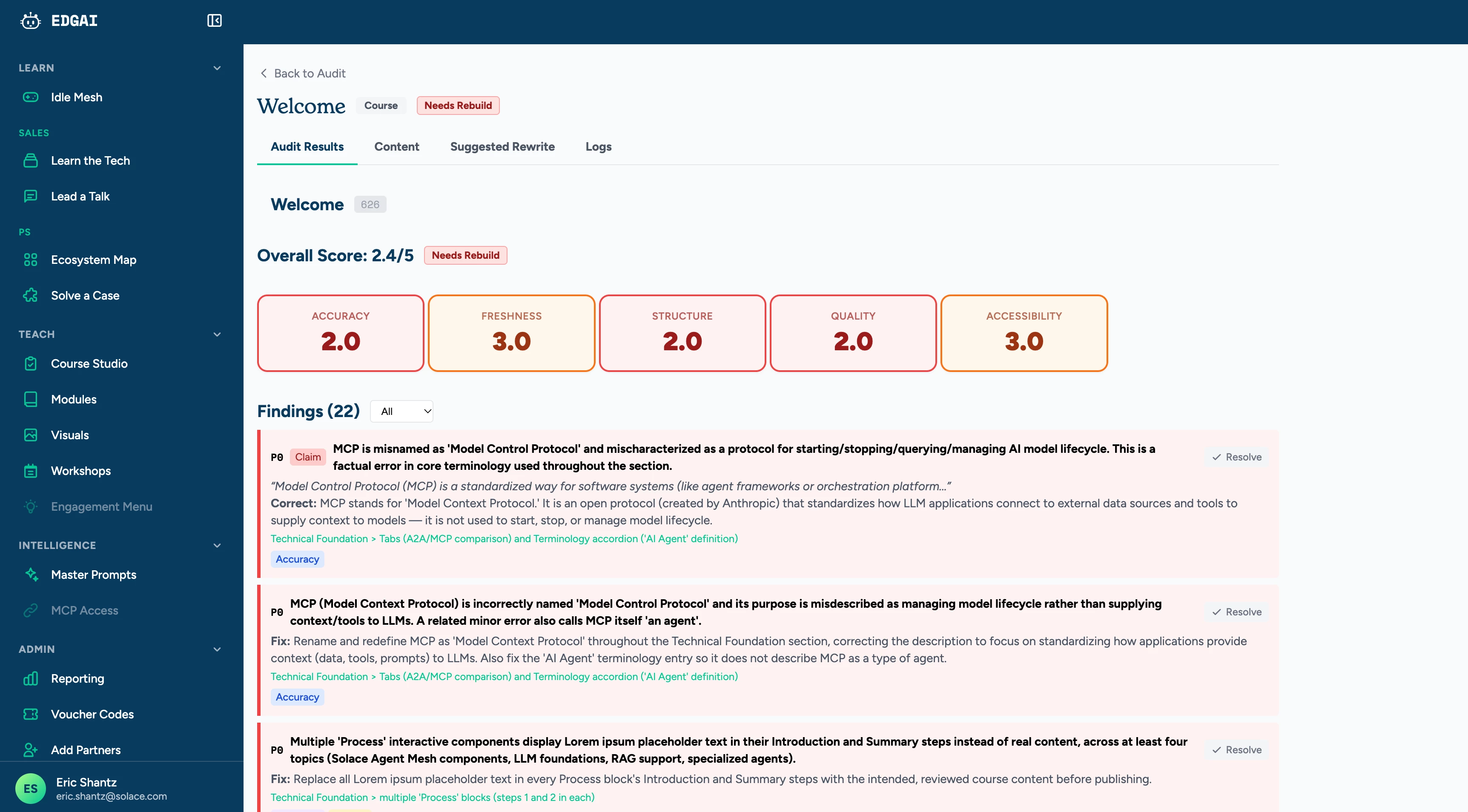
Having been unable to find a course generator that met my standards, eventually I decided just to build my own. The Course Studio tool takes a course already published on our LMS, audits it against a pre-defined rubric, generates a draft of the new content, then compiles it using a set of pre-built components and themes.
- Pull the course. Edgai calls the Docebo API to request a course export, waits for the package to be ready, and downloads every SCORM learning object in the order the course was authored.
- Read the package. Rise 360 ships the entire course as encoded JSON inside the package, so Edgai can decode the real structure (sections, lessons, and every block) without rendering anything in a browser.
- Transcribe the video. Local video and audio go through Whisper running on our own server, and YouTube embeds pull their captions. Each transcript is attached to the right video, so the audit reads what's said, not just what's on the slide.
- Audit. The course is scored from 1 to 5 on technical accuracy, content freshness, learning design, content quality, and accessibility. The model does its own research on each claim and reports observations with a severity ranking, then computes the scores.
- Draft. An outline pass proposes the new structure, then each section is drafted on its own.
- Review. A human can review and edit the generated content
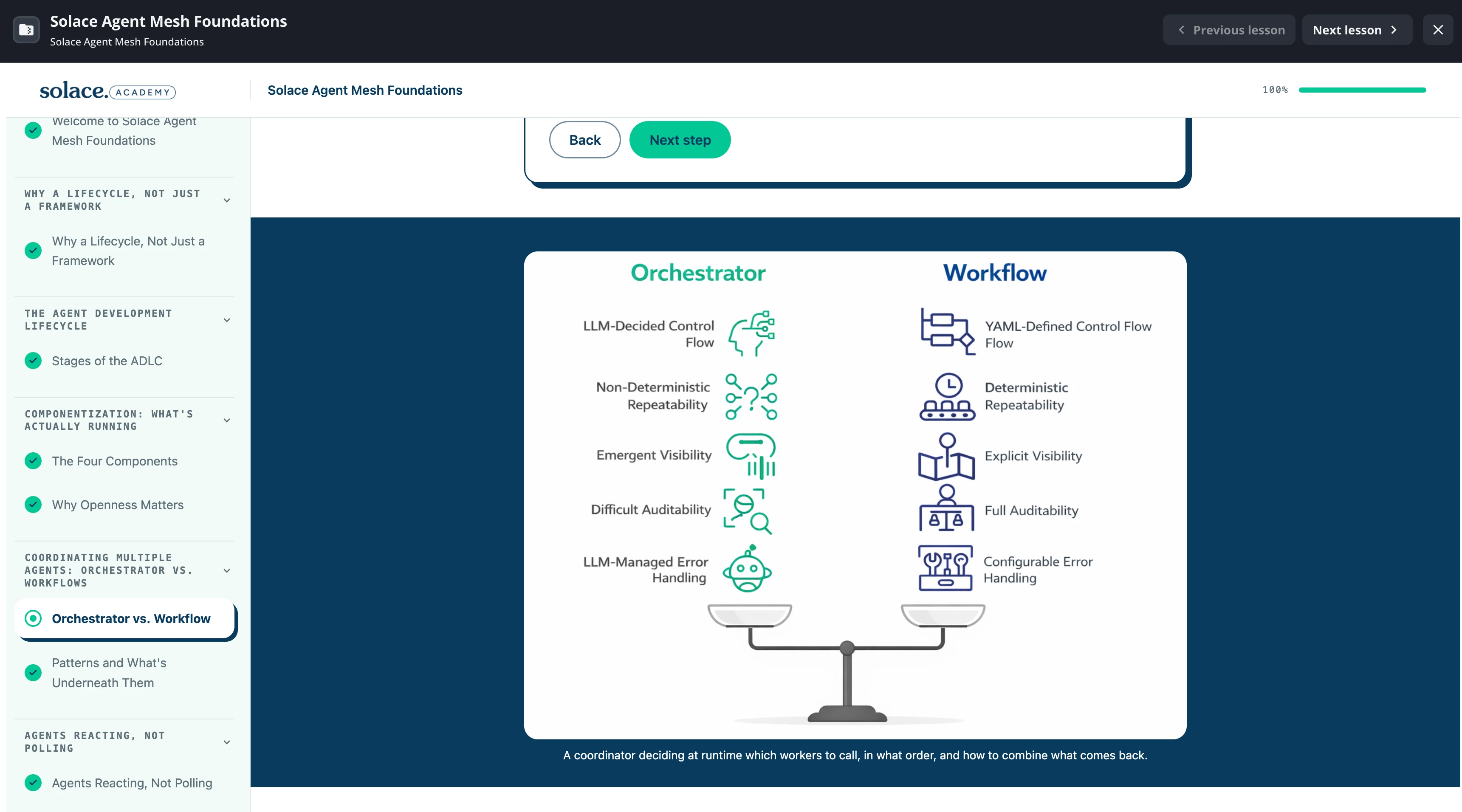
I also included an in-line course editor that largely replaces my need for course editing software like Rise 360. And because it's in house, I can add new block components and interaction types whenever I want. I set up a handful of themes that apply automatically to the generated courses, so they match our branding guidelines without me having to manually update the visuals. You can see a course I built with it here: https://training.solace.com/learn/courses/626/solace-agent-mesh-foundations.
What It Can and Can't Do
Course Studio speeds up the work, but it doesn't replace the people or the judgment behind it. So I need to keep these in mind:
- It doesn't replace SME review. It surfaces candidate problems and writes a first draft, and both need someone who knows the product to sign off. I've had it flag things that were correct and miss things that weren't.
- It doesn't decide what a course should teach. Learning objectives, audience, and scope are still my call. The outline pass is limited to the material it's given precisely so it can't redefine the course on its own.
- Its fact-checking is better than nothing and worse than a human expert. Documentation lags behind the product, and the model can misread an answer. I treat a freshness flag as a lead, not a finding.
- It can't fix a badly conceived course. A clear rewrite of the wrong content is still the wrong content.
What's Next? An Agent for Every Step
Course Studio works well enough today, but I already have a plan to improve it. I'm integrating Solace Agent Mesh (SAM), Solace's platform for building AI agents that work together, so that a dedicated agent handles each step of the pipeline.
The plan is a research agent that checks our public documentation and the web, an outline agent I can chat with, a course-building agent, and separate agents for the audit and for exams. I'll also be able to ask for bulk edits through chat, like replacing a product name across a whole course. Each stage can pause for my review, or the whole process can run automatically from start to finish. I also plan to add a “favourites” system, where when you add a course to the favourites list, it will help inform the agents as to how I prefer my courses to look and feel (e.g. tone, pacing, ratio of block types, etc)
I expect that moving each step to its own agent will improve the quality of the courses it generates, make the engine easier to maintain, and make it much easier to expand what Course Studio can do in the future.
How Do You Keep Your Courses Current?
If you're an LMS admin or instructional designer with a catalog that never stops changing, I'd love to hear how you handle course maintenance, and whether AI has helped or gotten in the way.