Best Answer

E-Learning courses to be deactivated

  • May 5, 2022
  • 13 replies
  • 247 views

Hi All,

I am looking for ideas for deactivation of E-Learning Courses. When creating and publishing e-learning courses in Docebo, I want to set a deactivation date such as 1 year time period. 

Is there a way to do this in Docebo? What is your company’s best practices to expiry courses? 

Thank you all for your responses in advance!

Fatma
Best answer by lrnlab

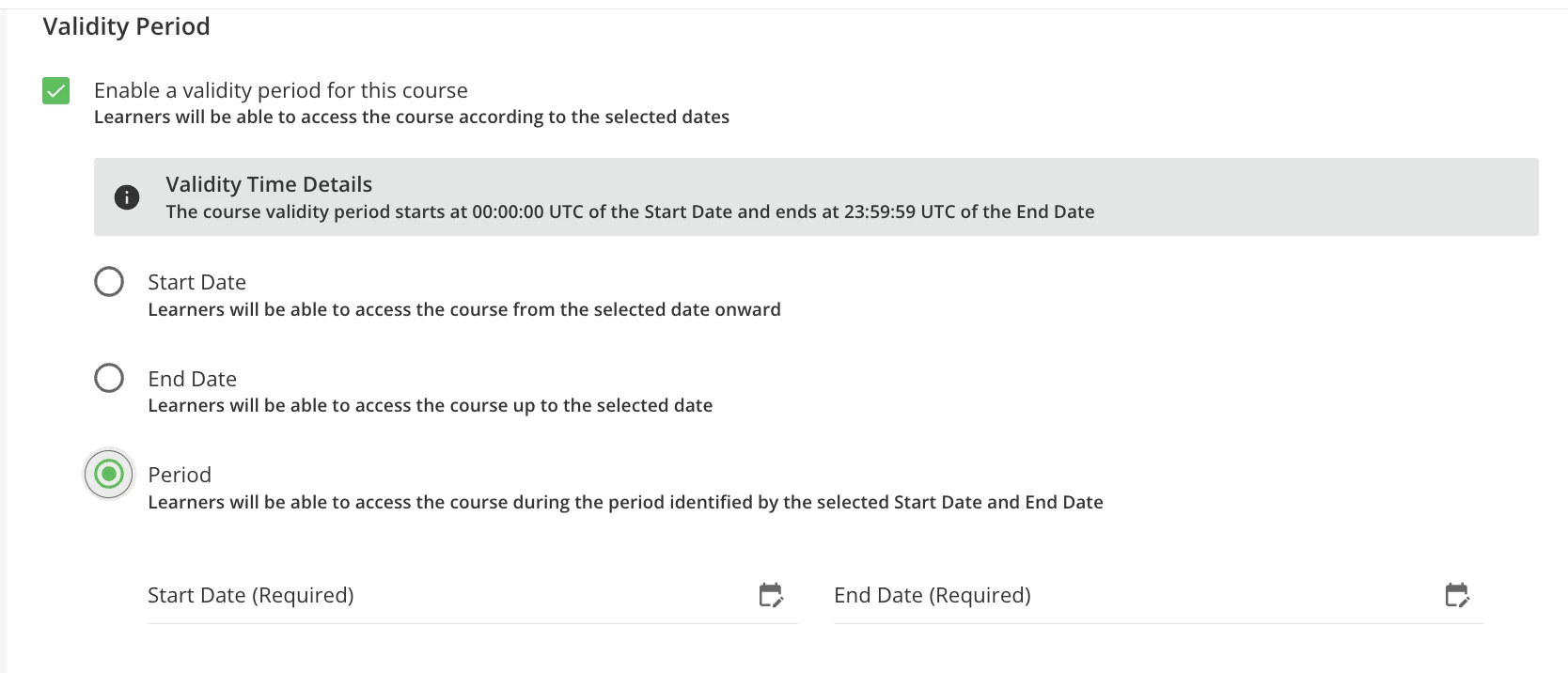
Hi @fsahin there are options under the Time tab you can set to automatically lock or remove access to the course.

If you want to use a set period, you can use the Validity Period to set that:


13 replies

malicm
Contributor II
Forum|alt.badge.img
  • Contributor II
  • May 5, 2022

I typically enter Retired in the course code to help myself know it has been deactivated and then change the Status it to Under Maintenance so no one can access the course. Only issue is that Retired then shows on the course history for the user.  


lrnlab
Hero III
Forum|alt.badge.img+10
  • Hero III
  • Answer
  • May 5, 2022

Hi @fsahin there are options under the Time tab you can set to automatically lock or remove access to the course.

If you want to use a set period, you can use the Validity Period to set that:


Hi @fsahin there are options under the Time tab you can set to automatically lock or remove access to the course.

If you want to use a set period, you can use the Validity Period to set that:


The best way to do this.


dklinger
Hero III
Forum|alt.badge.img+11
  • Hero III
  • May 5, 2022

Hi @fsahin - just a heads up - a lockout of the content? Means folks will not be able to enter into it after the fact.


lrnlab
Hero III
Forum|alt.badge.img+10
  • Hero III
  • May 5, 2022

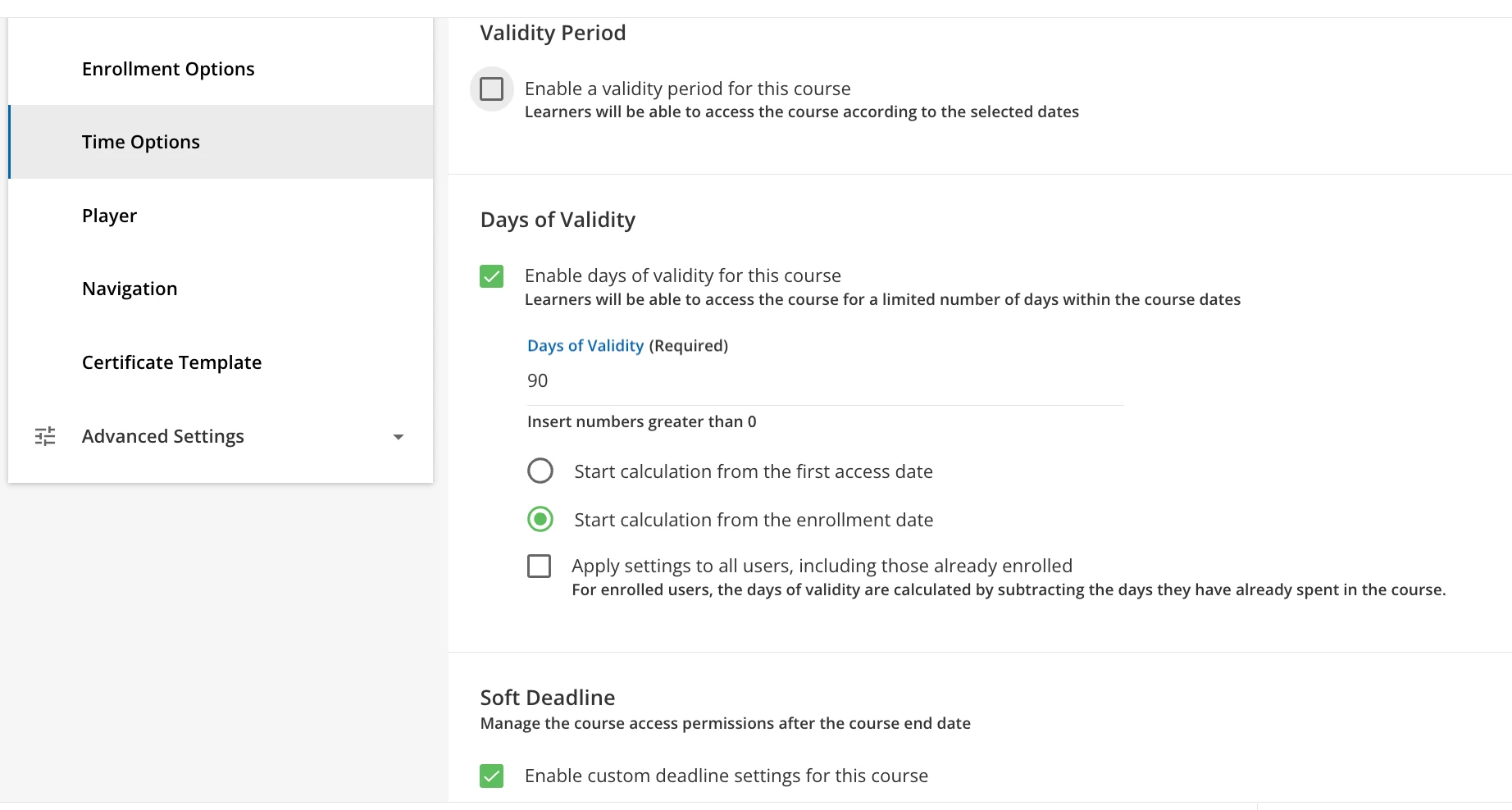
Unless you also enable the “Soft Deadline” option that will allow users to complete what they started. 😀


Bfarkas
Hero III
Forum|alt.badge.img+6
  • Hero III
  • May 5, 2022

Need like a flowchart of those choices and implications :)


Jessica Tart
Helper II
Forum|alt.badge.img+4

I think this would be a great idea to add to the Ideas portal, “set to Under Maintenance on X date or after X days.” We also need a new status of “Archived.”


margretek
Influencer I
  • Influencer I
  • May 6, 2022

Great question. I am looking for a retired status or archived as well. Would love to sort those out in the course management page too


TaviaRitter
Helper I
Forum|alt.badge.img
  • Helper I
  • May 6, 2022

Great question. I am looking for a retired status or archived as well. Would love to sort those out in the course management page too

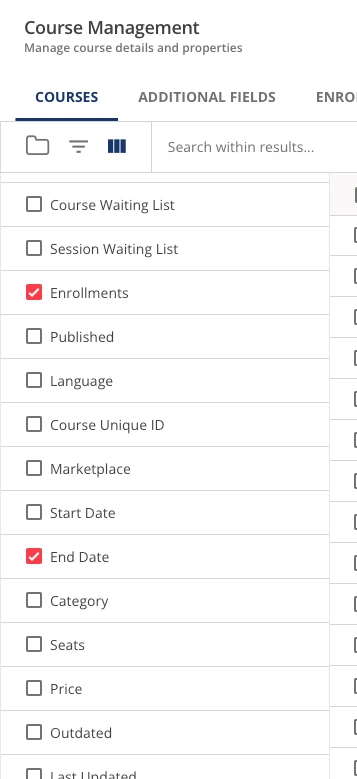
Once you add End Dates to your courses, you can then add the column in course management, and sort that column to see when the course’s end dates are: 


  • Author
  • Novice I
  • May 6, 2022

Hi @fsahin - just a heads up - a lockout of the content? Means folks will not be able to enter into it after the fact.


Yes, we want to have an expiration date for the courses, the users wont’ have access to those courses when they are deactivated by the system. 


  • Author
  • Novice I
  • May 6, 2022

Great question. I am looking for a retired status or archived as well. Would love to sort those out in the course management page too

Once you add End Dates to your courses, you can then add the column in course management, and sort that column to see when the course’s end dates are: 


Thank you so much, this is very helpful!


  • Author
  • Novice I
  • May 6, 2022

Hi @fsahin there are options under the Time tab you can set to automatically lock or remove access to the course.

If you want to use a set period, you can use the Validity Period to set that:


The best way to do this.

Thank you so much for your help! 


  • Author
  • Novice I
  • May 6, 2022

Hi @fsahin there are options under the Time tab you can set to automatically lock or remove access to the course.

If you want to use a set period, you can use the Validity Period to set that:


Thank you so much, this is very helpful!