Best Answer

Enrollment Rules - Assigning Courses + Learning plans

  • April 4, 2024
  • 5 replies
  • 298 views

Forum|alt.badge.img+1

Hi!

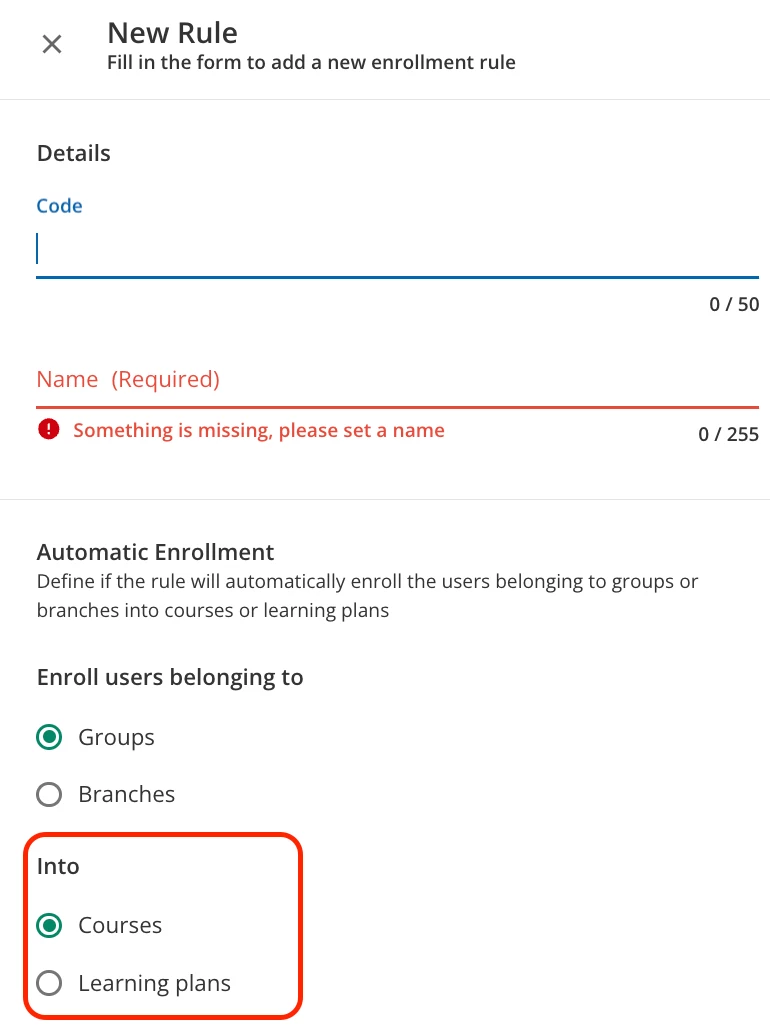
Can someone confirm I have this correct. I created an enrollment rule for all new hires so that it would auto assign them content. I wanted to add both courses and learning plans to this group but it looks like I can only assign one or the other to this rule. Is that correct? If so, it looks like I need a New Hire~Courses + New Hire~Learning Plans enrollment rules. Or am I missing something? thank you!


Best answer by Nicole

Yes, that’s right, you’d create 2 x enrollment rules.

I do that too, one that assignes them Learning Plans and the other that assigns them ILTs.


5 replies

Nicole
Helper II
Forum|alt.badge.img+1
  • Helper II
  • Answer
  • April 4, 2024

Yes, that’s right, you’d create 2 x enrollment rules.

I do that too, one that assignes them Learning Plans and the other that assigns them ILTs.


dwilburn
Guide III
Forum|alt.badge.img+4
  • Guide III
  • April 4, 2024

That is correct, as you setup the rule you decide Course or Learning Plan. 

We drive all of our training through Learning Plans, that is our typical solution.

I also have “Welcome” training about the system that is a course automatically assigned to all new users.

There is nothing stopping you from having a rule for Learning Plans and a similar rule for the Courses.


Forum|alt.badge.img+1
  • Author
  • Influencer III
  • April 4, 2024

Thank you for confirming!


lrnlab
Hero III
Forum|alt.badge.img+10
  • Hero III
  • April 4, 2024

When you create the rule you are choosing whether you are assigning courses or LP’s so you can only assign one type of asset per rule.


Forum|alt.badge.img

When using Enrollment Rules, please remember those small - but important - details:

  • After creating the enrollment rule, don’t forget to activate it. This is easy to forget. 😉
  • Only users that join the group after the activation will be enrolled. If you want to also include users that are already in the group, you can manually enroll them as “Group” in your learning plan/course.
  • The enrollment rules are usually very quick, but can in some cases take more time to trigger. ⏳