I was wondering if there is another setting that we should turn on to allow our users to unenroll from a course that they have not completed?
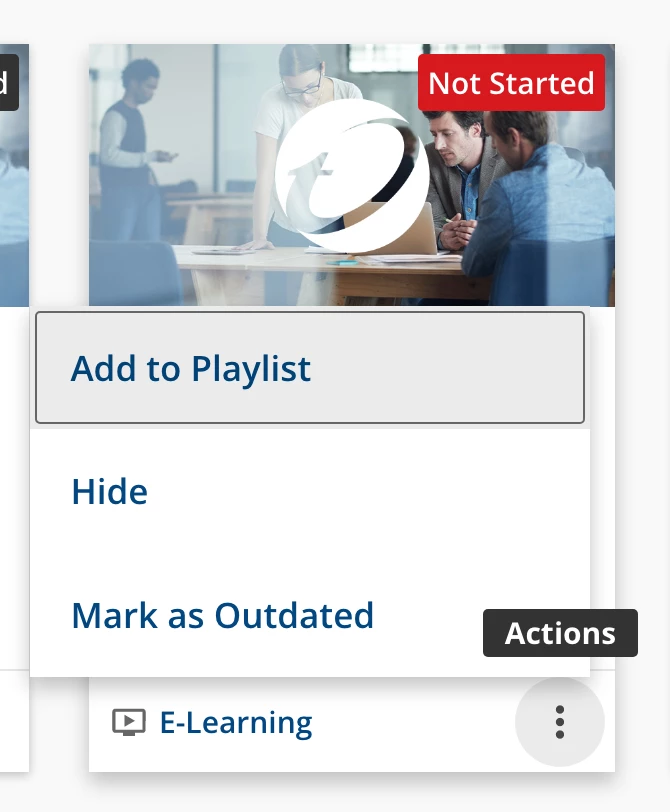
We checked the ´Enable self-unenrollment for this course’ option in our courses under the Enrollment Options but our learners only see ‘Hide’ or ‘Mark as Outdated’ for their courses but not a way to unenroll for the course.
When you enable the self-unenrollment option, the unenrollment action does not appear in the actions from the course thumbnail:
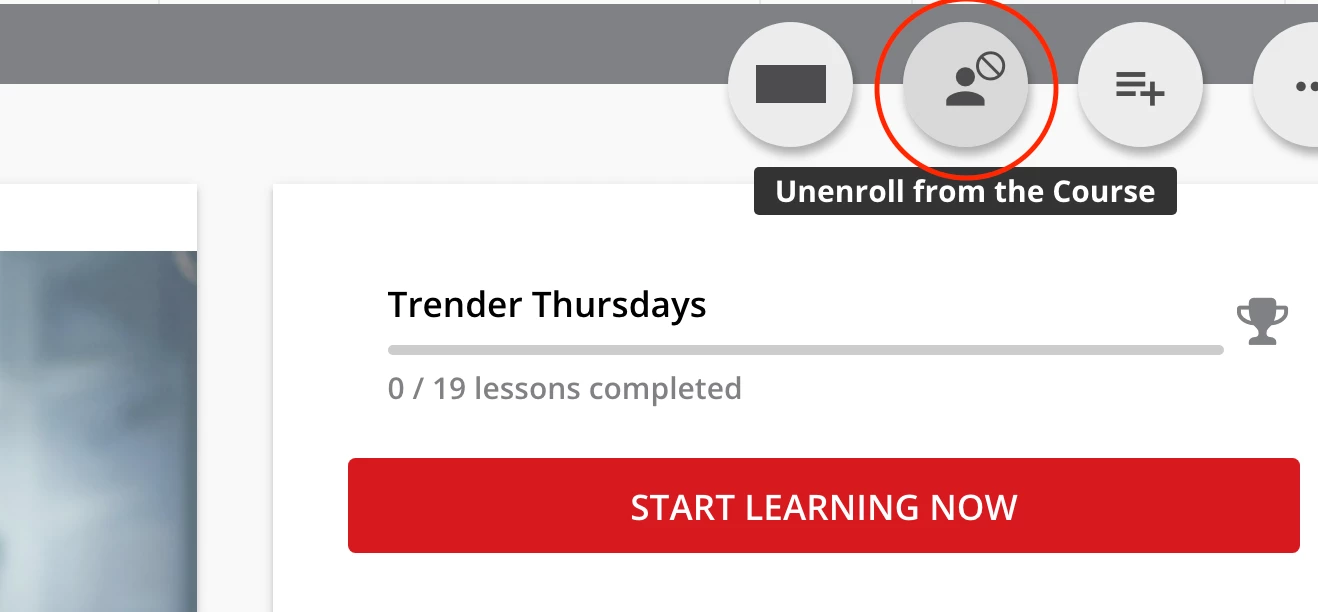
Instead it appears after the learner clicks into the course. Here’s how it looks in my docebo instance:
I think it would be better if it appeared in both places :( The buttons at the top there are not very obvious to the user, I find. We also struggle with this for link sharing.
Ah, thank you for the quick reply and link. I totally missed that icon when I was searching for it.
@rebeccam thank you for the images! Yes, this was the problem for us. The user and myself automatically looked at the actions drop down for it and we both missed the icon on the top right even though we were looking at it together on the course player page. 😅
There’s an idea to be voted for that recommends the round buttons be updated so they give some indication as to what they do (albeit this was initially ILT specific). This case highlights again the need for that. I’m surprised it hasn’t garnered more votes, but here’s a chance to add your vote now >
We struggle horribly with the round buttons. I would love an option to replace them with menus in all end user facing scenarios - or, frankly, on all pages.
they cover things too. For example, the full screen video button.
Hi, do you know if it is possible for users to self-unenroll from learning plans? I know for courses they can if the option is enabled in the course settings. But what about learning plans?