



Using Custom CSS to hide the Page Title and subtitle

  • August 13, 2025
  • 3 replies
  • 162 views

pierre.andignac
Docebian
Forum|alt.badge.img

Ever wanted to hide all Page titles ? It’s super easy with custom CSS!
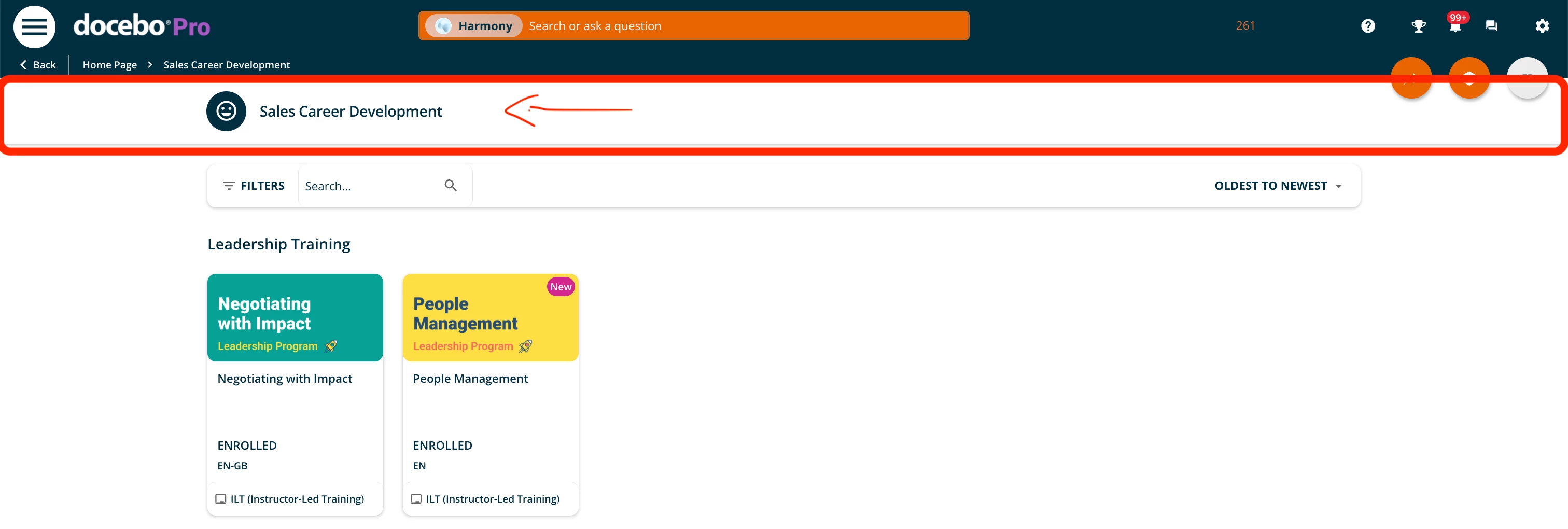
 

 To hide all page titles on your platform, simply add the following code:

/* Hide Page Title and Description*/
#doc-layout-title-bar {
  display: none !important;
}


Result below:
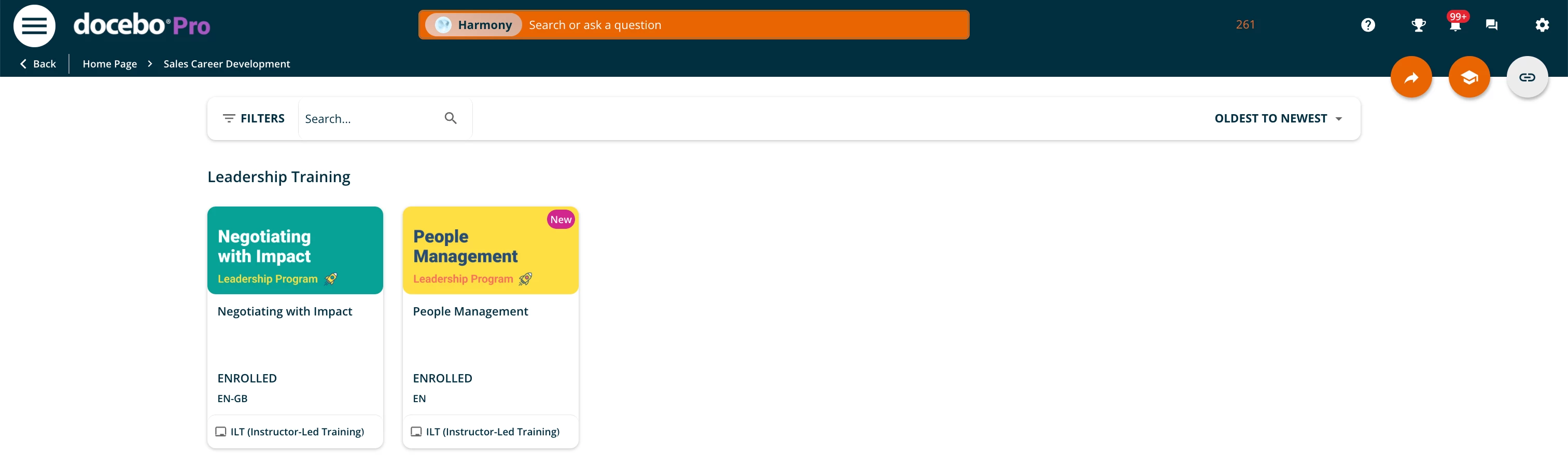
 

Hope that helps!


Similar articles:


3 replies

pierre.andignac
Docebian
Forum|alt.badge.img

Please note that due to interface enhancement, you should replace this code by the following:

/* Hide the page title ONLY when there are no header actions (works with LMN header) */
#doc-layout-title-bar #page-title__wrapper:not(:has(.doc-header-inner-title__other)) {
display: none !important;
}


Forum|alt.badge.img+1

Please note that due to interface enhancement, you should replace this code by the following:

/* Hide the page title ONLY when there are no header actions (works with LMN header) */
#doc-layout-title-bar #page-title__wrapper:not(:has(.doc-header-inner-title__other)) {
display: none !important;
}


Thanks for this code. It works really well for my requirement.


pierre.andignac
Docebian
Forum|alt.badge.img

you welcome ​@ponnammal.sundaram ,

I would also add this block to be 100% safe with the newest Content Center interface.

/* Show the title bar any time it contains buttons - to be added with a code to hide the title bar */
doc-layout-title-bar:has(button) {
display: block !important;
}

