Best Answer

Custom Reports - Run a report of branches and branch codes

  • May 9, 2022 3:46 PM UTC
  • 16 replies
  • 539 views

Is it possible to create a custom report to show all branches and associated branch codes in Docebo?  If this exists can someone detail those steps as I have not found a means to do so.

Best answer by lrnlab
@dinda156 hmmm, the audit report should be able to show this...I was successful at getting the info but since the audit trail only goes back 90 days, this may be the issue. Looked for an API that could give you this info but didn't have much time to play around with it...maybe try it out:

https://doceboapi.docebosaas.com/api-browser/#!/manage/Orgchart/Orgchart_manage_v1_orgchart_branch_id

View original

16 replies

KMallette
Hero I
Forum|alt.badge.img+11
  • Hero I
  • May 9, 2022 4:02 PM UTC

@dinda156 Check with your Account Manager or Customer Experience rep. When we stood up our platform a couple of years ago, they had to create a custom report for us.

There is some chatter that this feature is coming, but I’m not 100% certain that we have it yet. It is a very handy report to have.

Regards,

KM


lrnlab
Hero III
Forum|alt.badge.img+10
  • Hero III
  • May 9, 2022 4:55 PM UTC

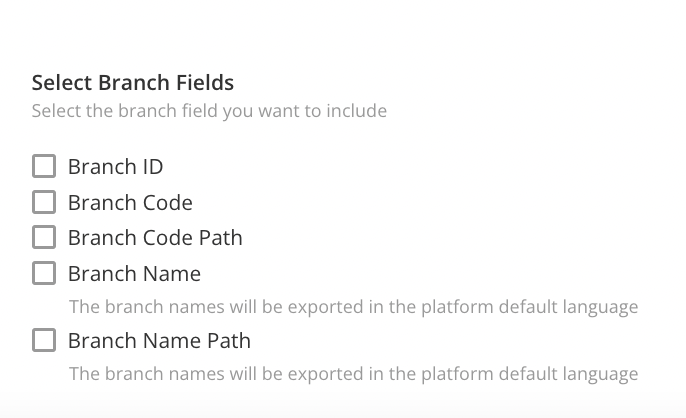
Hi @dinda156 you can run it from the User Management page...just select all users and then go to the bottom right of page > Choose Action > Export. You can simply select the branch names & codes at the very bottom of the panel:

not the most elegant way but it works.


  • Author
  • Newcomer
  • May 9, 2022 5:22 PM UTC

Thank you for the replies.   What I am really looking for is a report when a branch was created in Docebo. I’ve tried multiple methods to run this (audit log, etc.) and cannot select the date the branch was created.  


lrnlab
Hero III
Forum|alt.badge.img+10
  • Hero III
  • Answer
  • May 9, 2022 6:48 PM UTC

@dinda156 hmmm, the audit report should be able to show this...I was successful at getting the info but since the audit trail only goes back 90 days, this may be the issue. Looked for an API that could give you this info but didn't have much time to play around with it...maybe try it out:

https://doceboapi.docebosaas.com/api-browser/#!/manage/Orgchart/Orgchart_manage_v1_orgchart_branch_id


JKolodner
Guide I
Forum|alt.badge.img+8
  • Guide I
  • Feb 23, 2024 9:29 PM UTC

@Bfarkas - I have an API question and since @lrnlab just segued into API’s, I’m adding my question here since I think it’s related.

Is it possible to get API data that show Branch information for users?

Also, Active field values (Yes/No)?
Are these fields we could put into other API’s?

We are pulling from an API on Reports - could we add something to that API’s settings to get those two pieces of information?

Thanks!


Bfarkas
Hero III
Forum|alt.badge.img+6
  • Hero III
  • Feb 23, 2024 10:32 PM UTC

@Bfarkas - I have an API question and since @lrnlab just segued into API’s, I’m adding my question here since I think it’s related.

Is it possible to get API data that show Branch information for users?

Also, Active field values (Yes/No)?
Are these fields we could put into other API’s?

We are pulling from an API on Reports - could we add something to that API’s settings to get those two pieces of information?

Thanks!

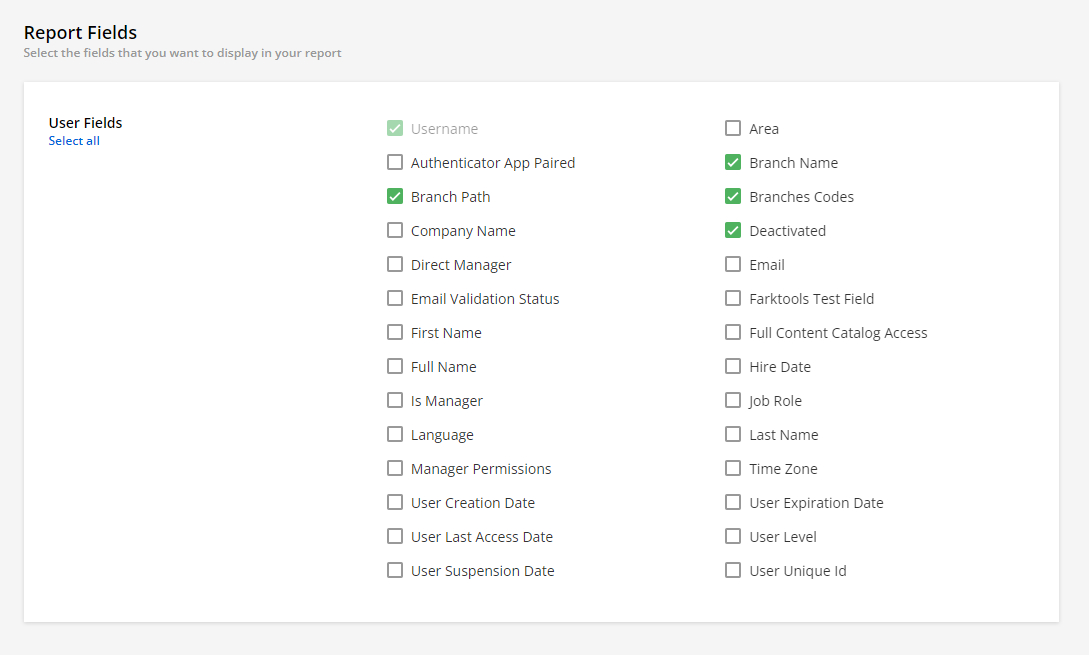
Not sure I am completely following, but if I am, I think I would go the route of setting up a ‘New Reports’ custom report of type ‘Users’. In the field options you can add the branch information and there is the deactivated field:


or you could just filter them out: 


You could then use the API to interact with this report if you needed to. Is this what you are going for?


JKolodner
Guide I
Forum|alt.badge.img+8
  • Guide I
  • Feb 26, 2024 5:20 PM UTC

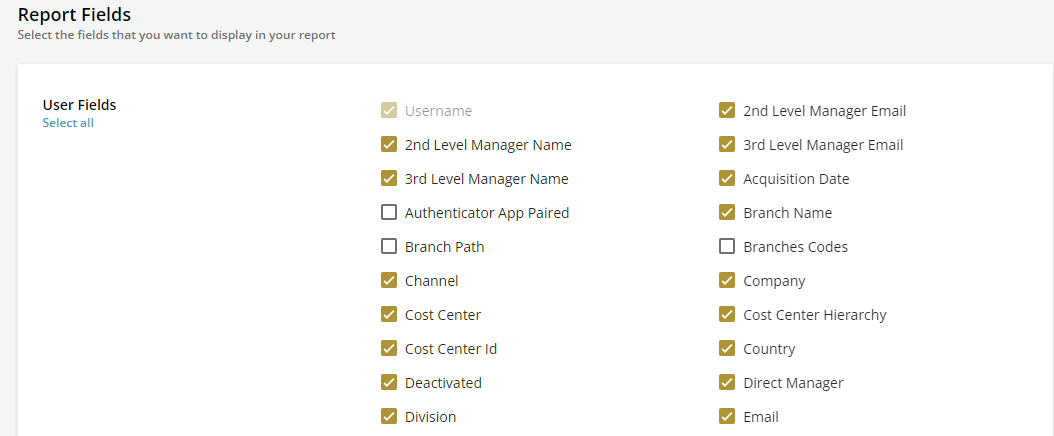
Thanks, @Bfarkas. My report fields look like this, so Branch Name and Deactivated are selected. They are visible in the report:


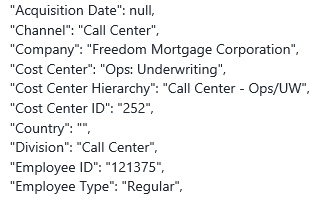
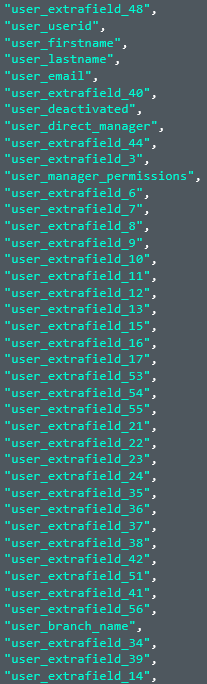
However, the API doesn’t include them.  Our API return looks like this (after the manager info, I’m leaving out here):


Notice that Branch and Deactivated are not included here. Any idea why that would be?

Thanks!

Jen


Bfarkas
Hero III
Forum|alt.badge.img+6
  • Hero III
  • Feb 26, 2024 6:10 PM UTC

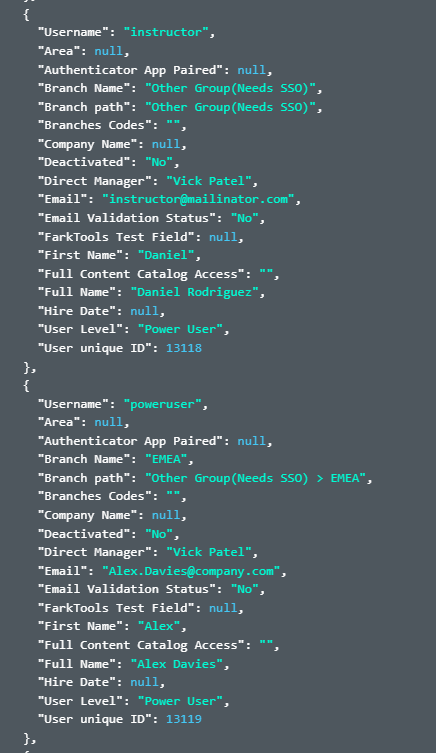
@JKolodner  Just tried on my side and works as expected:


Couple thoughts, which API are you using?

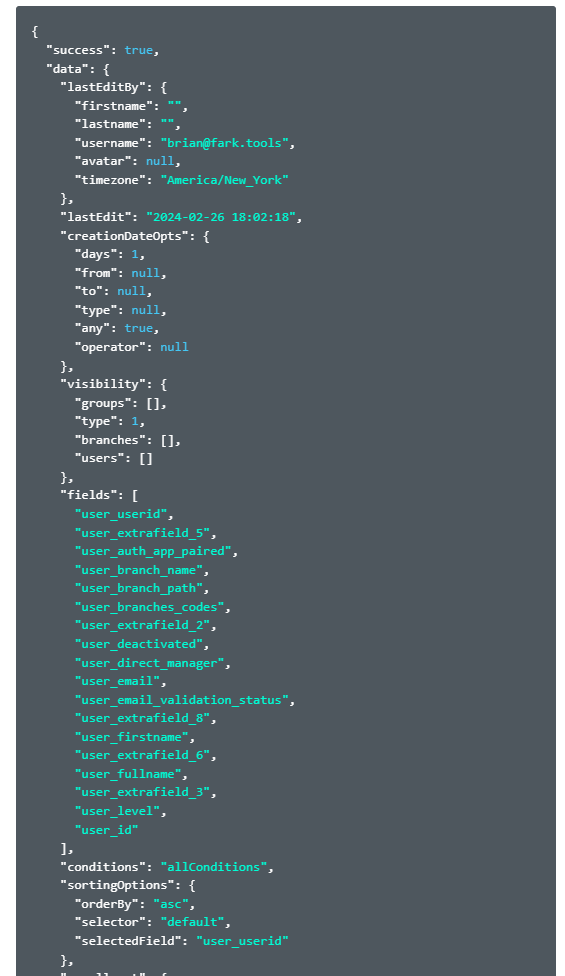
Also, if you use the Analytics > Report > Get Report Info and put your report ID in, are the fields showing there as expected?


JKolodner
Guide I
Forum|alt.badge.img+8
  • Guide I
  • Feb 26, 2024 6:35 PM UTC

Yes, it appears that the fields (user_deactivated and user_branch_name) are there although I’ve asked my API colleagues to check it for themselves since they aren’t seeing it:


JKolodner
Guide I
Forum|alt.badge.img+8
  • Guide I
  • Feb 27, 2024 10:40 PM UTC

@Bfarkas Hey Brian - I think the problem is our expectation for the API doesn’t match how it’s built. I think we need this one instead to see the actual report information, not just its structure. Please let me know if I’m wrong :)


Bfarkas
Hero III
Forum|alt.badge.img+6
  • Hero III
  • Feb 27, 2024 11:43 PM UTC

Oh, I was just asking you to check the other one on structure to confirm the API was seeing the same you were expecting, it was the easiest way to check a few common mistakes/errors honestly. 

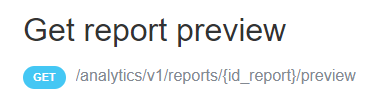
The one you posted above shows a preview only, not the full report if that’s your intention. Read through the endpoints in that area of the API, there’s a few ways to essentially start an export depending on what type you want and then monitor its status to get the actual report. I assumed you were using them to show the original image of the output in the api not matching, what endpoint was that?


JKolodner
Guide I
Forum|alt.badge.img+8
  • Guide I
  • Feb 28, 2024 2:01 PM UTC

Yeah, just a preview then… Is there an API that does a similar thing, but with all the details, or is there only Export to CSV/XLSX? I’m not finding another option. But hey, I don’t mean for your part-time job to be helping me solve this. Thanks for all of your help!


Bfarkas
Hero III
Forum|alt.badge.img+6
  • Hero III
  • Feb 28, 2024 2:05 PM UTC

Try this one, it gives back just the JSON:


JKolodner
Guide I
Forum|alt.badge.img+8
  • Guide I
  • Feb 28, 2024 2:07 PM UTC

Where does one find an export id?


Bfarkas
Hero III
Forum|alt.badge.img+6
  • Hero III
  • Feb 28, 2024 2:11 PM UTC

Yeah, so new reports are a bit more complex than old reports as far as getting, you might want to check this thread out which discuses the general approach/thought process to get you there:


JKolodner
Guide I
Forum|alt.badge.img+8
  • Guide I
  • Feb 28, 2024 2:30 PM UTC

Will do! Thanks!