



Looking to submit a new idea/feature enhancement request? You’ve come to the right place 🙂
Please note: you must be a registered member of Docebo Community in order to access our Feature Roadmap and Ideas portal. If you do not have a community account yet, please follow this guide to create one.
As part of our Four-Step Plan for a Better Ideas Portal, we are introducing clear milestones, defined SLAs, and smarter triage to ensure your feedback is highly actionable for our Product teams.
To help us maintain a clean baseline and eliminate noise, please follow this quick guide to search the Feature Roadmap and existing ideas before submitting a brand new request. Following these steps in order ensures your voice gets heard by the right product managers as quickly as possible!
Step 1: Search the Feature Roadmap
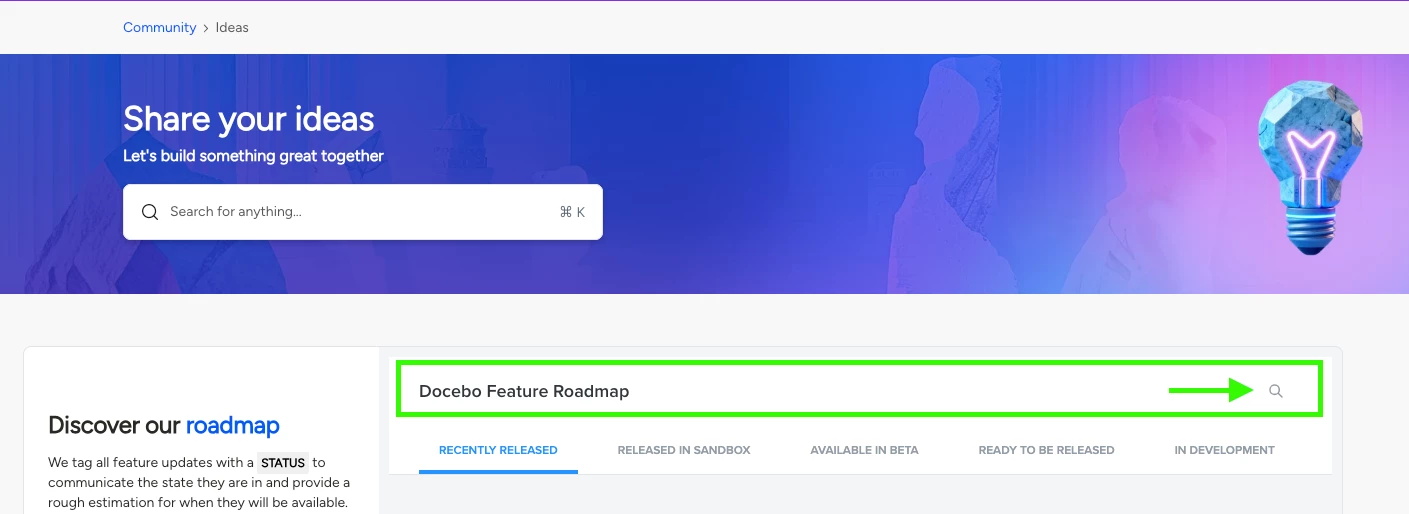
Before anything else, navigate to the Feature Roadmap to determine if your idea or feature request can be associated with an existing feature card that our teams are already planning.
-
Click on the magnifying glass beside the Docebo Feature Roadmap.
-
Type in your key terms to see what our Product teams are currently planning or considering.
-
If you find a match: Click on the Feature Card and scroll all the way to the bottom of that card. Let us know how important this feature is to you and add any related ideas or feedback directly there. This is the fastest way to get your thoughts in front of active project owners!
-
If there is no match: Proceed to Step 2.
-
💡 Heads up: If you click on a feature card after searching, once you exit the feature card, your search results will be lost and you will need to perform the search again. Also, the Feature Roadmap is powered by Productboard—any cookie pop-ups you see are from them, and Docebo DOES NOT share or sell your personal information.
Step 2: Search the Ideas Portal
If the roadmap doesn't cover your concept, the next step is to check if another community member has already posted it in the Ideas portal so we can rally community support behind it.
-
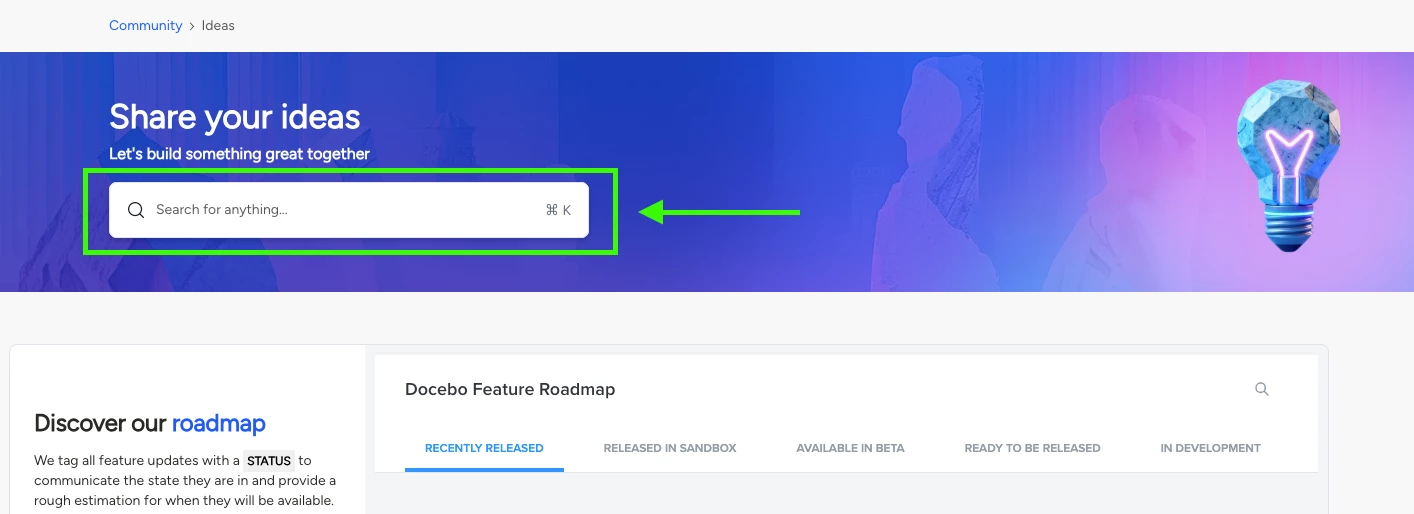
Navigate to the search bar located ABOVE the Feature Roadmap.
-
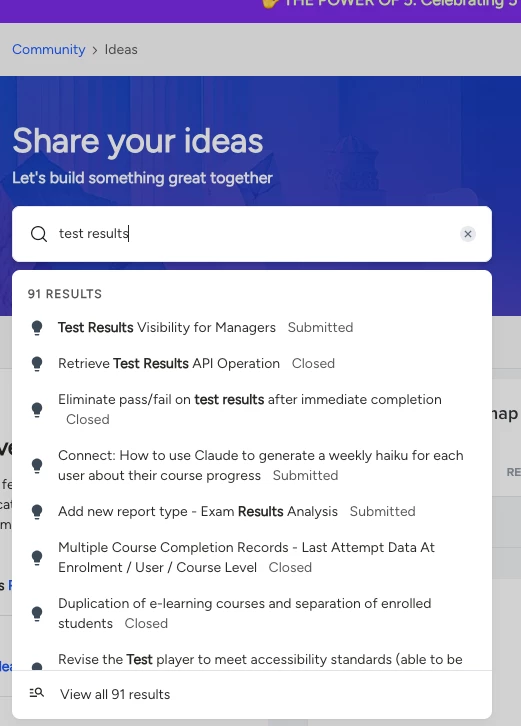
Type in the keyword(s) for your idea. The search will populate the most relevant ideas.
-
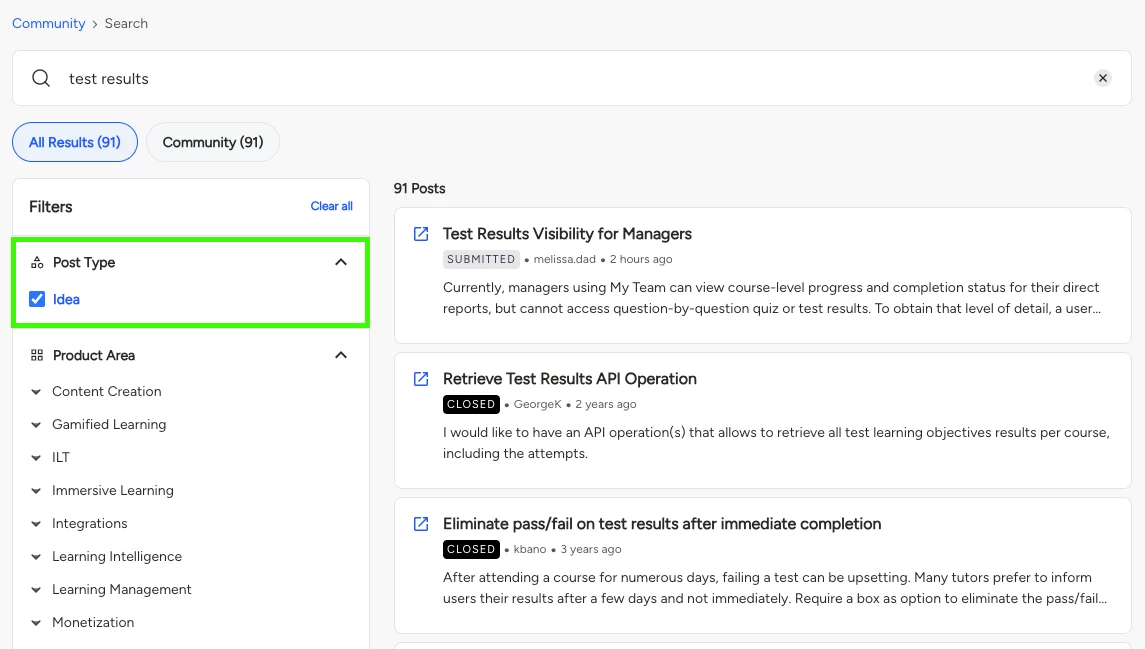
To enhance your search, click VIEW ALL. This takes you to the broader Search page.
-
Click on the Idea post type and select any relevant tags to isolate existing community ideas.
- If it already exists: Add your vote! Under our new SLAs, once a newly submitted idea reaches a 20-vote threshold, it triggers a deep-dive review where a Product Manager will triage the idea and respond directly within 10 business days. You can also leave a reply on the thread with your specific use case.
- If it's completely unique: Proceed to Step 3.
⚠️ Please DO NOT submit an idea if it already exists in the portal, especially if it’s tagged with the ‘Closed’ status. This causes unnecessary duplication. If an idea is marked 'Closed', it means it has been reviewed by a PM or automatically moved to our internal reference archives because it didn't meet the 20-vote threshold.
Step 3: Submit Your Brand New Idea
If your search turns up blank in both places, you are ready to submit a brand new idea. When you submit, your post enters the Submitted status. To ensure our product managers have enough context to move it to Open, please keep the following parameters in mind:
-
Use the Template: All new features must be submitted using the mandatory Idea Submission Template.
-
One at a Time: Only one specific idea per template will be accepted (please avoid bundling multiple unrelated requests).
-
Provide Sufficient Detail: Questions 1–3 on the template are mandatory and require more than one sentence of explanation; otherwise, the idea will be rejected due to a lack of actionable context.
Once your idea goes live, you can track its journey across our newly updated transparency statuses: from Submitted and Open, to Roadmap, In Development 🚀, and finally, Delivered!
I hope this guide helps streamline your workflow! If you have any questions or issues with searching the Feature Roadmap, navigating existing ideas, or filling out the template, please let us know in the comments below. 👇