Question

Where can I find the user ID?

  • August 25, 2025
  • 5 replies
  • 241 views

I need the user ID to import the CSV for multi registration for learning plans. Where can I find the user ID?

5 replies

Forum|alt.badge.img+2

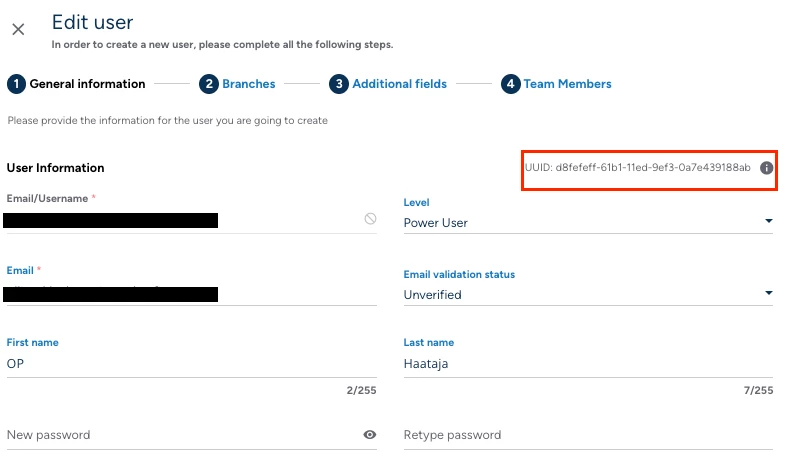
@MayaSharon In User Management when you select the three dots from the right hand side of a user and select Edit you can see the user details. On the tab that opens up you can see the UUID (Unique User ID) at the right top corner and thats the ID number.


Forum|alt.badge.img+1

Go to the User in admin menu, Apply relevant filter or select users you need user IDs, 

Choose action - at the bottom right corner of the page. 

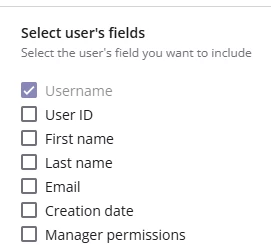
Export. excel or CSV then in the next popup you can select user name, User ID etc.


Forum|alt.badge.img+1

Hi ​@MayaSharon ,

Please check if the below helps.

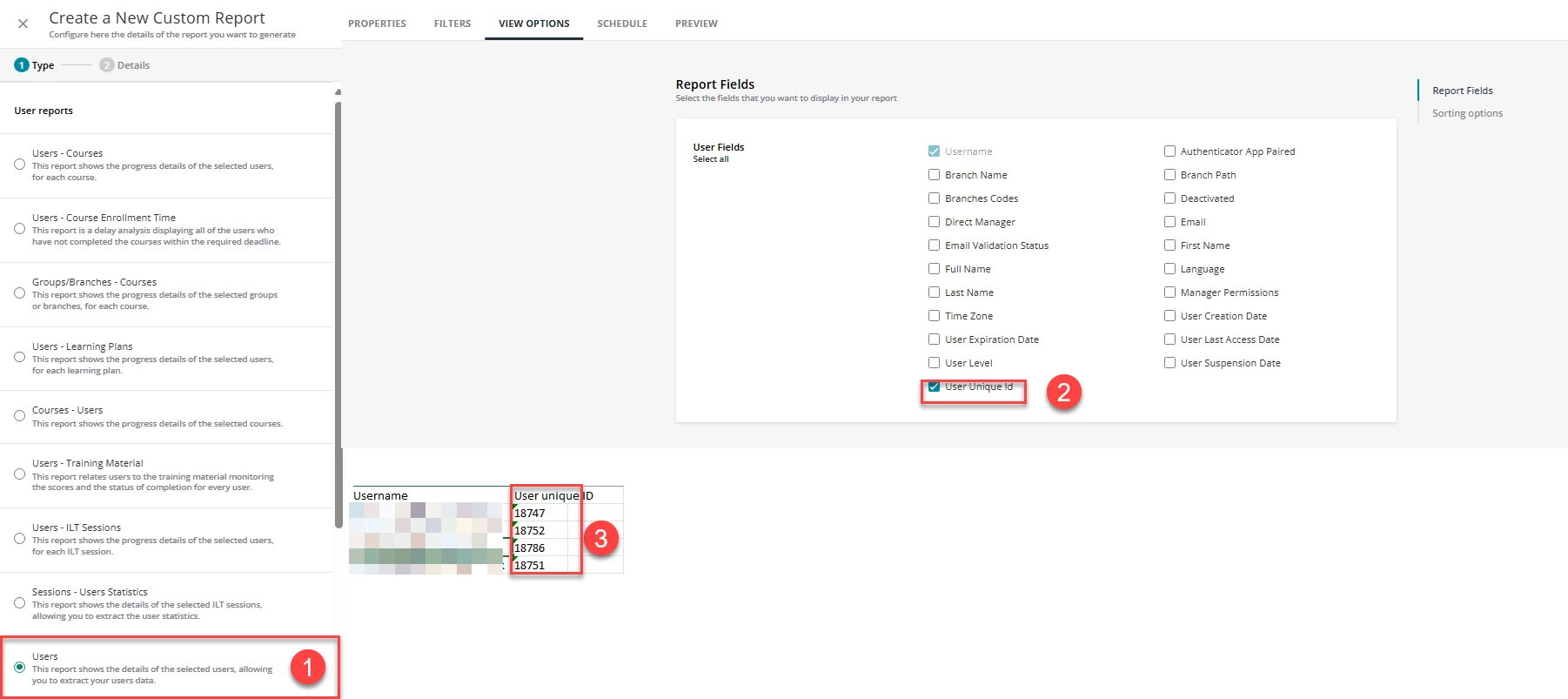
  1. Create a new custom report and choose the report type as “User”. 
  2. Select the relevant fields + User Unique ID
  3. Save and Run the report.


Forum|alt.badge.img+1
  • August 25, 2025

Jessica Tart
Helper II
Forum|alt.badge.img+4
  • Helper II
  • August 25, 2025

I’d use this method. UUID is different than the User ID.