


Question

Event order in Email Notification

  • November 18, 2025
  • 3 replies
  • 48 views

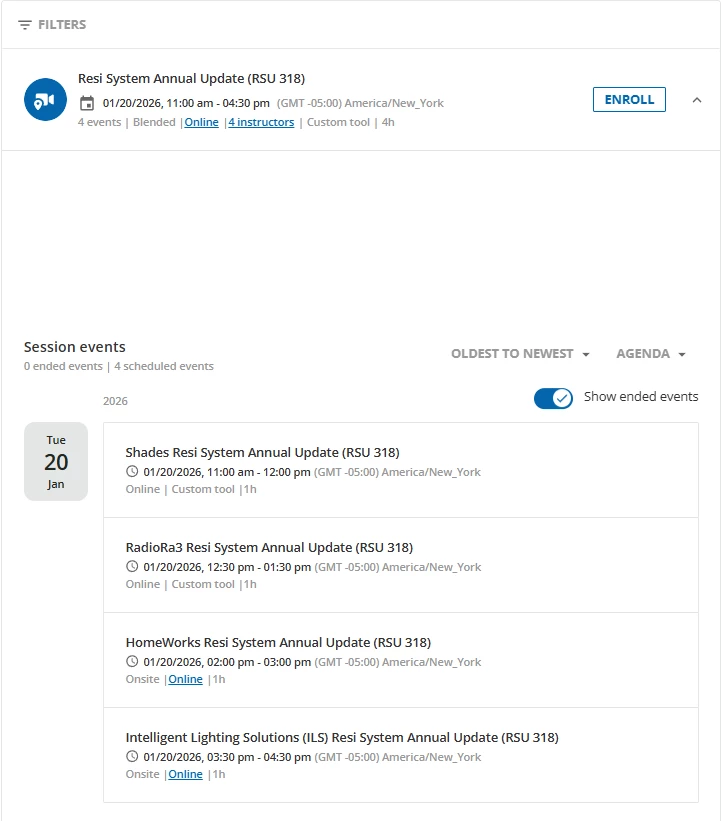
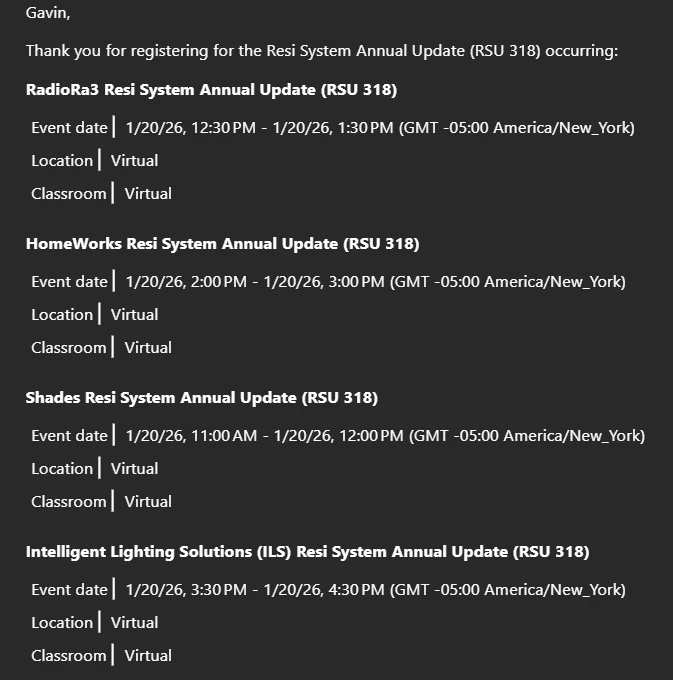
I’ve created an ILT with a single session, that contains 4 events. All of the events are on the same day, one after another at different times. On the course enrollment page, the events are listed in the correct order from top to bottom, with the earliest event at the top and the latest event at the bottom. When a user enrolls in the course, they receive a notification email with all 4 events listed, but they are in a seemingly random order. 

(Course page, correct order):
 

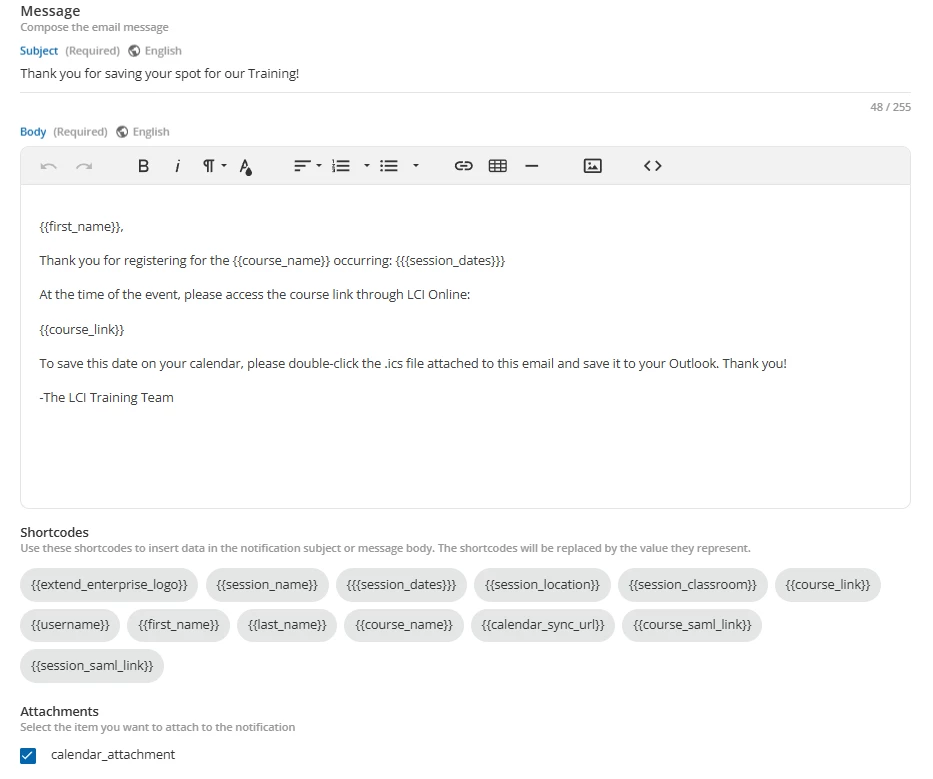
How can I edit the order of the events in the notification email? I am currently using shortcodes in my email, but I don’t see a way of editing this besides manually writing the notification without the use of shortcodes. Any ideas are appreciated!

(Notification layout):
(Notification email, incorrect order):
 

3 replies

  • Novice III
  • January 6, 2026

@GVandy - wow that's a great question!!  I wonder what logic the system is using to order them on the notification? it doesn't appear to be alpha nor Date/time related. Are the 4 events entered in order within your session? You could open each event on the session in Docebo and look at the URL and see if the numerical event ID is sequentially based on time/order you want.

If that all makes sense, then I’d open a ticket with the help desk and see if they can tell you what the logic is so you can order them if possible.

If you go that route, come back and let the rest of us know 😁


John


  • Author
  • Newcomer
  • January 6, 2026

@GVandy - wow that's a great question!!  I wonder what logic the system is using to order them on the notification? it doesn't appear to be alpha nor Date/time related. Are the 4 events entered in order within your session? You could open each event on the session in Docebo and look at the URL and see if the numerical event ID is sequentially based on time/order you want.

If that all makes sense, then I’d open a ticket with the help desk and see if they can tell you what the logic is so you can order them if possible.

If you go that route, come back and let the rest of us know 😁


John

Hey John! I did end up opening up a ticket regarding this as I could not figure out what else to try and this is the response I received:


Thanks for your patience while we investigated the ordering of events in the “User Enrolled in an ILT Session” notification.

 
Here’s what I can confirm:
  • The event order produced by the } shortcode isn’t configurable within the notification template.
  • It isn’t reliably chronological; in some cases it can look alphabetical by event name and in others appear effectively unordered relative to the course page.
  • Prefixing event names can influence the output order, though your test showed that numeric prefixes may result in reverse ordering.
     
Given the current behavior, I recommend: 
  • Use zero‑padded, descending numbers (e.g., 04, 03, 02, 01) if you want the first event to appear at the top; or
  • Try an A–D prefix (A., B., C., D.) if you prefer alphabetical control.


I hope this can help somebody in the future if they run into something similar!


  • Novice III
  • January 6, 2026

Thanks!
