Best Answer

Select icon for each mobile page


scotburbank

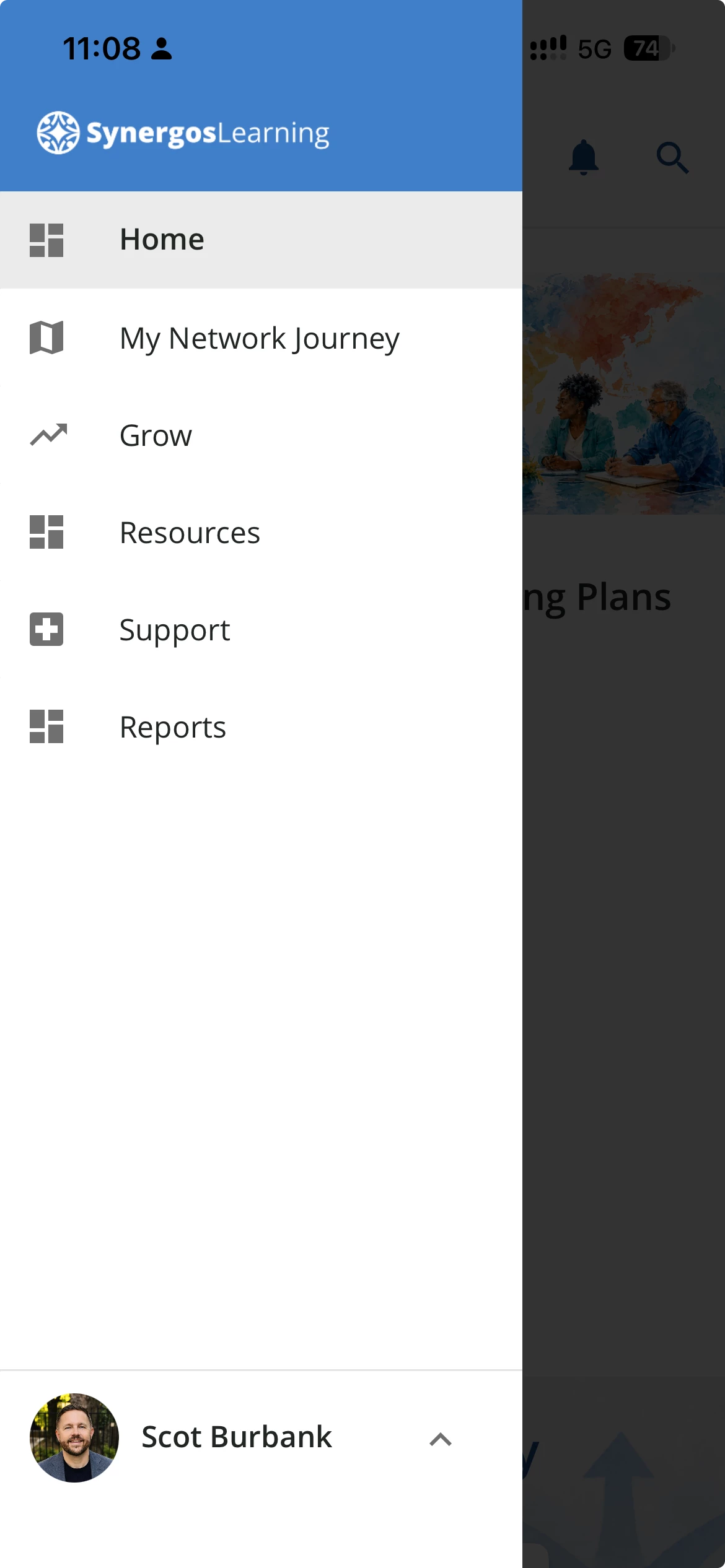
Prior to Summer 2026, I was able to select an icon for each page. The icon is displayed to the left of the page name in the mobile menu. I am no longer able to select an icon. 

Can anyone point me to a solution? Here is a screenshot of our mobile menu for reference:


Best answer by daniele.corbetta

Hi ​@scotburbank, Daniele here, I am PM for Mobile Learning. 

Yes, you’re correct - after the new Navigation system has been rolled out, these icons are no longer editable. The mobile team is already working on a new navigation system, dedicated for the mobile experience, that will address this gap.

If you want to receive weekly updates and to co-build how the mobile experience evolves, you’re welcomed to join the new Mobile Learning Product Design Group.

It’s a groupy where customer and Docebo PMs collaborate, discuss and share feedback that ultimately shape how the Mobile App will look like in the future. Click here to join 😊

View original

2 replies

daniele.corbetta
Docebian

Hi ​@scotburbank, Daniele here, I am PM for Mobile Learning. 

Yes, you’re correct - after the new Navigation system has been rolled out, these icons are no longer editable. The mobile team is already working on a new navigation system, dedicated for the mobile experience, that will address this gap.

If you want to receive weekly updates and to co-build how the mobile experience evolves, you’re welcomed to join the new Mobile Learning Product Design Group.

It’s a groupy where customer and Docebo PMs collaborate, discuss and share feedback that ultimately shape how the Mobile App will look like in the future. Click here to join 😊


scotburbank

Daniele,

Thank you so much for the reply. I’m excited about the new mobile navigation system! Thank you for the invite to the Design Group. I will join. 

All the best,
Scot