Question

Manually Trigger Due Today User Notification

  • April 15, 2025
  • 3 replies
  • 49 views

How do you manually trigger a Due Today notification with the new notification updates?

3 replies

JeanetteMcVeigh
Hero III
Forum|alt.badge.img+7

Not sure, but can you use 0 (zero) for the number of days?

So, my meeting cancelled so I took a look and you can’t put zero.

Well, this doesn’t work...hmmmm

Love the idea though.


Forum|alt.badge.img+3
  • Docebian
  • April 15, 2025

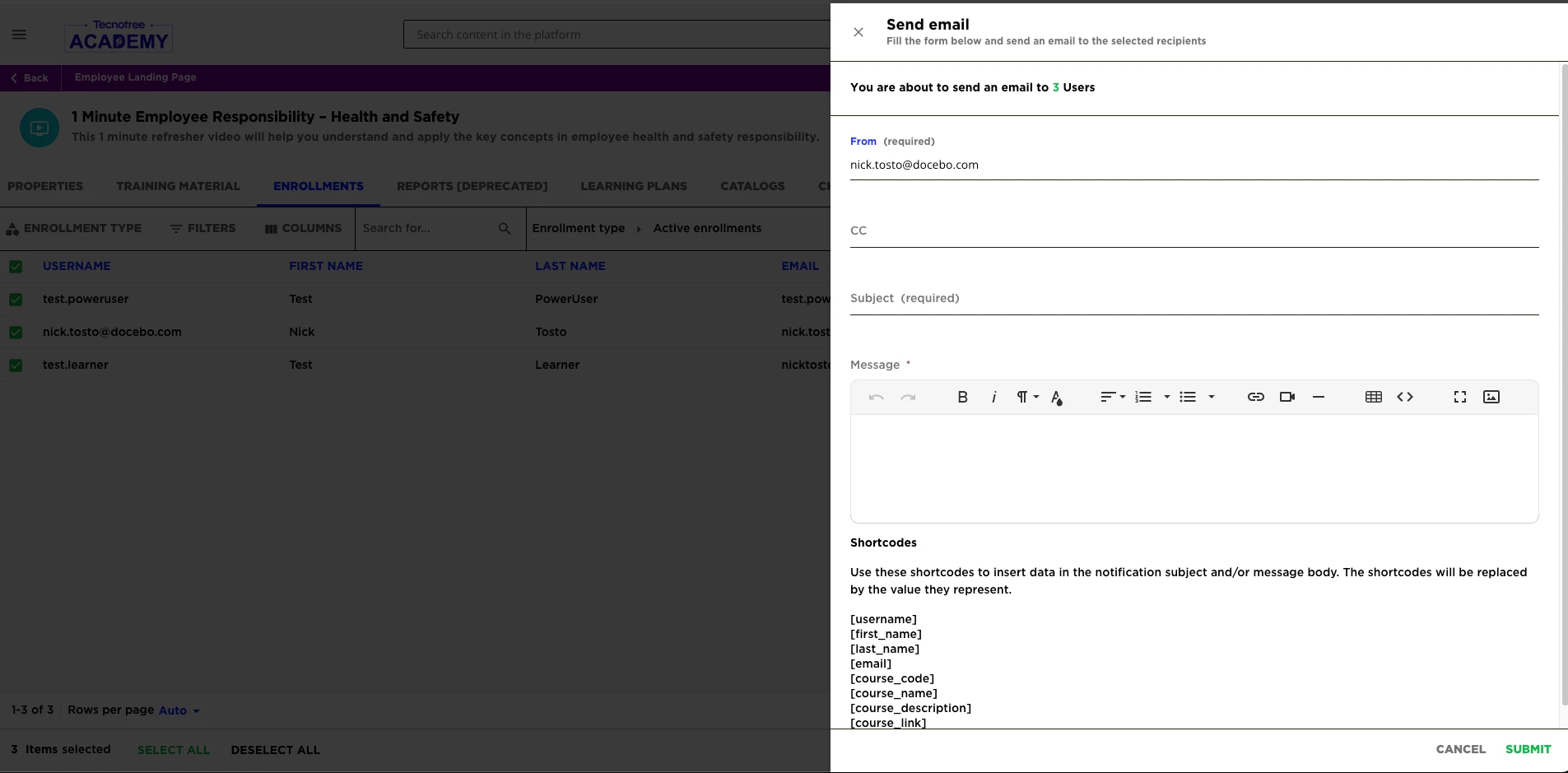
I’m not sure if there’s a way in the new notifications system to do what you’re trying to do, but you could always manually send an email from the Enrollments tab of the course:


Use the columns and filters to determine who needs the email and then once you check the box next to a user row, “Send Email” will be an option in the “Choose action” button at the bottom.


JZenker
Guide II
Forum|alt.badge.img+2
  • Guide II
  • April 15, 2025

Can do it from the Course as Nick mentioned, or do a digest email notification which allows you to trigger it with one click.