Question

Pulling a report to identify which courses do not have training materials.

  • August 1, 2025
  • 2 replies
  • 42 views

Hi Community!


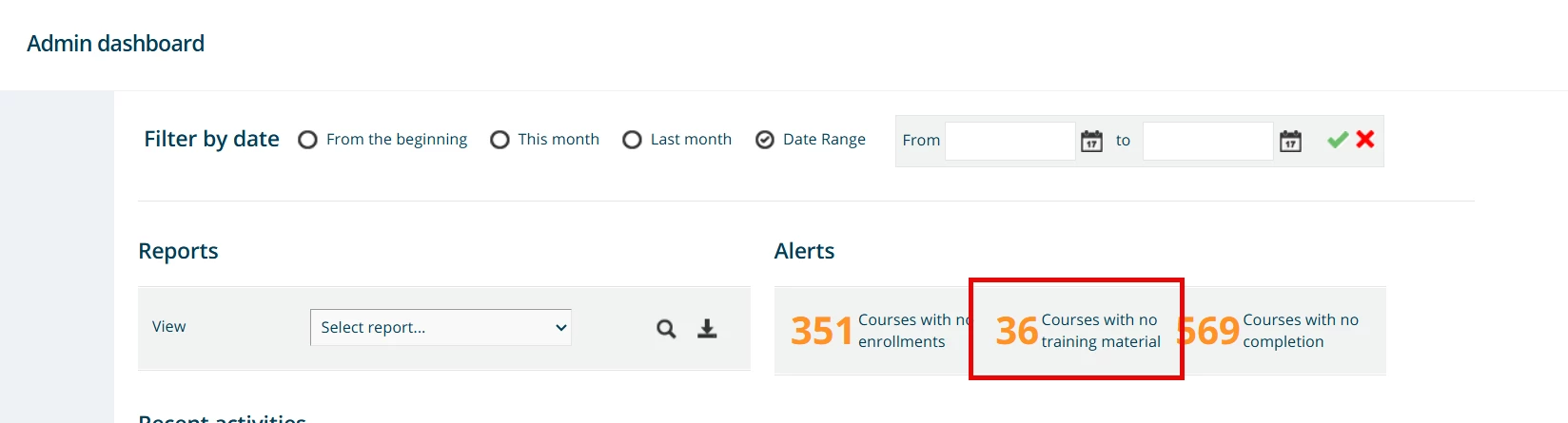
We are new customers about to go live and we are trying to take advantage of the build in admin dashboard that gives us a high-level overview of the platform and content performance. In the dashboard there is a statistic on number of courses without training materials, but I cannot figure out from course management, reports or insights on how to identify exactly which courses do not have any training materials. Is anyone aware of a report that gives this data or how to set on up?



2 replies

dwilburn
Guide III
Forum|alt.badge.img+4
  • Guide III
  • August 1, 2025

Hi ​@kari.hagedorn you can pull a course report to see a wide range of info.

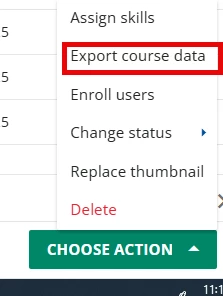
Go into Course Management and select some or all of your courses and then go to the green “Choose Action” button in the bottom right hand corner. And select Export Course Data


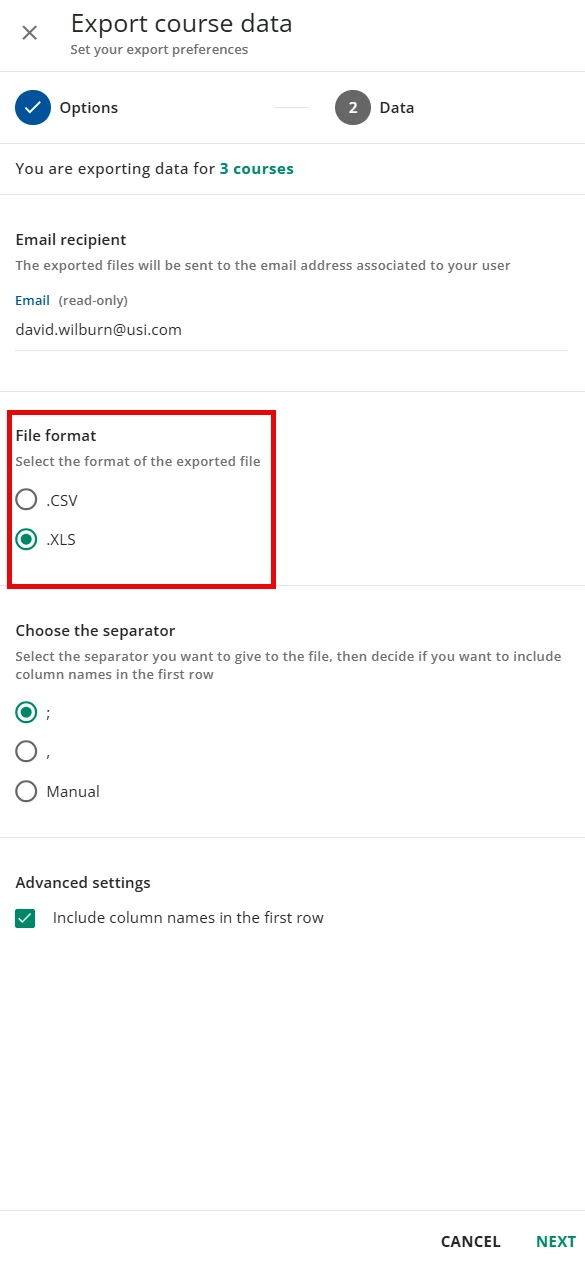
On the next screen select .XLS file format


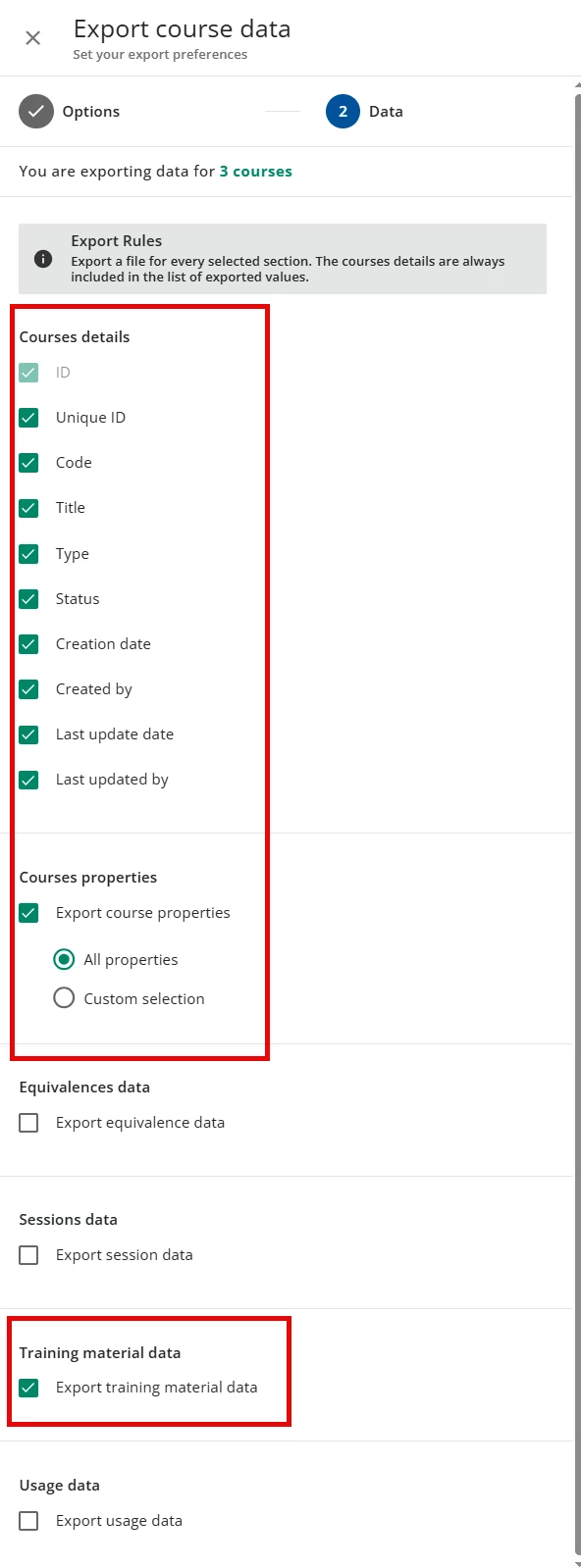
I would suggest you select all of the options for Course details. Then Select Export course properties followed by Training material export.


It would be great to select the rest of the options to see everything. But your call.

That export takes a bit, but you will end up with sever zip files. I open each and put in separate tabs of a spreadsheet. I pull these periodically for record keeping. 

There is so much great info. Session info. Which courses are in which Learning Plans, Catalogs or Channels. A wide range of information.


dwilburn
Guide III
Forum|alt.badge.img+4
  • Guide III
  • August 1, 2025

Forgot to mention, you can then do an analysis (Match or VLookup) to see for each course on the course properties tab have training material on the training material tab.