Question

Docebo -> Power BI

  • October 10, 2025
  • 12 replies
  • 78 views

JZenker
Guide II
Forum|alt.badge.img+2

Does anyone have any experience connecting Docebo to Power BI?

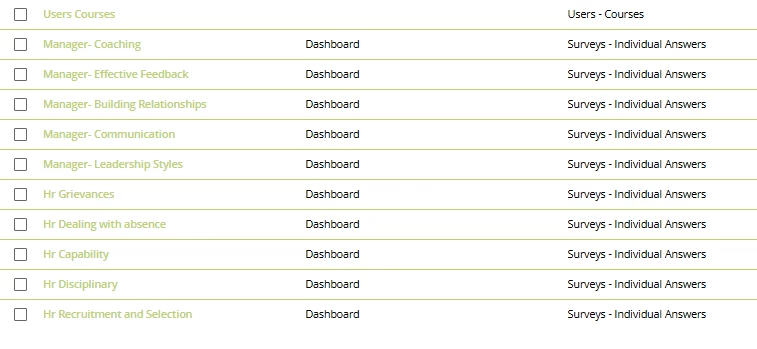
We created course surveys in the CLOR (Docebo) that are spread out through all of our courses. The survey report from Docebo leaves much to be desired, and isn’t the easiest to read. 

I’d like for each of the surveys to be pulled into Power BI, and read the data there via graphs and dashboards.

Any tips would be greatly appreciated.

12 replies

Forum|alt.badge.img
  • Novice I
  • 3 replies
  • October 14, 2025

We haven’t exactly integrated Power BI with Docebo to get this, and I agree the reports that show the data are difficult to work with. We download the reports (the standard ones off the course), run them through Power BI, then we present the numbers for each course along with all of our other metrics as an Iframe on Docebo. We only run them weekly so it’s manageable. 


JZenker
Guide II
Forum|alt.badge.img+2
  • Author
  • Guide II
  • 280 replies
  • October 14, 2025

We haven’t exactly integrated Power BI with Docebo to get this, and I agree the reports that show the data are difficult to work with. We download the reports (the standard ones off the course), run them through Power BI, then we present the numbers for each course along with all of our other metrics as an Iframe on Docebo. We only run them weekly so it’s manageable. 


That’s helpful - thanks! Any reason you went with manual uploads to Power BI rather than an automatic API connection? Pulling reports from every course that has a survey seems like it might get too tedious 


Forum|alt.badge.img
  • Novice I
  • 3 replies
  • October 14, 2025

Sure, when I researched in community at the time, I couldn’t find anyone that had actually managed to link it via API without hard work and programming knowledge, so for what it’s worth, less than 15 mins a week, it seemed like the easier route. 😂 there’s some info here: 

I did forget however that we set them up as reports, rather than going in individually 🤦‍♀️


hailey.gebhart
Helper III
  • Helper III
  • 50 replies
  • October 14, 2025

The way we are preparing to do this is via Learn Data. Certainly, heavy on the technical knowledge with our solution. 


JZenker
Guide II
Forum|alt.badge.img+2
  • Author
  • Guide II
  • 280 replies
  • October 14, 2025

The way we are preparing to do this is via Learn Data. Certainly, heavy on the technical knowledge with our solution. 

Would love to try Learn Data but that extra budget just isn’t there right now unfortunately 


JZenker
Guide II
Forum|alt.badge.img+2
  • Author
  • Guide II
  • 280 replies
  • October 14, 2025

I’d like to go with the following route:

Docebo Automate App → CSV files added to SFTP → Data brought to Power BI via Power Automate. Anyone try this?


JKolodner
Helper III
Forum|alt.badge.img+6
  • Helper III
  • 323 replies
  • October 14, 2025

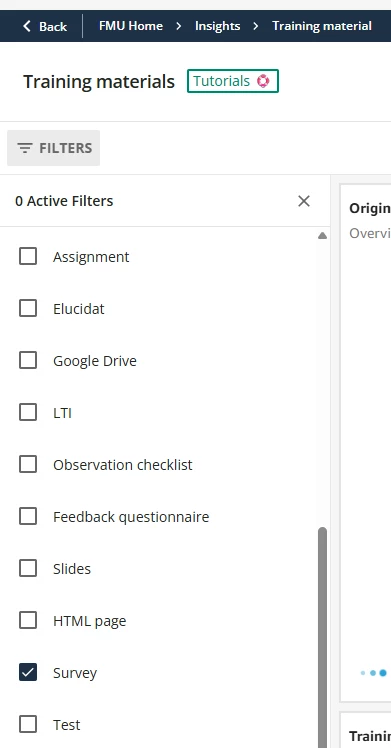
Is there any way you could use the Training Materials Insights dashboard? You can select the “surveys” type of training material.


JZenker
Guide II
Forum|alt.badge.img+2
  • Author
  • Guide II
  • 280 replies
  • October 14, 2025

Is there any way you could use the Training Materials Insights dashboard? You can select the “surveys” type of training material.


Thanks! Can’t seem to find a collective list of responses to the surveys here however. Just details such as who accessed, and which exist. I’d love it to be broken down by each survey and the answers submitted


JKolodner
Helper III
Forum|alt.badge.img+6
  • Helper III
  • 323 replies
  • October 14, 2025

Ah, I see. Thanks for letting me know.


JZenker
Guide II
Forum|alt.badge.img+2
  • Author
  • Guide II
  • 280 replies
  • October 14, 2025

Ah, I see. Thanks for letting me know.

Would have been great!


JKolodner
Helper III
Forum|alt.badge.img+6
  • Helper III
  • 323 replies
  • October 14, 2025

Maybe it’ll happen in the future...


brandonbillings
Helper II
Forum|alt.badge.img+1
  • Helper II
  • 36 replies
  • October 17, 2025

I’d like to go with the following route:

Docebo Automate App → CSV files added to SFTP → Data brought to Power BI via Power Automate. Anyone try this?

I have been running a night sync with this method for 2 years with no issues!

At 1am reports are written to the sftp for all user-course and user-session details in csv.

Power automate retrieves the csv files and loads them to onedrive (or you could use sharepoint storage). 

The power BI reports reference the onedrive URL.

___

I’ve since found a more “realtime” method to pull report data (or course detail extraction).

Power automate can trigger a report through the analytics service APIs or course exportcoursesdata. The API response will provide a executionID, which power automate can poll (on a loop delay) to see when the report is complete. Once complete I have power automate retrieve the results and write to a file.