


Hello Product Design Group!
I'm excited to share that the latest Docebo MCP Server updates are now live in Production following last month's Sandbox release.
Our vision remains the same: bringing the power of Docebo directly into the flow of work, so learners and administrators can access learning, complete key tasks, and get answers through the AI assistants they already use every day. This production release expands those capabilities even further, with updates including:
- The new MCP configurator, now available in Production
- Expanded administrator tools
- Authentication enhancements
Read on for an overview of what's now available to all customers, along with one important action required for existing beta users.
Action required: reconfigure existing MCP connections
As we transition from our temporary beta structure to a permanent, multi-server architecture, all existing MCP configurations created during the public beta must be updated to ensure continued service.
From the AI Control Panel, first enable the built-in Learner server. Then create a new connector in your AI assistant using the new permanent MCP endpoint.
- Old Beta endpoint format: https://[your-docebo-instance-name]/mcp
- New endpoint format for the Built-In Learner Server: https://[your-docebo-instance-name]/mcp/servers/system_learner/http
Existing beta connectors cannot be reused. Administrators must delete the previous connector, create a new one, and ask end users to authenticate again the first time they connect. This is a one-time migration required for the new production architecture.
For more details on configuration steps, please refer to the following documentation: Configuring the Docebo MCP Server.
New MCP configurator now available
The new MCP configurator is now available in the Docebo AI Control Panel.
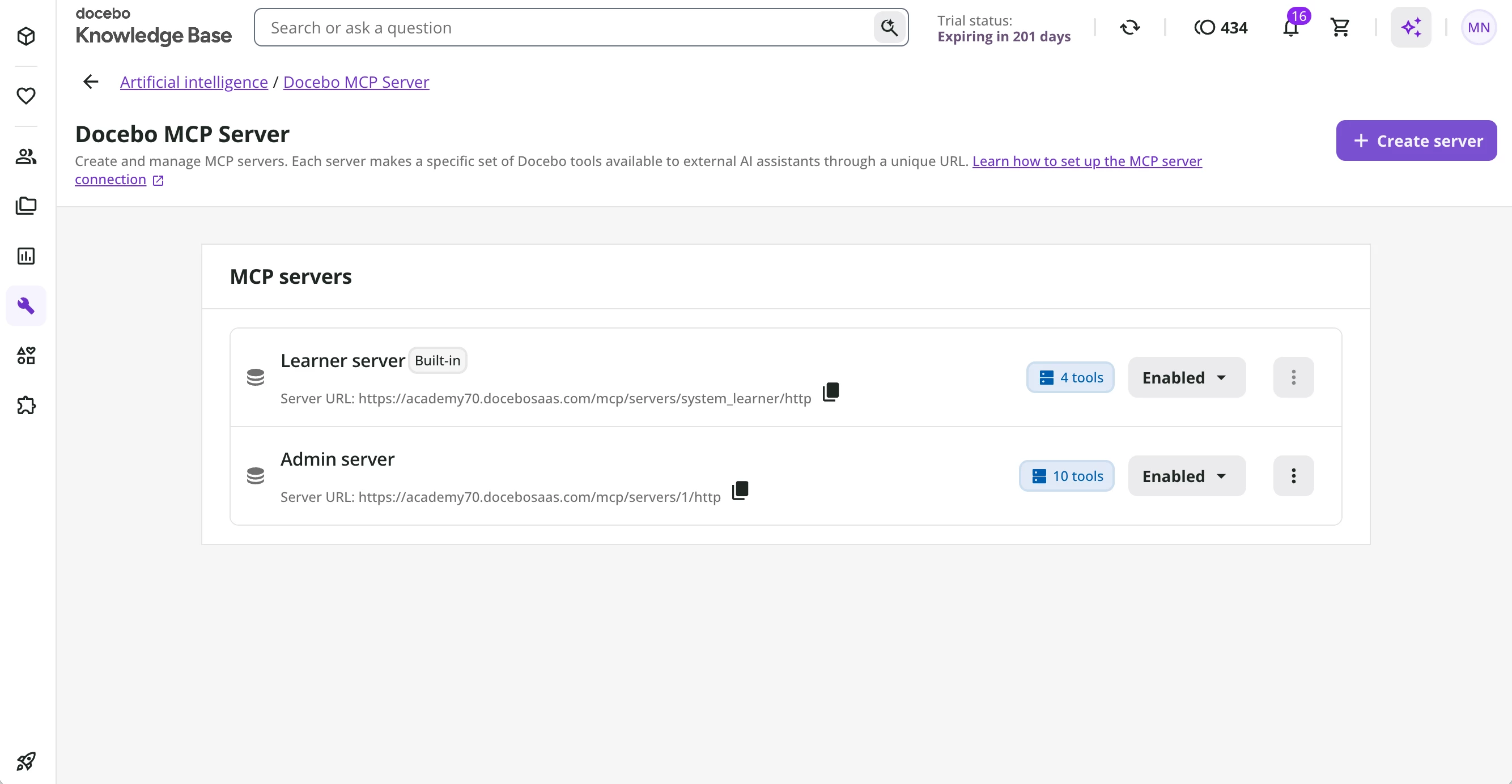
Superadmins can create and manage multiple MCP servers from a centralized tool library, exposing only the tools required for specific use cases while the built-in Learner server remains available out of the box. This gives administrators greater flexibility to design dedicated AI experiences for different audiences without additional infrastructure.
Expanded administrator tools
We've significantly expanded the administrator tool library available through the Docebo MCP Server.
In addition to the existing Enrollments tools introduced during the Sandbox release, administrators now have expanded management tools for Courses and Learning Plans, new tools for Content Marketplace, and natural-language learning analytics via Insights tool.
For the complete list of supported tools, please refer to the following documentation: Supported MCP tools.
Courses and Learning Plans tools
We've made the following updates to course and learning plan management tools:
-
Get learning item details: A new tool that allows Superadmins to retrieve detailed information about a specific course or learning plan, including its title, status, short description, and full description.
-
Update learning item: Enhanced to allow Superadmins to manage the publication status of an existing course or learning plan, in addition to its title and description.
Content Marketplace tools
Content Marketplace tools are included in this release but will become available once the new Content Marketplace experience begins rolling out on August 3, 2026.
When the new experience is available on your platform, customers with an eligible Go1 Content Marketplace subscription will be able to:
- Discover content by duration, topic, or publisher.
- Compare courses by skills and ratings without building spreadsheets.
- Import courses to a folder with one command.
- Create or edit a collection.
- Identify imported content that is retiring and find suitable replacements..
Support for additional Content Marketplace content providers will become available as they transition to the new Content Marketplace experience.
These capabilities make it easier to discover, evaluate, curate, organize, and import learning content directly from your AI assistant.
Insights tool
The new “Ask learning data insights” tool enables administrators to ask natural-language questions about learning activity across their platform, including enrollments, completions, learning plans, and time spent learning.
For example, administrators can ask questions such as "What are the top course categories by enrollments?" or "Which learning plans have the highest completion rates?".
We're committed to continuing to expand the administrator tool library with additional capabilities in future releases.
Authentication enhancements
This release also includes important improvements to the authentication experience.
Single Sign-On
Organizations can now use automatic redirection to their configured Single Sign-On (SSO) login page during the MCP authorization flow, providing a smoother authentication experience for users in SSO environments.
This enhancement is available in Sandbox. In Production, it is currently available upon request while compatibility with existing OAuth integrations continues to be validated. During this period, customers who have validated the new authentication flow in Sandbox, or who do not use other OAuth-based integrations that could be affected, can request that Docebo enable the enhancement for their Production environment. To activate this enhancement for your Production environment, reach out to Docebo via the Help Center or contact your Account Manager.
Custom Domain and Extended Enterprise
This release also expands MCP authentication support to custom domains and Extended Enterprise.
For Extended Enterprise, authentication is currently supported when clients are configured with a secondary domain (or dedicated subdomain when using a custom domain). Authentication is not yet supported for Extended Enterprise clients configured with subfolder URLs. This limitation is expected to be resolved in future releases.
For complete details on authentication requirements, supported configurations, and current limitations, please refer to the updated Configuring the Docebo MCP Server documentation.
We're excited for everyone to start using these new capabilities in Production. As always, we'd love to hear your feedback and learn how you're using the Docebo MCP Server in your AI workflows