Question

Course Catalog Filter For Catalog Title

  • June 1, 2026
  • 5 replies
  • 28 views

We are currently using course catalogs to organize learning content by competency within our competency model. As our catalog library continues to grow, it becomes increasingly difficult for employees to locate the competency catalog they need. Currently, users must scroll through the catalog list and repeatedly select "Show More" until they find the appropriate option.

Would it be possible to add an additional filter that allows users to quickly narrow the list and navigate directly to the catalog they are looking for? This would significantly improve the user experience, particularly for organizations leveraging a large number of catalogs.

I have noticed several enhancement requests across the platform that appear to be requesting similar functionality, although many of them have been closed. Is there a technical limitation that prevents this type of filtering, or is it something that could be considered for future development?

As competency-based learning continues to expand, improving catalog navigation would provide a meaningful efficiency gain and make it easier for learners to find the content most relevant to their role and development goals.


5 replies

Forum|alt.badge.img+5
  • Helper I
  • June 1, 2026

Hi ​@abowman 

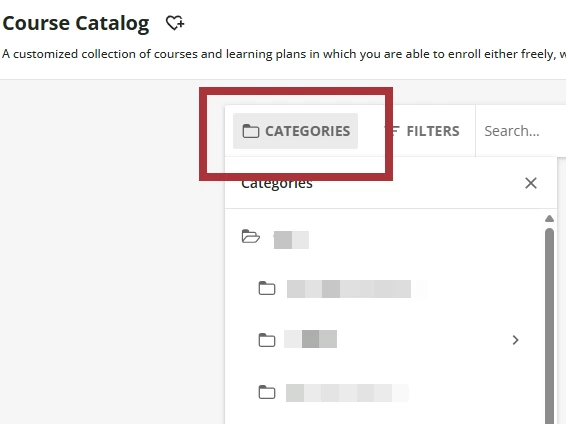
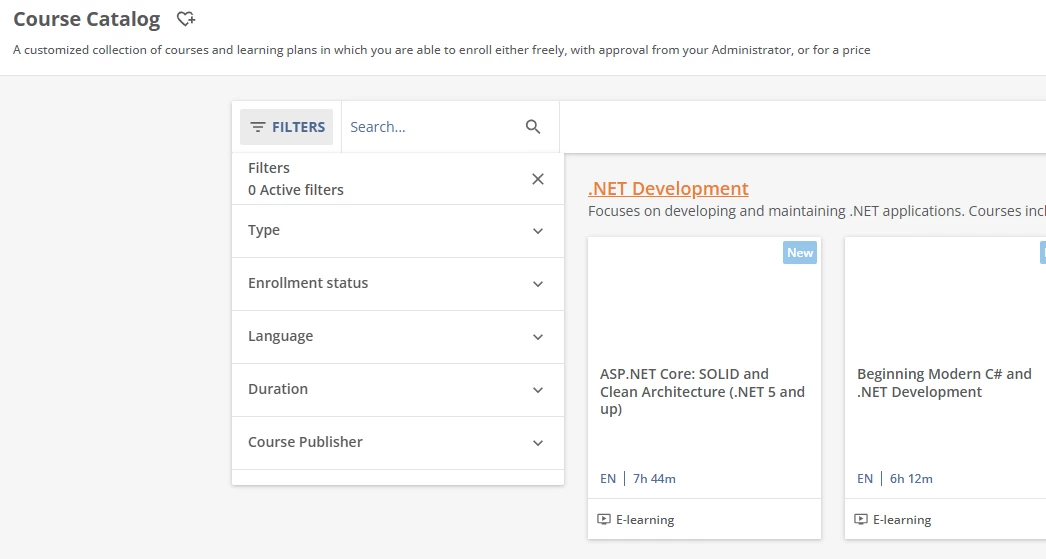
When you access the course catalog, are the users not able to see this option: 


  • Author
  • Novice I
  • June 1, 2026

Hello! We do not. 


Forum|alt.badge.img+5
  • Helper I
  • June 1, 2026

Hello! We do not. 

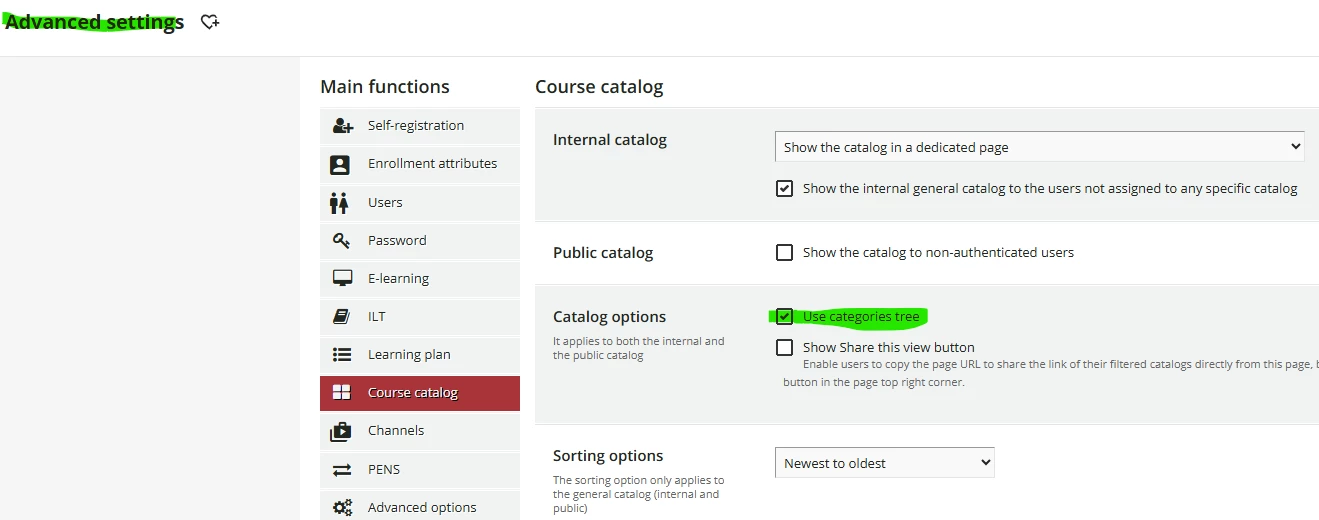
Under your advanced settings, click the Use categories tree option That should provide the Categories option so they can select the catalog they are looking for. 


  • Author
  • Novice I
  • June 1, 2026

Thank you very much for this. Though it does not solve my problem, it allows my team to see the categories which I obviously did not know was that easy to set up. We have both categories AND catalogs. The categories are broader; the catalogs are competency specific. 


lrnlab
Hero III
Forum|alt.badge.img+10
  • Hero III
  • June 1, 2026

You can also create “pre-filtered” searches and create a custom widget to speed up searches.

Once you use a filter and/or a category to find content, if you look at the url, you will see if contains additional text (those are the filters). You can use that URL to create a custom widget so users will not need to create a filter or click categories, etc.

Example: https://www.[your_domain]s.com/learn/catalog?ctldoc-catalog-0=t-_elearning~category_id-26

Hope yup find this useful.