



Answer

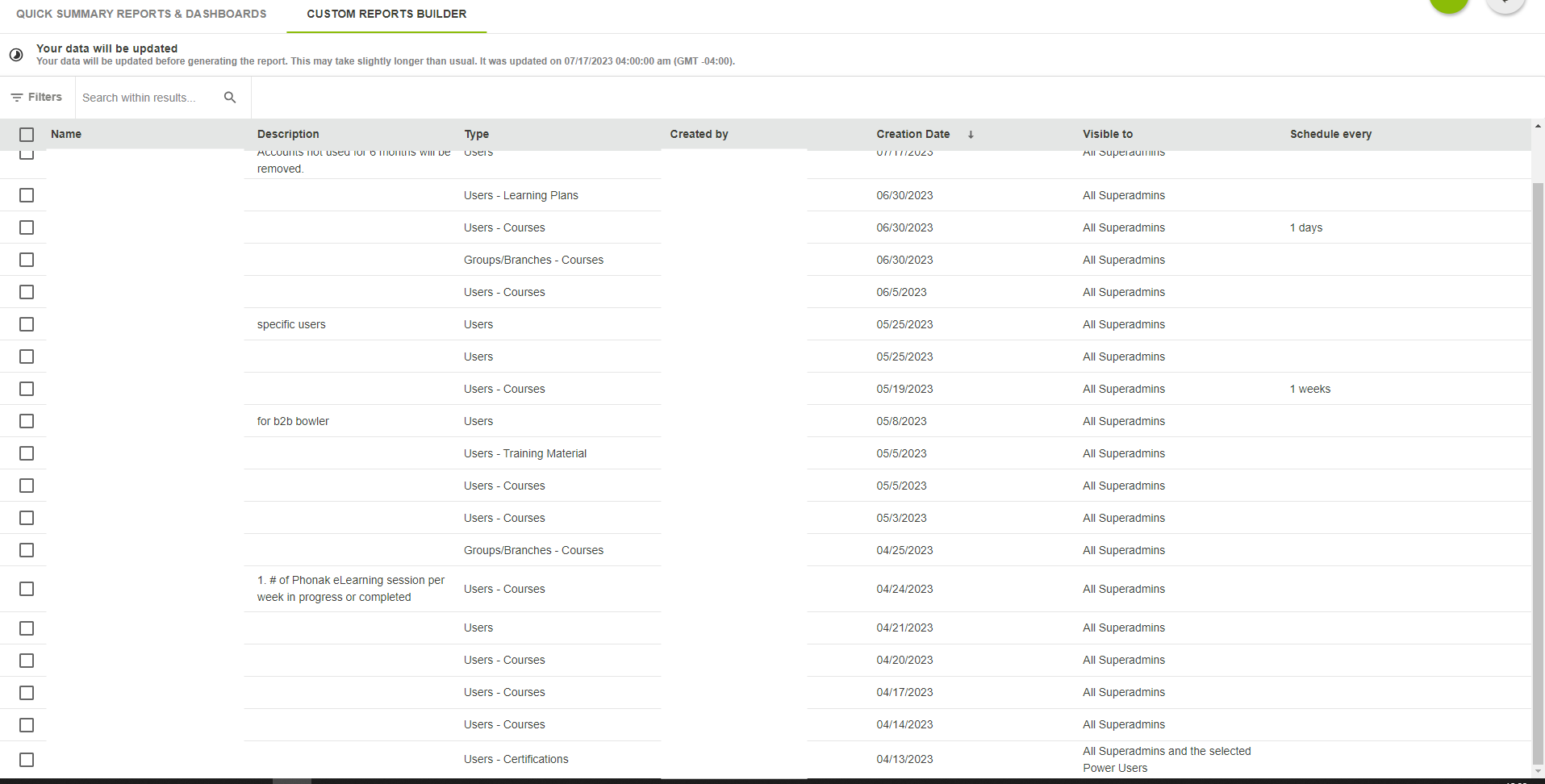
No navigation buttons on custom reports builder

  • July 17, 2023
  • 9 replies
  • 104 views

NateC
Helper I
Forum|alt.badge.img+2

Hi all.

Maybe I’m missing something but I cannot navigate in the Custom reports builder menu - i can only look at the first page of entries; i don’t get any options to progress through the list. i’ve tried it on a couple of browsers & it doesn’t get any better.

Has anyone else seen this? i was going to submit a ticket but i wanna see if anyone else has experienced this first.

Regards,
Nate
 

Best answer by Baskaran venugopal

Last day, I connected with support team and confirmed there is a known issue with Custom report builder page. It shows only the most recent created report, and it does not show all that have been created. 

They’re working to fix this issue and currently they don’t have any ETA. So, I’ve raised a ticket

As a workaround, we can find the report by typing the report name in the search field to get desired report. I agree, it’s not great if you can't recall the name of the report.

Waiting for the fix from Docebo.

9 replies

lrnlab
Hero III
Forum|alt.badge.img+10
  • Hero III
  • July 17, 2023

hmm, just had a look and am experiencing the same...no report count, no way to navigate to the next page...definitely an issue...I will log a ticket now and suggest you do the same…the page was recently updated so am thinking there's an issue there..??


dklinger
Hero III
Forum|alt.badge.img+11
  • Hero III
  • July 17, 2023

i think the metaphor they want us to go towards is to do a search and not navigate. Both is way better here.


lrnlab
Hero III
Forum|alt.badge.img+10
  • Hero III
  • July 17, 2023

i think the metaphor they want us to go towards is to do a search and not navigate. Both is way better here.

LOL, not great if you can't recall the name of the report.


KMallette
Hero II
Forum|alt.badge.img+9
  • Hero II
  • July 17, 2023

Yea,something is odd … the checkboxes are there but it doesn’t trigger the “Choose More Actions”menu… but I don’t see why else those boxes would be presents.

@NateC You might see if the Filters help at all...


Forum|alt.badge.img+3

Last day, I connected with support team and confirmed there is a known issue with Custom report builder page. It shows only the most recent created report, and it does not show all that have been created. 

They’re working to fix this issue and currently they don’t have any ETA. So, I’ve raised a ticket

As a workaround, we can find the report by typing the report name in the search field to get desired report. I agree, it’s not great if you can't recall the name of the report.

Waiting for the fix from Docebo.


  • Novice III
  • July 18, 2023

is there an update to this? we are still experiencing the same issue.  Also it is not saying reports are updating.


lrnlab
Hero III
Forum|alt.badge.img+10
  • Hero III
  • July 18, 2023

support says there should be a fix sometime around July 26


Forum|alt.badge.img
  • Former Docebian
  • July 18, 2023

Thank you all for keeping on top of this! We’ve gone ahead and created a Known Issues post so you can track this issue more easily: 


sjennings78
Guide III
Forum|alt.badge.img+7
  • Guide III
  • July 19, 2023

I discovered this same issue on the Skills Management page the other day and turned in a ticket for it.  No navigation buttons, so you can only see the first 20 items, yet you can search or filter and see that there are others there.  On that page, however, I do see the bar that says “showing 1-20 of 107” and navigation buttons for a fraction of a second and then it disappears.  It also does not show the Choose Action button when multi-selecting items in the list.

I do hope the fix for the reports page also addresses the Skills Management page!












