

Question

Question Bank Assessment - Completion Screen Message

  • May 11, 2026
  • 2 replies
  • 11 views

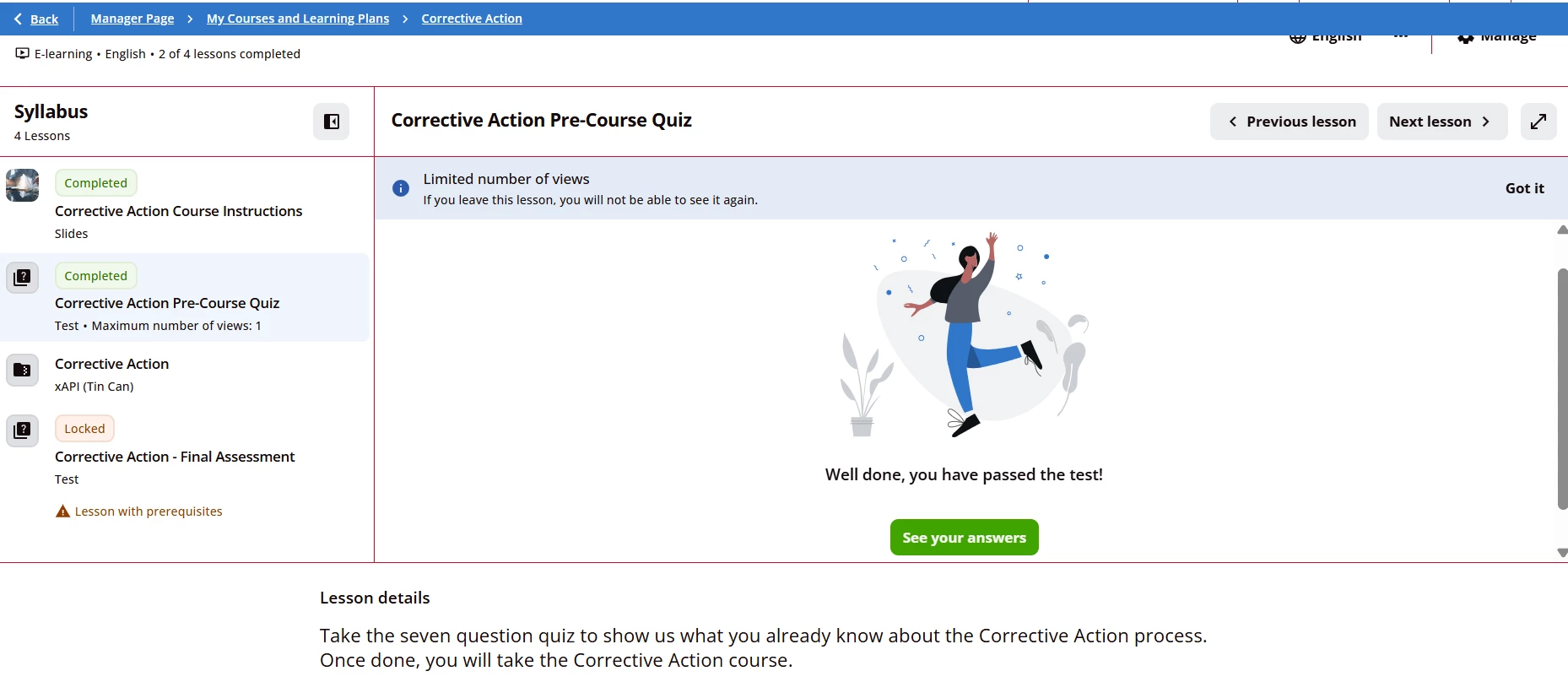
Hello - I am wondering if there is a way to remove messages that seem to auto appear after someone completes a mini assessment I built through Question Bank? I am including the screenshot here, We do not want it to say “Well done, you have passed the test!” once they have completed my pre-assessment quiz. Is there a way to get rid of/disable that message at the end, and maybe even the image too?

Thank you!

Shayna Shaffer

Shayna.shaffer@chadwellsupply.com
 

2 replies

lrnlab
Hero III
Forum|alt.badge.img+10
  • Hero III
  • May 11, 2026

Not sure you can remove this as it’s tied to the object completion. Good question for support though.


Moshe.Machlav
Guide I
Forum|alt.badge.img+1

Hi ​@shaynashaffer ,

Currently, there is no native toggle within the Question Bank or Test settings to simply disable the completion screen or its associated image.

To completely hide the message box and the image, you would need to apply Custom CSS in your platform's Look & Feel settings to target and hide that specific UI element.

However, a word of caution before you go down the coding route: Docebo has announced significant upcoming updates to the platform's design and Course Player UI. In organizations I've worked with, we typically freeze these kinds of structural CSS overrides when a major UI update is imminent. Custom CSS applied to the player right now is highly likely to break or require a complete rewrite once the new design is released to your environment.

A safer, code-free alternative: If your primary concern is the specific phrasing rather than the layout itself, you can use Docebo's Localization Tool. You can search for the exact string ("Well done, you have passed the test!") and overwrite it with something more appropriate for a pre-assessment, or even just a blank space. This won't remove the image, but it addresses the messaging issue without creating future technical debt.

You can reference the documentation for both approaches here:

Hope this helps you decide the best path forward!





