

Hi Everyone
When setting up a virtual ILT session/event using an external training provider’s MS Teams link
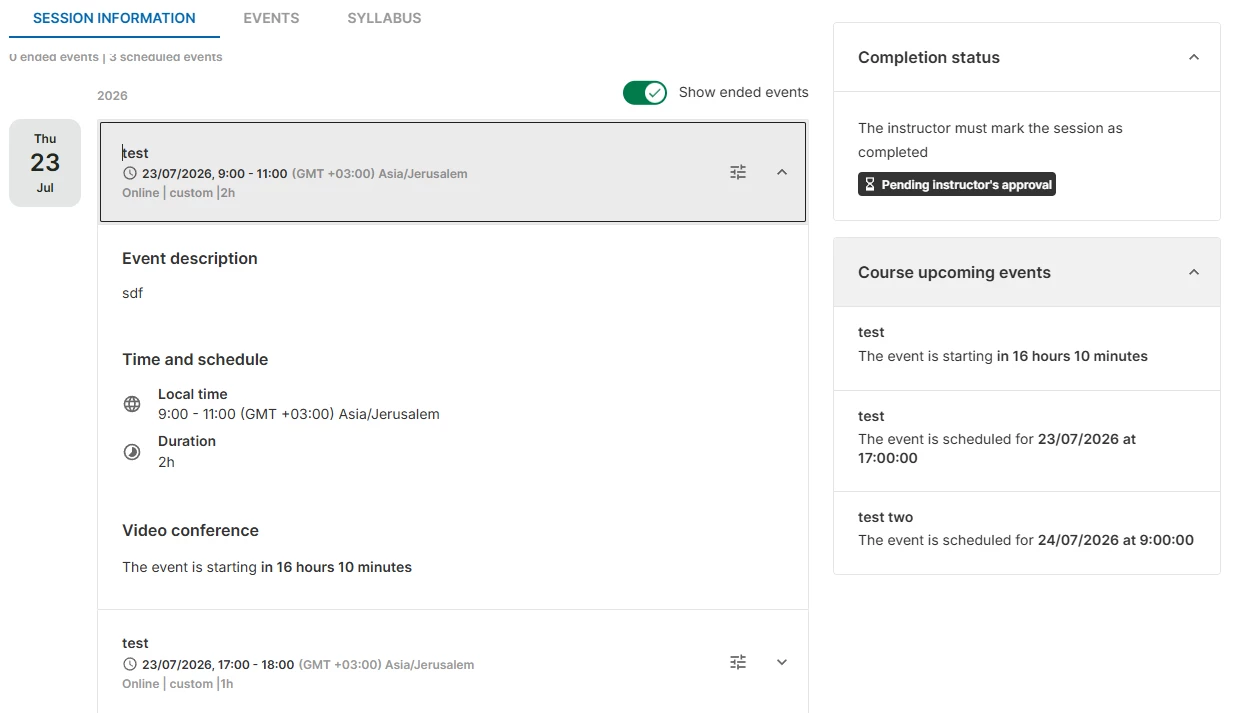
I know in the past Learners have been able to see a live countdown when they accessed the course tile on their My Learning page and the JOIN button would appear based on a timescale set by me.
I have just set up some vILT sessions/events for next week but when I login as one of the Learners to check that everything looks as it should, there is no countdown. How soon before the start of the vILT session/event does the countdown become visible to Learners please?
I plan to send out instructions on how to access a vILT as this will be a new experience for all the Learners but didn’t want to mention the countdown if it is not visible to them.
Many thanks
Sarah

Question
Virtual ILT Session/Event using MS Teams Link









Log in to Docebo Community
Enter your email address or username and password below to log in to Docebo Community. No account yet? Create an account
Docebo Employee Login
or
Enter your E-mail address. We'll send you an e-mail with instructions to reset your password.