
Question

Need help uploading User CSV file - repeated error message Invalid parameter 'user_id'

  • June 5, 2025
  • 6 replies
  • 78 views

Sleigh353
Novice I

Four failed attempts!

I have a CSV file with the data on almost 300 people. The date is in the correct format YYYY-MM-DD; the yes/no columns are all correct and filled in. Everything looks fine with me.

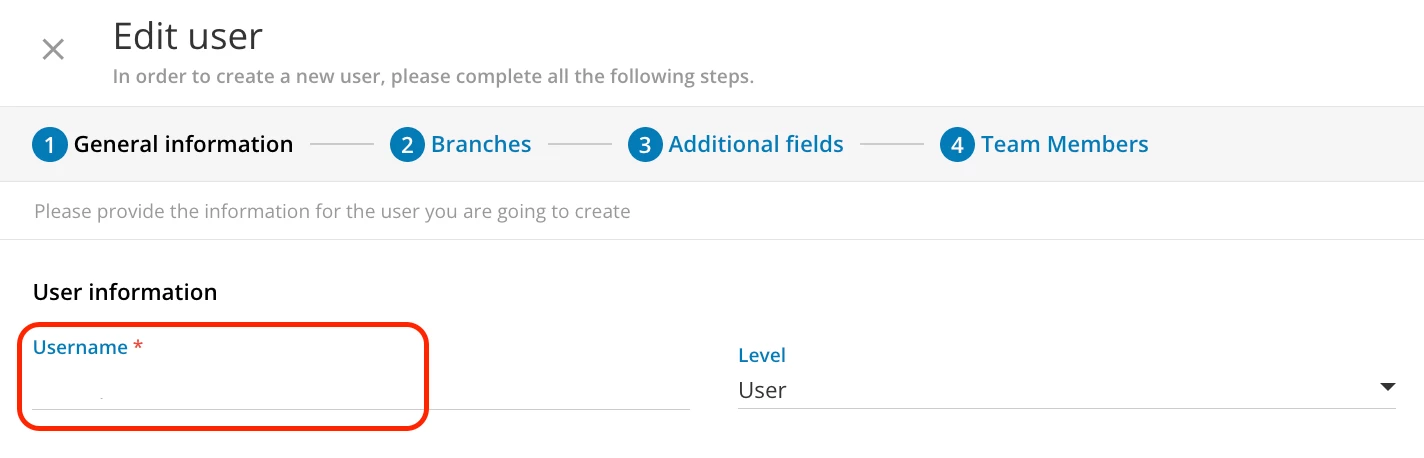
When I go to upload I get an error message: 

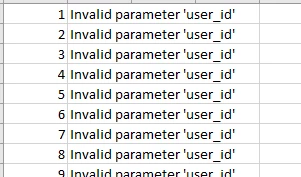
Then I pull the error report and there are 300 rows of this: 


What am I doing incorrectly?

6 replies

sjennings78
Guide III
Forum|alt.badge.img+7
  • Guide III
  • June 5, 2025

The error is referring to the user_id field - are you providing a value for that field?  I believe that is the field that gets automatically created for a new user and you do not need to provide that unless you are updating existing users.  You do need to provide a username, however (that is the login for the user).


lrnlab
Hero III
Forum|alt.badge.img+10
  • Hero III
  • June 5, 2025

Are you trying to update existing users or create new ones? The username is usually the primary key that needs to be added to all uploads so that Docebo knows which profiles to create and/or edit.

Also make sure you match up the correct fields when configuring your user import

https://help.docebo.com/hc/en-us/articles/360020128839-Importing-and-managing-users-via-CSV-files


Hope this helps


Forum|alt.badge.img+4
  • Helper II
  • June 5, 2025

I had this happen and there was a space at the end of each of the IDs in my file, so maybe a quick find & replace in that column just to make sure that’s not happening.


sjennings78
Guide III
Forum|alt.badge.img+7
  • Guide III
  • June 5, 2025

I had this happen and there was a space at the end of each of the IDs in my file, so maybe a quick find & replace in that column just to make sure that’s not happening.

This has bitten me a few times!  I’ve gotten into the habit of doing a TRIM function in Excel to remove leading and trailing spaces now before trying to upload.


KMallette
Hero II
Forum|alt.badge.img+9
  • Hero II
  • June 5, 2025

@sjennings78 I just learned how to do something in Excel that has haunted me!! TRIM!  Thank you :-) 


sjennings78
Guide III
Forum|alt.badge.img+7
  • Guide III
  • June 5, 2025

@sjennings78 I just learned how to do something in Excel that has haunted me!! TRIM!  Thank you :-) 

Glad to share!  It really is a very useful one to have in your Excel toolbox, for sure.  When it comes to any bulk actions for Docebo, I think TRIM and CONCAT are my most used functions.  I typically do the TRIM in a new column, then copy and paste (as values only) back into the original column, then delete the column I used for the TRIM.  Be sure to delete the entire column though, not just the data in it those cells - otherwise, it likes to think that column is still part of the dataset.