
My colleague gets the weekly roundup email, but I do not. How can I subscribe to it? Does this go to only one email address per account? If I somehow unsubscribed how do I resubscribe? Thanks!

Best Answer
How to Subscribe to Weekly Roundup
Best answer by erin.brisson
To confirm your subscription settings, please navigate to Settings > Notifications within your community profile and then ensure the ‘Campaigns’ notification is toggled on (blue showing).
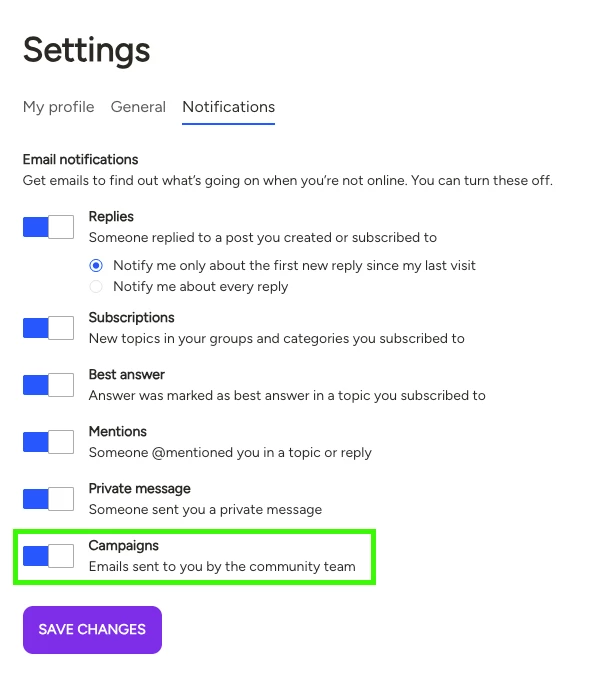
In addition to the email, you can always access the latest roundup via the Weekly Roundup link in the community mega menu (very top of the community, in between Groups and Maestros). You can also bookmark the page for easy access!

Hope this helps 🙂



Log in to Docebo Community
Enter your email address or username and password below to log in to Docebo Community. No account yet? Create an account
Docebo Employee Login
or
Enter your E-mail address. We'll send you an e-mail with instructions to reset your password.