



Discussion Categories help organize conversations into logical “buckets” of content, which helps future members of the community easily find your content. This guide will help you make sense of the discussion categories in Docebo Community.
If you still can’t sort out the categories after reading this guide, don’t sweat it. We’re happy to make sure your question or idea gets into the right place after you post. What matters most is that you post it!
There are three parent discussion categories in Docebo Community, each with a number of sub-categories. Each sub-category comes with a ‘What can I find in this category’ post so be sure to check them out.
Here is a list of the three main categories with all sub-categories inside Docebo Community:
-
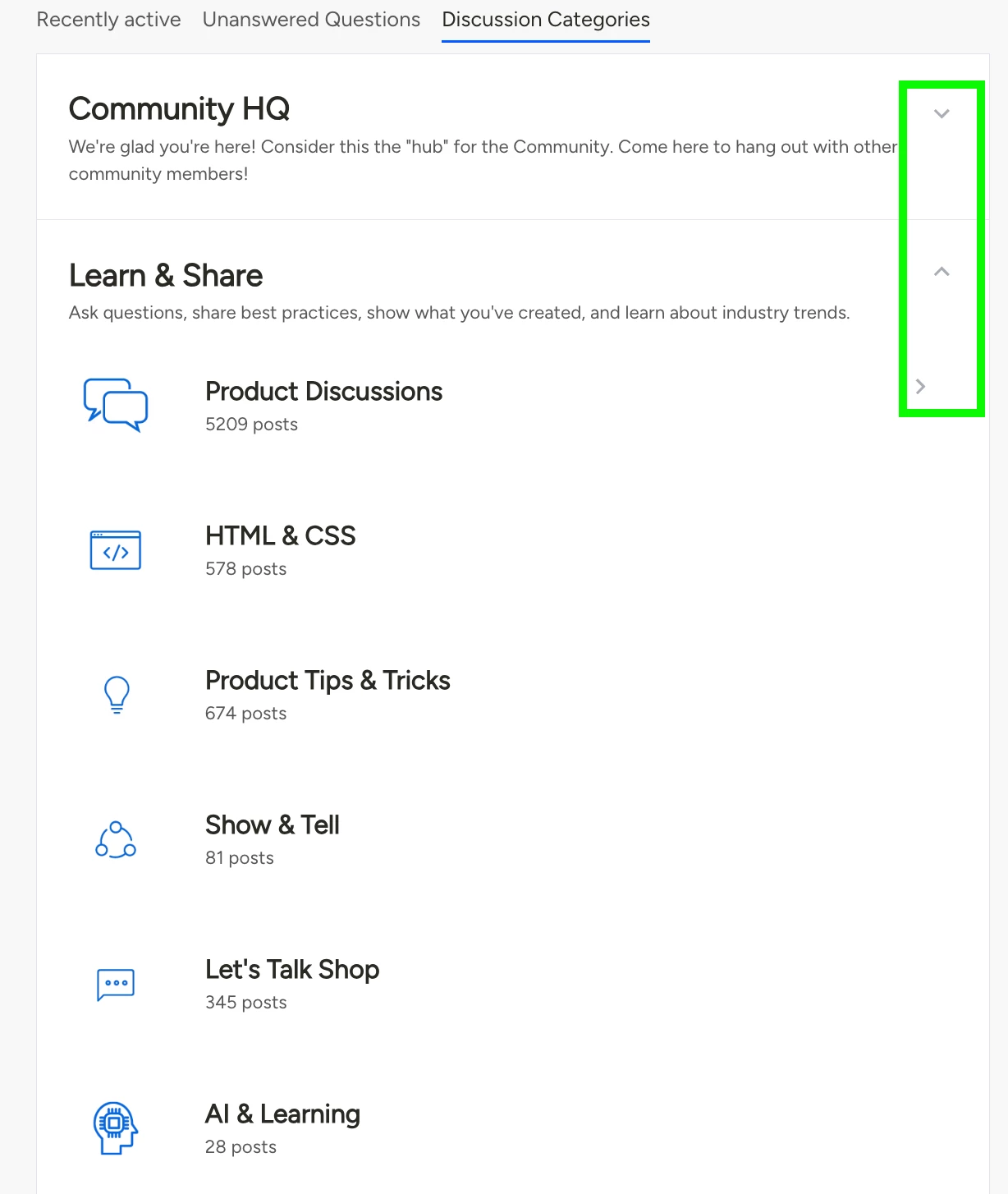
Community HQ
- Community Lounge: Introduce yourself, ask questions about the community, start virtual "water cooler chats", and get to know each other!
- News & Announcements: Be the first to know all the things: product updates, support announcements, company news, upcoming events, etc.
- All About Inspire: Everything related to our annual Inspire conference to keep the conversations going all year round!
- The Learning Career Board: A space dedicated to connecting professionals with career opportunities in learning, development, and training across various industries. From internal employee enablement roles to customer education and external training positions, this board is your go-to resource for impactful careers that shape the future of learning.
The Community HQ parent category is best for new members or those seeking news & information about Docebo and the community.
-
Learn & Share
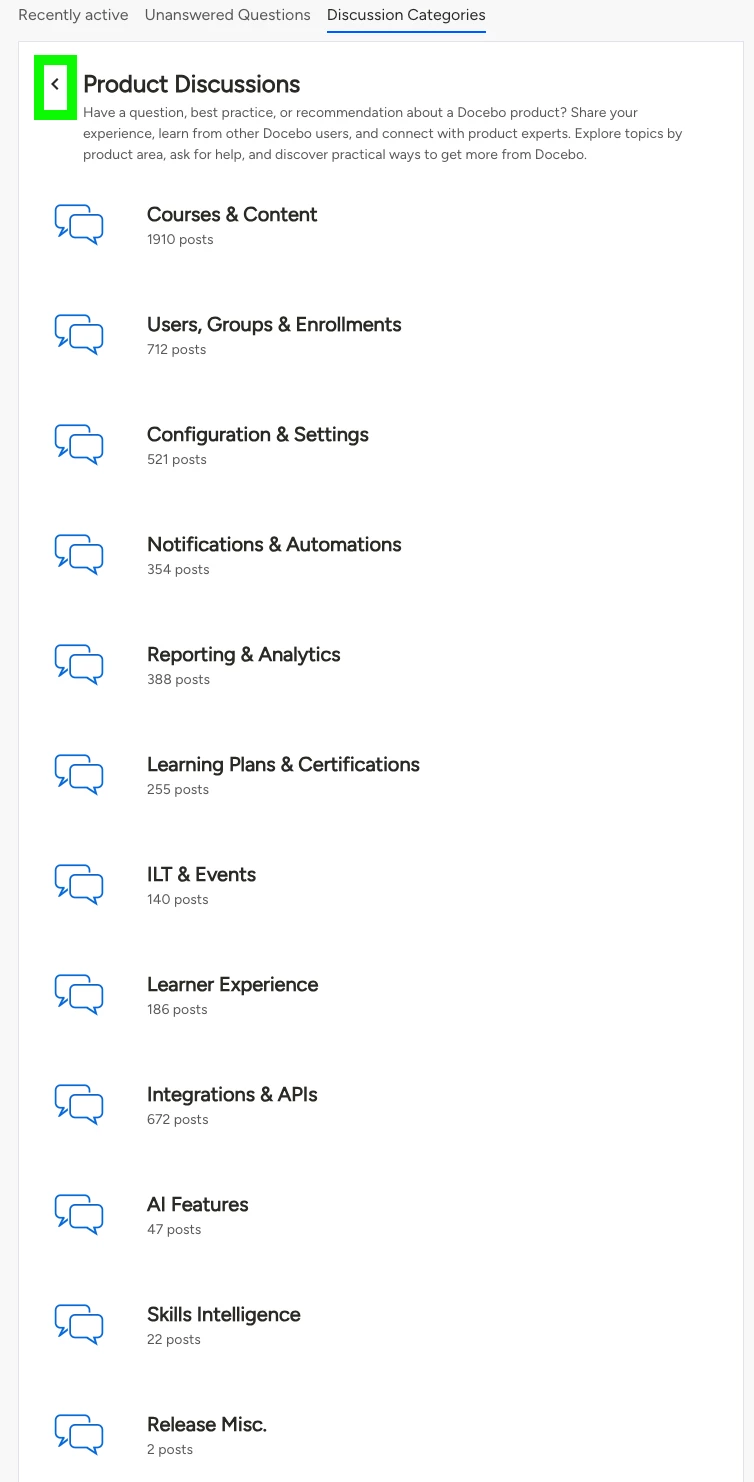
- Product Discussions: Have a question, best practice, or recommendation about a Docebo product? Share your experience, learn from other Docebo users, and connect with product experts. Explore topics by product area, ask for help, and discover practical ways to get more from Docebo.
- Courses & Content: Discuss creating, managing, organizing, and delivering courses, learning objects, and other content in Docebo.
- Users, Groups & Enrollments: Discuss practices about managing users, groups, audiences, enrollments, and access to learning.
- Configuration & Settings: Discuss platform configuration, administrative settings, permissions, preferences, and customization options.
- Notifications & Automations: Discuss notifications, automated actions, triggers, workflows, and ways to streamline learning administration.
- Reporting & Analytics: Discuss reports, dashboards, insights, data exports, tracking, completion status, learning impact analytics, and custom reporting.
- Learning Plans & Certifications: Discuss creating and managing learning plans, curricula, certifications, recertification, external training, and certificate templates.
- ILT & Events: Discuss instructor-led training, sessions, classrooms, webinars, registrations, and learning event management.
- Learner Experience: Discuss channels, playlists, search, gamification, recommendations, Mobile app, engagement features and user experience.
- Integrations & APIs: Discuss connecting Docebo with other systems through integrations, APIs, connectors, and data exchanges.
- AI Features: Discuss AI-powered capabilities, use cases, implementation ideas, and best practices in Docebo
- Skills Intelligence: Discuss skills, competencies, skill development, and skills-based learning experiences.
- Release Misc.: Discuss product release webinars, Q&A, and other release-related topics. For any questions on specific releases, please reply to the release post on our Product Updates page and be sure to subscribe so you never miss an update!
- HTML & CSS: With Custom CSS and access to HTML widgets and pages, there's no limit to what you can accomplish in Docebo Learn. Share how you've customized Docebo to your liking with custom HTML & CSS.
- Product Tips & Tricks: Share your tips, tricks, and best practices with the Docebo Community. Don’t let that knowledge go to waste…share it with the world!
- Show & Tell: Created something you’re proud of? Share it here. Bonus points if it’s built in Docebo, but we’ll accept anything related to the e-learning industry. Write a book? Featured in a podcast? We want to know!
- Let’s Talk Shop: As learning professionals, we can’t hide the fact that we love to nerd out. Ask questions and start conversations around training, course authoring, LMS administration, certifications, curriculum development, you name it!
- Ai & Learning: Explore how artificial intelligence is shaping learning, instructional design, enablement, and the future of work. Share experiences with generative AI, ChatGPT, and other AI tools, including prompts, experiments, use cases, resources, and lessons learned. For questions about specific Docebo AI products or features, check out the AI Features product discussion.
- Product Discussions: Have a question, best practice, or recommendation about a Docebo product? Share your experience, learn from other Docebo users, and connect with product experts. Explore topics by product area, ask for help, and discover practical ways to get more from Docebo.
The Learn & Share parent category is the heart and soul of Docebo Community. This is where members will spend the majority of their time.
-
Feedback & Requests
- Product Research & Design (registered members only): Help us shape the future of Docebo's products.
- Community Feedback: What do you think of the Docebo Community? What do you like? What do you dislike? This platform is built for you, so we want to hear from you!
- Docebo Feedback: Share your thoughts and feedback on what Docebo is doing well and what we can improve on!
- Group Requests: Are you interested in starting a group in Docebo community? Let us know by requesting it here.
The Feedback & Requests parent category allows you to provide your feedback directly to Docebo to help us shape the future of the product as well as about your experience with the community and Docebo as an organization. We welcome any and all of your valuable feedback!
You can view all of the discussion categories in the community at any time by scrolling down to the Community content feed and selecting the Discussion Categories tab. Use the arrows on the right side to open and close each main category (Community HQ, Learn & Share and Feedback & Requests) to view all sub-categories.
❓ Still have questions about discussion categories in Docebo Community? Ask us below! ⬇️⬇️⬇️